46
4.9 Cruise Settings
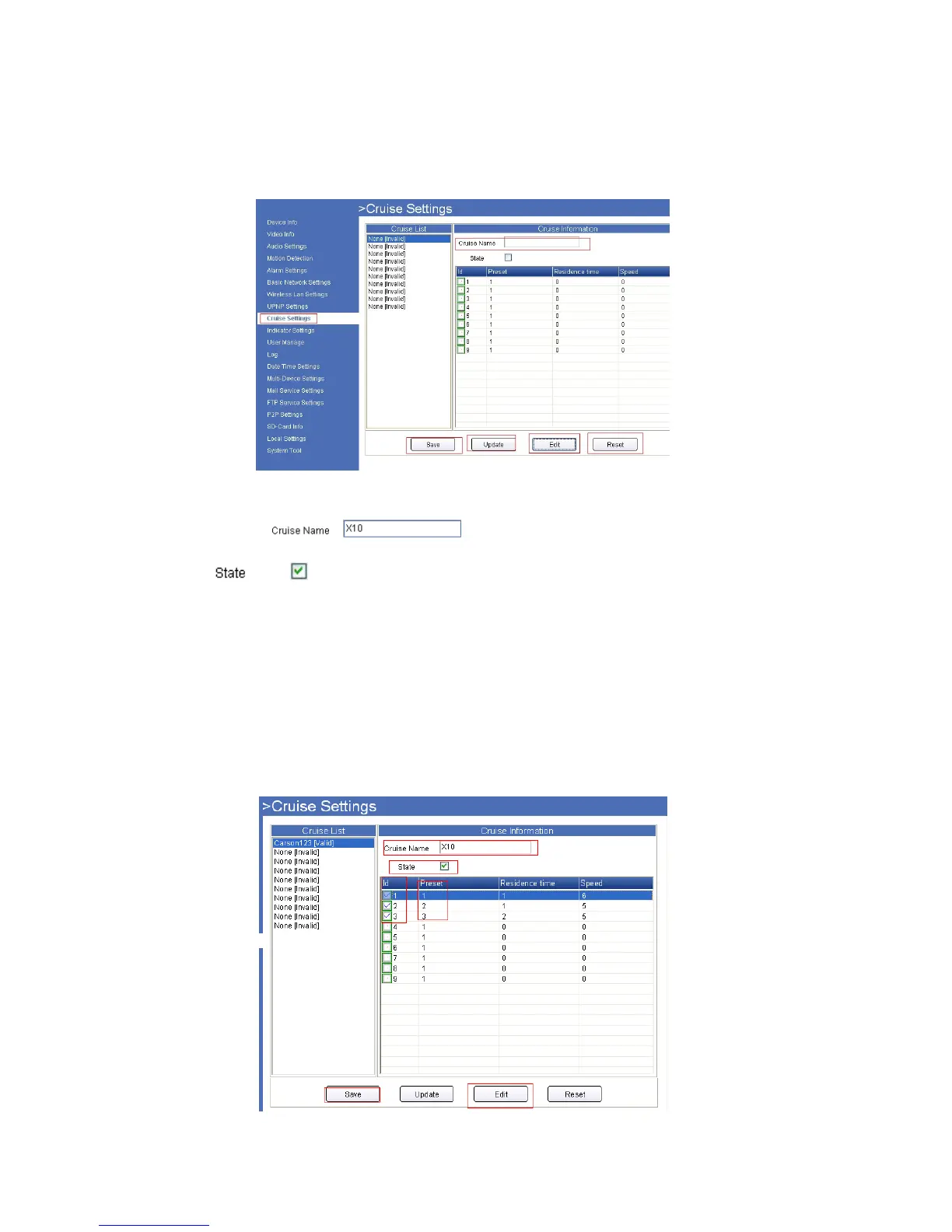
Click Cruise Settings to enter the interface:
4.9.1 For IE, the screen will be as below:
Set to make the camera cruise all the time for your selected area.
Figure 10.4
1. Set the Cruise Name:
2. Enable State:
3. Select each ID, it will change to blue when you select it, then click Edit to edit States, Preset ID, Residence time
and Speed, then click OK to finish settings.
Note: Do not set multiple preset IDs to the same setting.
4. Click Save to finished settings.
5. After clicking Save, you need to go to the video interface, and set Preset. (Set preset details see 3.4 Left side
Menu, and find preset setting according to your browser.)
6. After you set Preset, click the Cruise Icon, and choose the Cruise Name you set, click Update. The camera will
start cruising. Choose Stop Cruise to stop it.
Figure 10.5



 To Next Page