28
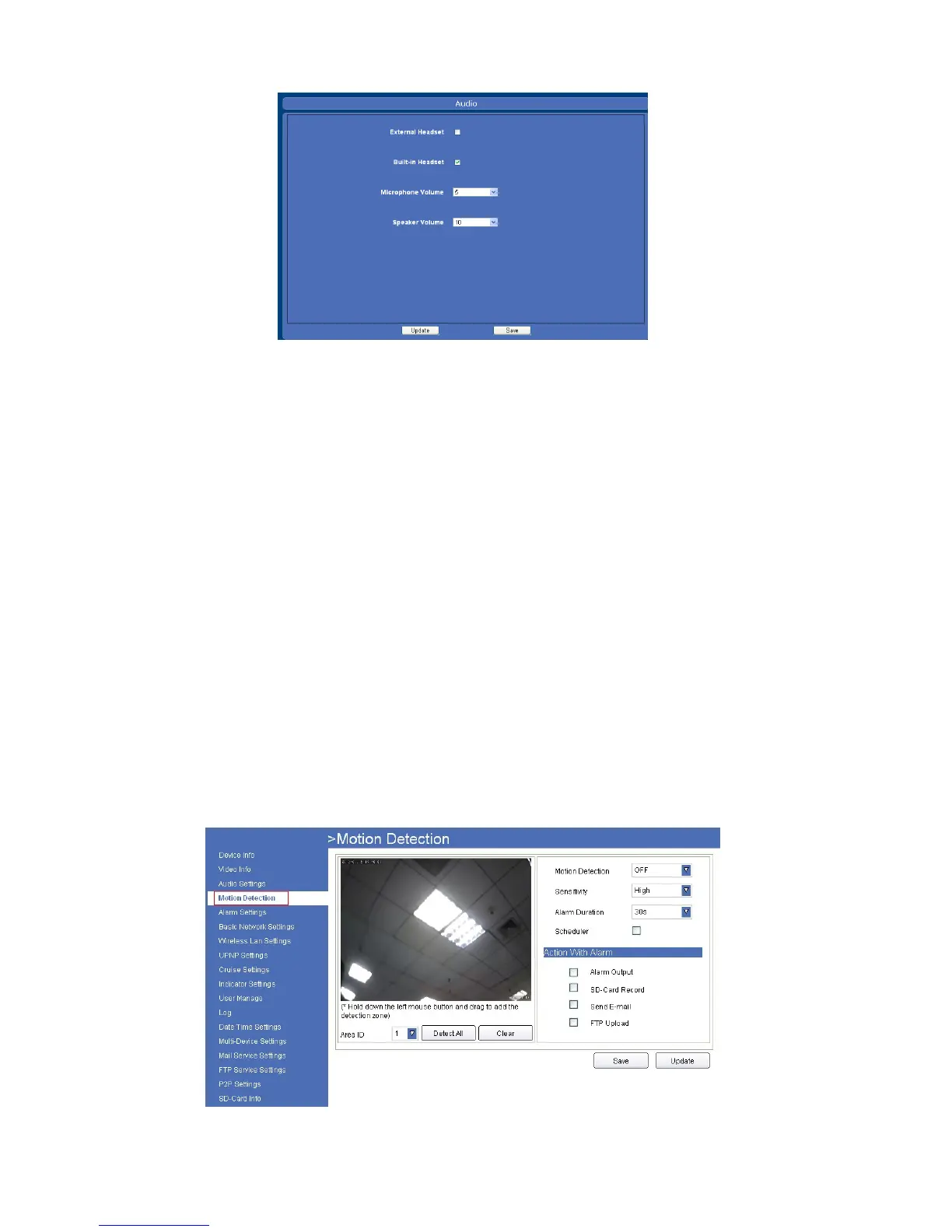
4.3.2 For Safari, Chrome, Firefox, the display will look as below:
Figure 5.6
Built-in headset: Choose built-in MIC as the audio input device.
External headset: Choose external headset as the audio input device.
Microphone volume: Adjust device microphone volume here.
Speaker volume: Adjust device speaker volume here.
4.4 Motion Detection
● Alarm output: Select it to enable alarm output, unselect to stop.
● SD-Card Record: Select it to enable record to SD card, unselect to stop.
● Send E-mail: Select it to enable E-mail alert function, unselect to stop. (Mail service details see 4.14).
● FTP Upload: Select it to enable FTP upload function, unselect to stop. (FTP details see 4.15).
Click Save to save all the settings.
Click Update to refresh the settings.
4.4.1 Motion Detection settings for IE browser:
Click Motion Detection to enter the interface:
Figure 5.7



 To Next Page