8
(2). IP camera connects to the Internet directly, if it’s a fixed IP provided by your ISP, just input it. If it’s a dynamic IP,
then input the account and password provided by your ISP for broadband connection.
Figure 1
.2
2.2 Browser Settings (For IE only)
OCX
will be downloaded automatically when you login to the IP Camera, but you might have to set the IE browser
to enable the OCX to be downloaded automatically after signing in. Steps as below:
1. Close the firewall of your computer.
2.
Cha
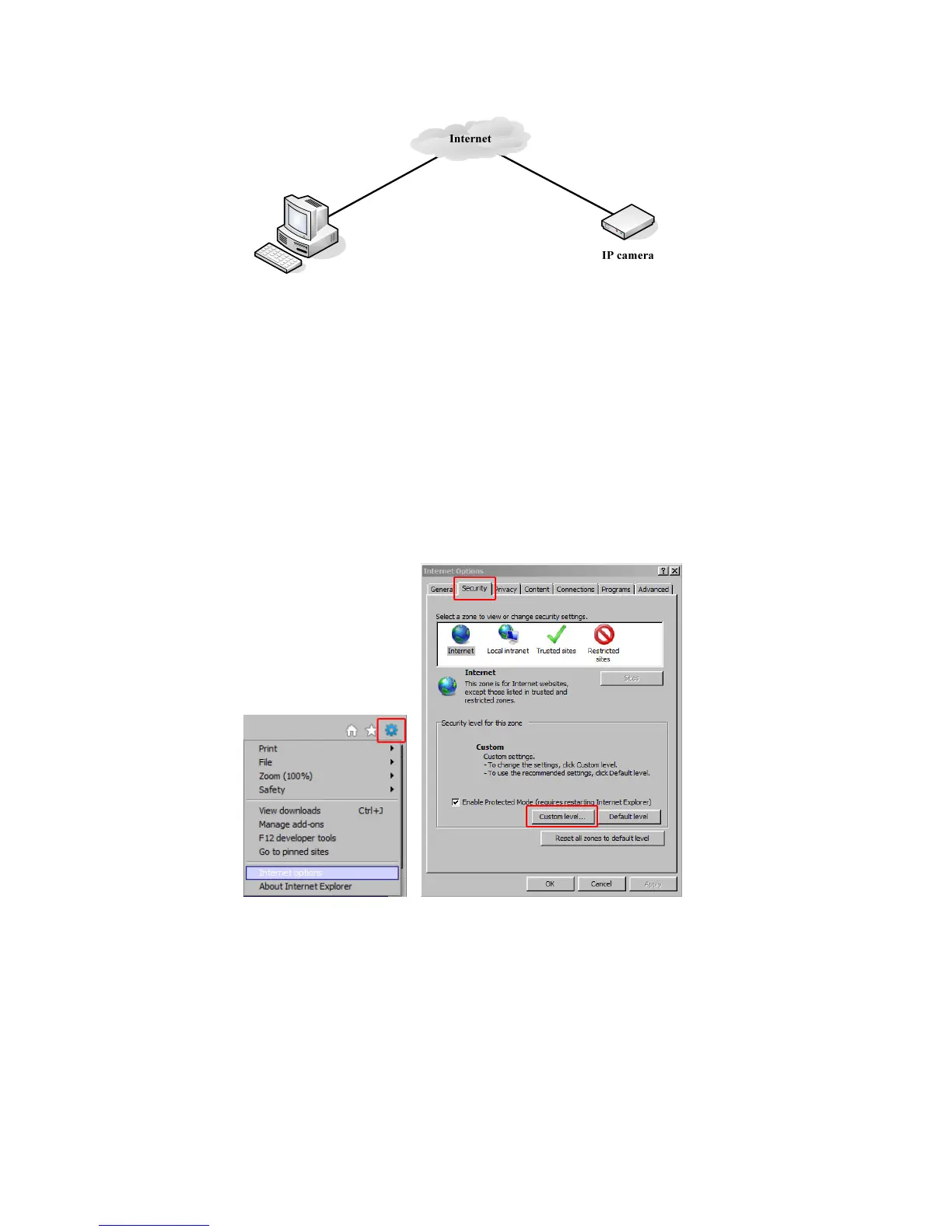
nge the ActiveX settings, open your IE browser, select Tools then Internet Options then Security then
Custom Level (See Figure 1.3).
Figure 1
.3
Then set the ActiveX controls and plug-ins. Set the ActiveX options to Enable or Prompt as indicated in Figure
1.4.
Note especially:
Prompt: Download unsigned ActiveX controls
Prompt: Initialize and script ActiveX controls not marked as safe
Enable: Run ActiveX controls and plug-ins



 To Next Page