48
1. Click Cruse to enter the interface, and set the Name, enable Status, enable Serial Number, Choose Preset ID,
set Residence time and Speed. Then click Update to finish settings.
2. Go back to the video interface, and Set Presets (for details see Left Side Menu in sections 3.2.1.3 and 3.2.1.4,
and find preset settings according to your browser type).
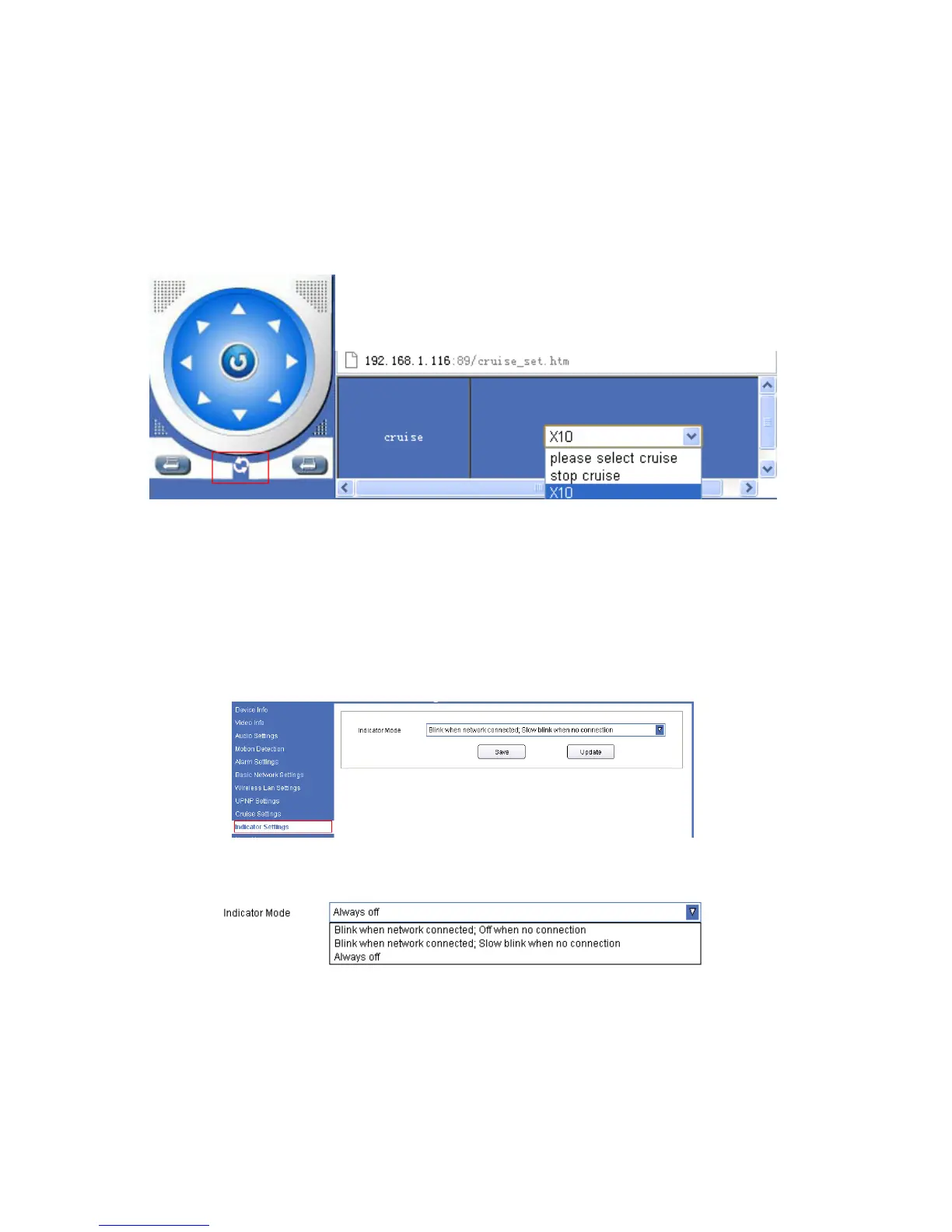
3. After you set Preset, click the Cruise Icon, and choose the Cruise Name you set, the camera will start cruising.
Choose Stop Cruise to stop cruising.
Figure 10.9
4.10 Indicator Settings
You can turn on, adjust, or turn off the indicator here. Click Save then Update to finish settings.
4.10.1 For IE, the display will look as below:
Figure 11.0
Figure 11.1



 To Next Page