56
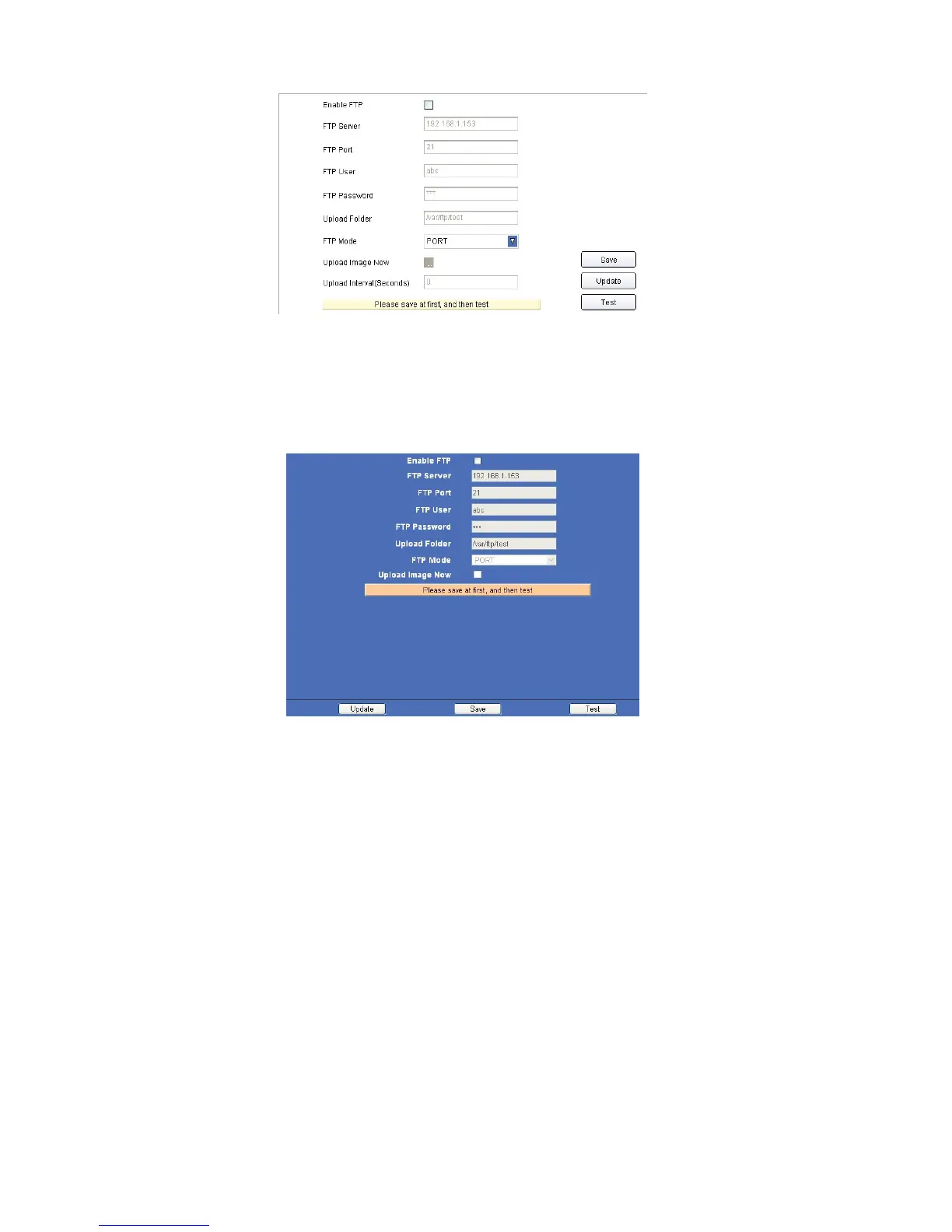
4.15.1 For IE, the display will look as below:
Figure
12.7
4.15.2 For Safari, Chrome, Firefox, the display will look as below:
Figure
12.8
Enable FTP: Set FTP function ON/OFF.
FTP Server: Set FTP server address.
FTP Port: Set the port of FTP server, default is 21.
FTP User: Set the user name of FTP server.
FTP Password: Set the password of FTP server.
Upload Folder: Set the path of remote FTP server. Make sure that the folder you plan to store images exists. (The
camera cannot create the folder itself). Also, the folder must be erasable.
FTP Mode: It supports standard (POST) mode and passive (PASV) mode.
Click save to submit, click test to check the settings.
Upload Image Now: Enable it to start uploading.
Upload Interval (Seconds): Set upload interval time here, for example: when set to 2, the camera will upload
every 2 seconds.
NOTE: When alarmed, there will be 3 snapshots sent to the FTP server every 1 second.



 To Next Page