65
Possible Reason 5: Web port has been modified.
Solution: Contact as Network Administrator to obtain related information.
Possible Reason 6: Unknown.
Solution: Press RESET to restore to factory settings then connect it again, the default IP address is 192.168.1.155,
subnet mask is 255.255.255.0
6. The color of image is abnormal (Green or other color)
Sometimes the IP camera images cannot be displayed properly because of different graphics cards, the images
appears to be green or other colors, then you should run the program “Config.exe” from the downloaded OCT files.
(or run C:\windows\system32\Config.exe) to set the following parameters for the display buffer: auto-detection,
used display card memory or system memory, then run IE, connect IP camera again.
7. There is no voice while monitoring
Possible Reason 1: No audio input connection.
Solution: Check audio connection of the host.
Possible Reason 2: the relative audio option of IP camera is OFF.
Solution: Check audio parameter settings to see if you have set the audio option ON, but without external audio
input.
8. Image processing doesn’t work properly
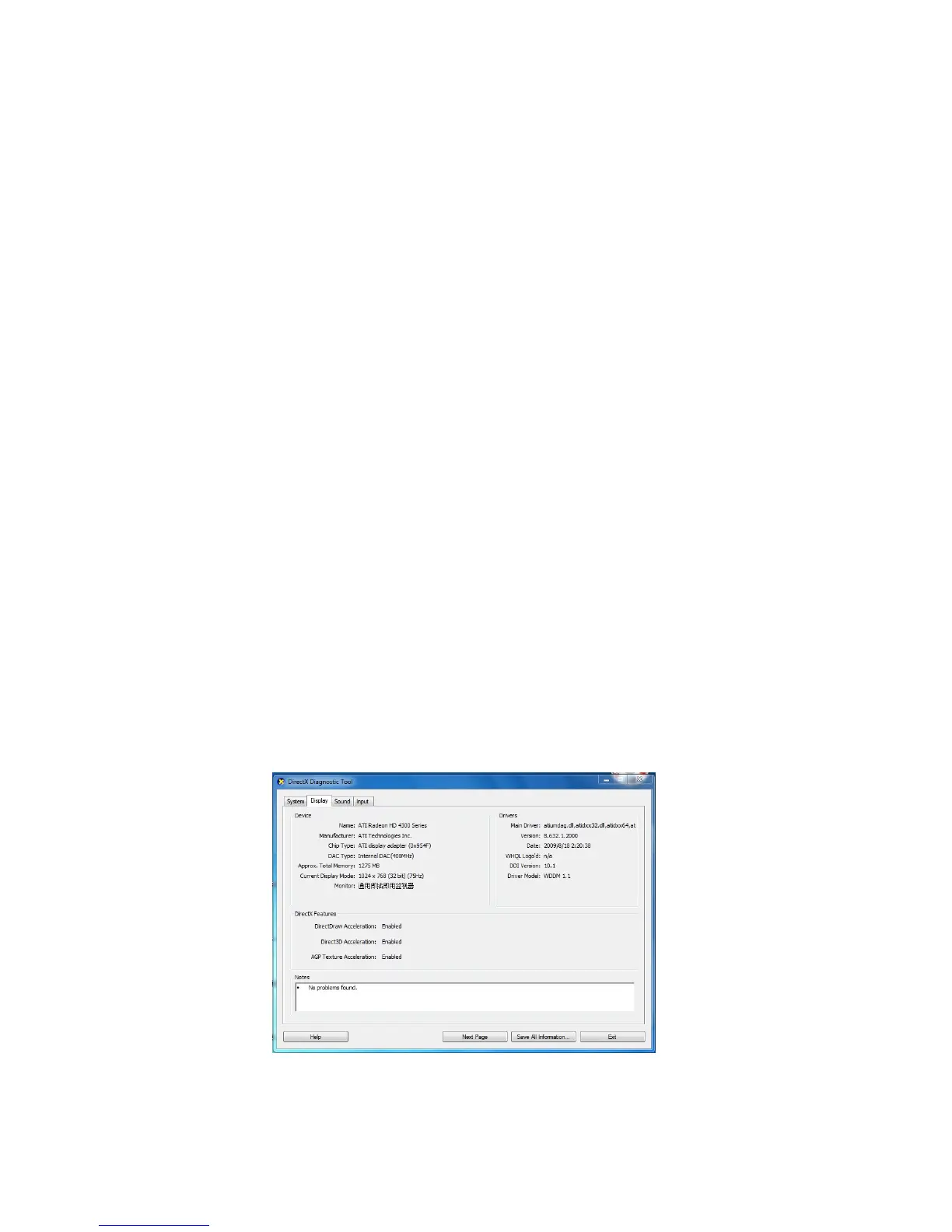
Possible Reason 1: System problem, DirectX function is disabled, which will cause slow display of images and
abnormal color.
Possible Reason 2: Hardware problem, graphics card doesn’t support image acceleration and hardware zooming
functions. (For hardware issue, the only solution is to change your graphics card).
Solution: Install DirectX image driver, then click Start > Run > input dxdiag, set enable DirectDraw, Acceleration
Direct3D, Acceleration AGP, Texture Acceleration, functions.
.
Figure 14.4
Note: If you are unable to do it, it means your DirectX is not installed properly or hardware doesn't support this
function.



 To Next Page