67
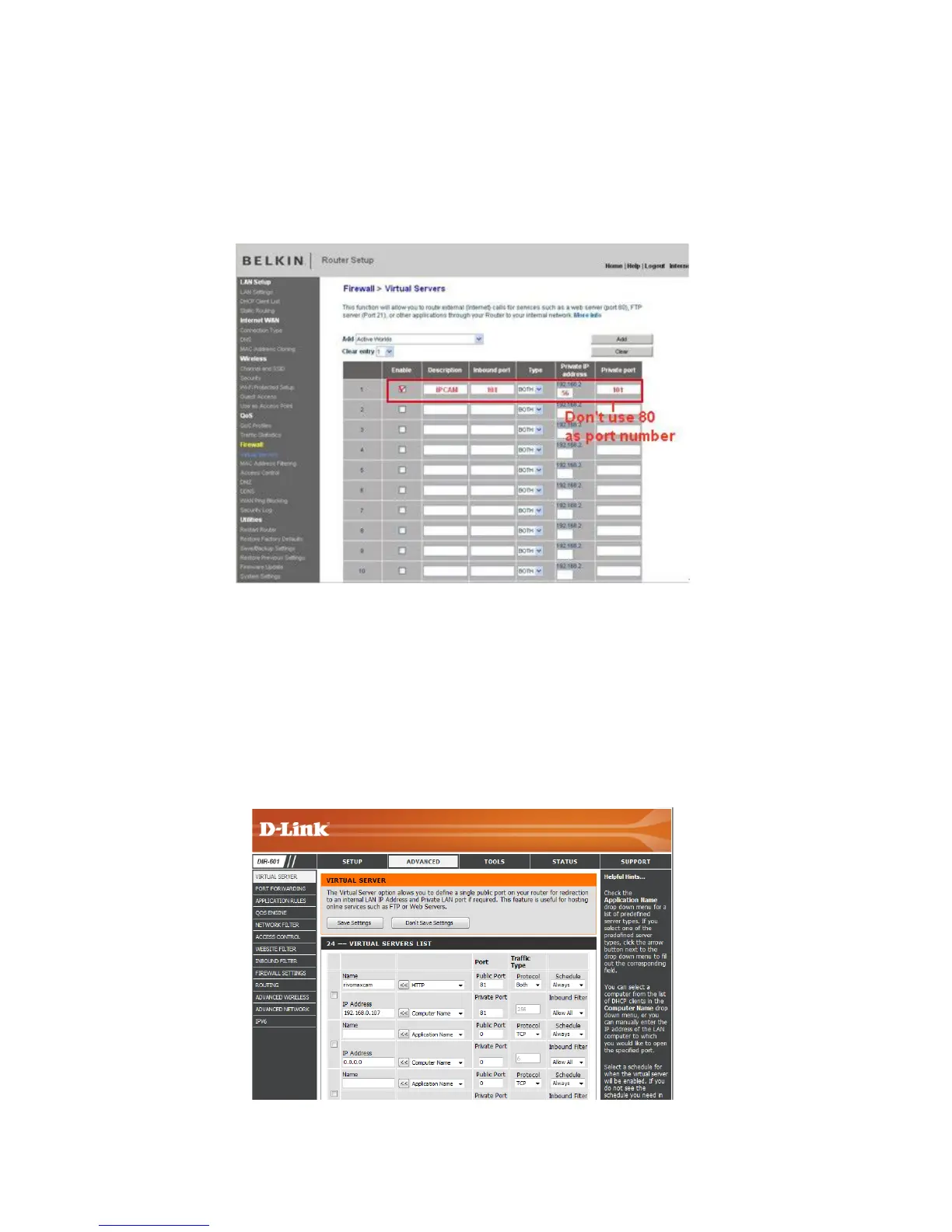
BELKIN:
1. Login to the router.
2. Choose Firewall, select Virtual Servers
3.
In
put the port (don’t use 80) and IP address, then click save
.
NO
TE: The port and IP address should be the same as the camera.
Figure
14.6
DLINK:
1. Login to the router.
2. Choose Advanced, select Virtual Servers
3.
In
put the port, IP address, Protocol, then click save.
NOTE: The public port & private port should be the same as camera’s port, choose the protocol to
be both.
Figure
14.7



 To Next Page