Network Cabling
41
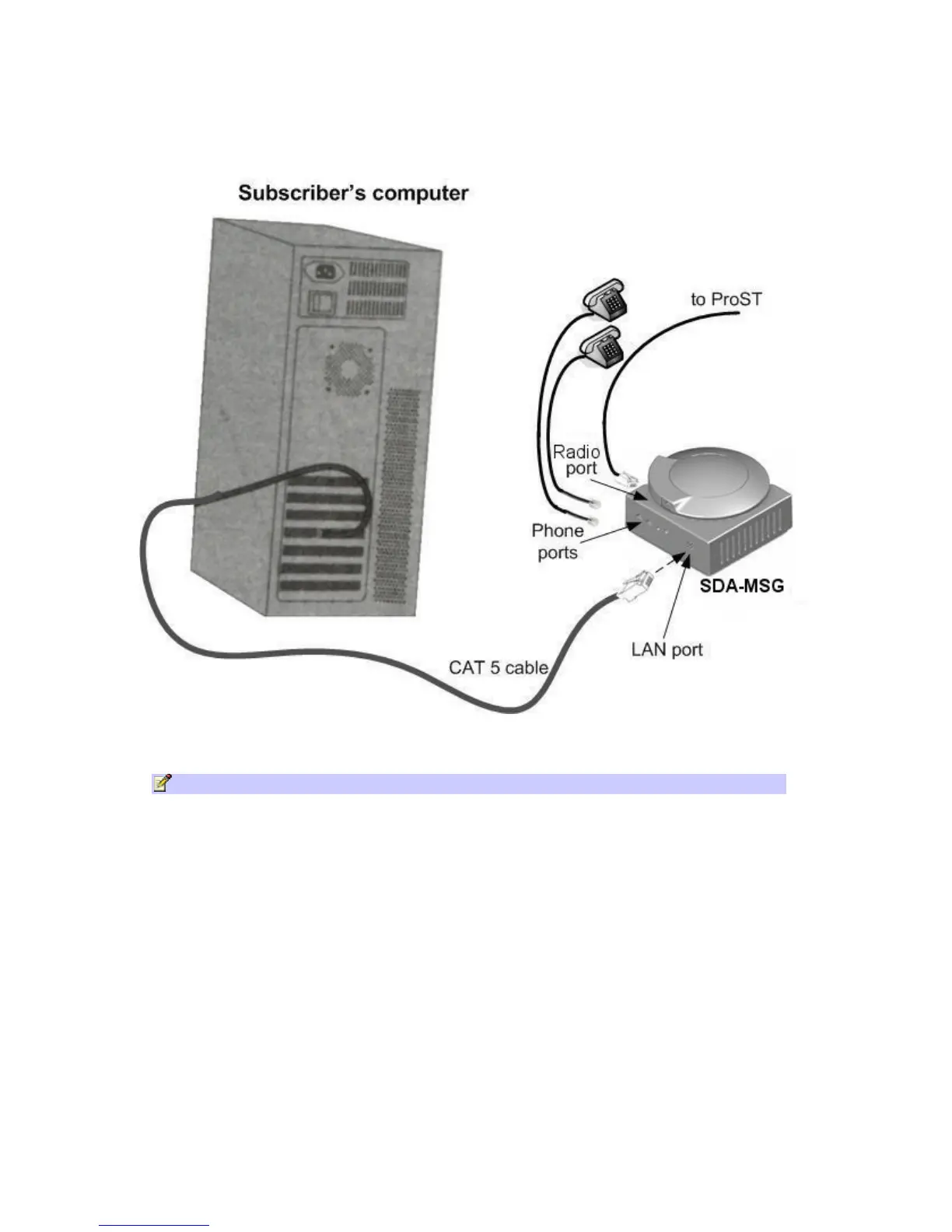
4. Plug standard telephone cable(s) (with RJ 11 ends) into phone(s) and MSG jack(s).
The figures below illustrate the SDA-MSG-to-computer cable and
SDA-MSG-to-ProST (or ProST-WiFi) cable connection:
Using SDA-WiFi
Optional extension WiFi module enabling WiFi functionality to your ProST units.
Note: For pin-out refer to SDA-1 Type 2 above.
To connect the SDA-WiFi’s LAN port(s) to Ethernet network and the RJ 45 port to
ProST:
1. Plug a Category 5 Ethernet cable into one or more of the SDA-WiFi unit's 8-pin RJ-45 LAN
ports.
2. Plug the other end of the Category 5 Ethernet cable into a computer's LAN port located at
the back of the computer.
3. Plug the additional Category 5 Ethernet cable into the PSA unit 8-pin RJ-45 Radio port and
then into the ProST.
The figures below illustrate the SDA-WiFi-to-computer cable and
SDA-WiFi-to-ProST cable connection:



 To Next Page