605-0000-706 ProST Installation User Guide-Rev I
36
Connecting to LAN Network
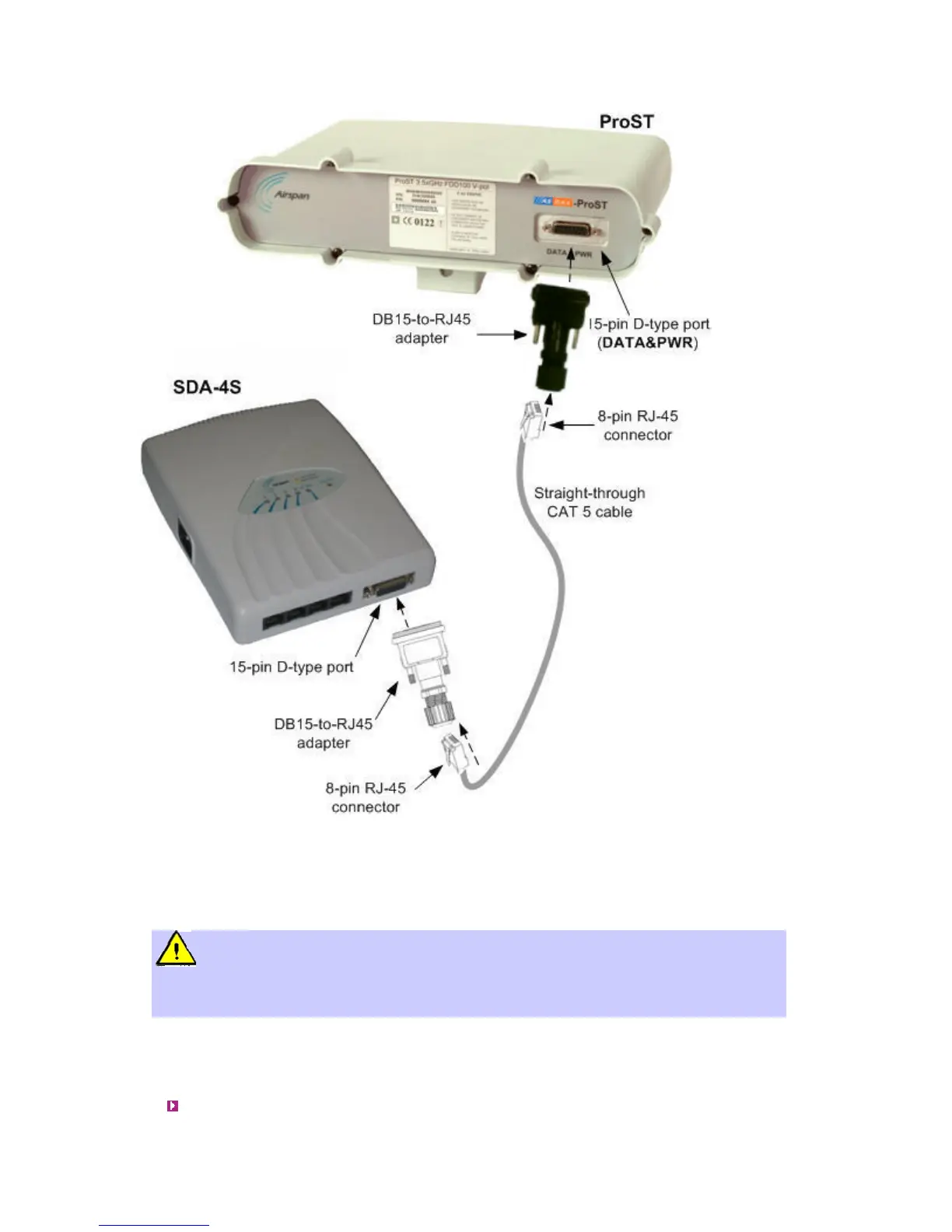
The ProST typically interfaces with the subscriber's LAN network using the indoor SDA-1 Type II
adapter. This adapter provides one 100BaseT interface. However, optional IDU adapters (SDA-4S
Type II, SDA-4S/VL Type II or SDA-4S/DC Type II) are offered that provide four LAN ports for
interfacing with the subscriber's LAN network.
Warning: Only subscriber terminal equipment (e.g. computer modem port) that is
designed for full compliance with TNV-1 telecommunication network connectivity can be
connected to the SDA-1. Warranty of Airspan's equipment shall be made void if the SDA-1 is
connected to a computer that is not compliant with TNV-1.
Using SDA-1 Type II
The SDA-1 Type II provides a single 100BaseT interface with the subscriber's LAN network.
The cable setup for SDA-1 Type II connectivity is as follows:
Cable: Straight-through CAT 5 Ethernet cable



 To Next Page