【
Parameter Setting
】
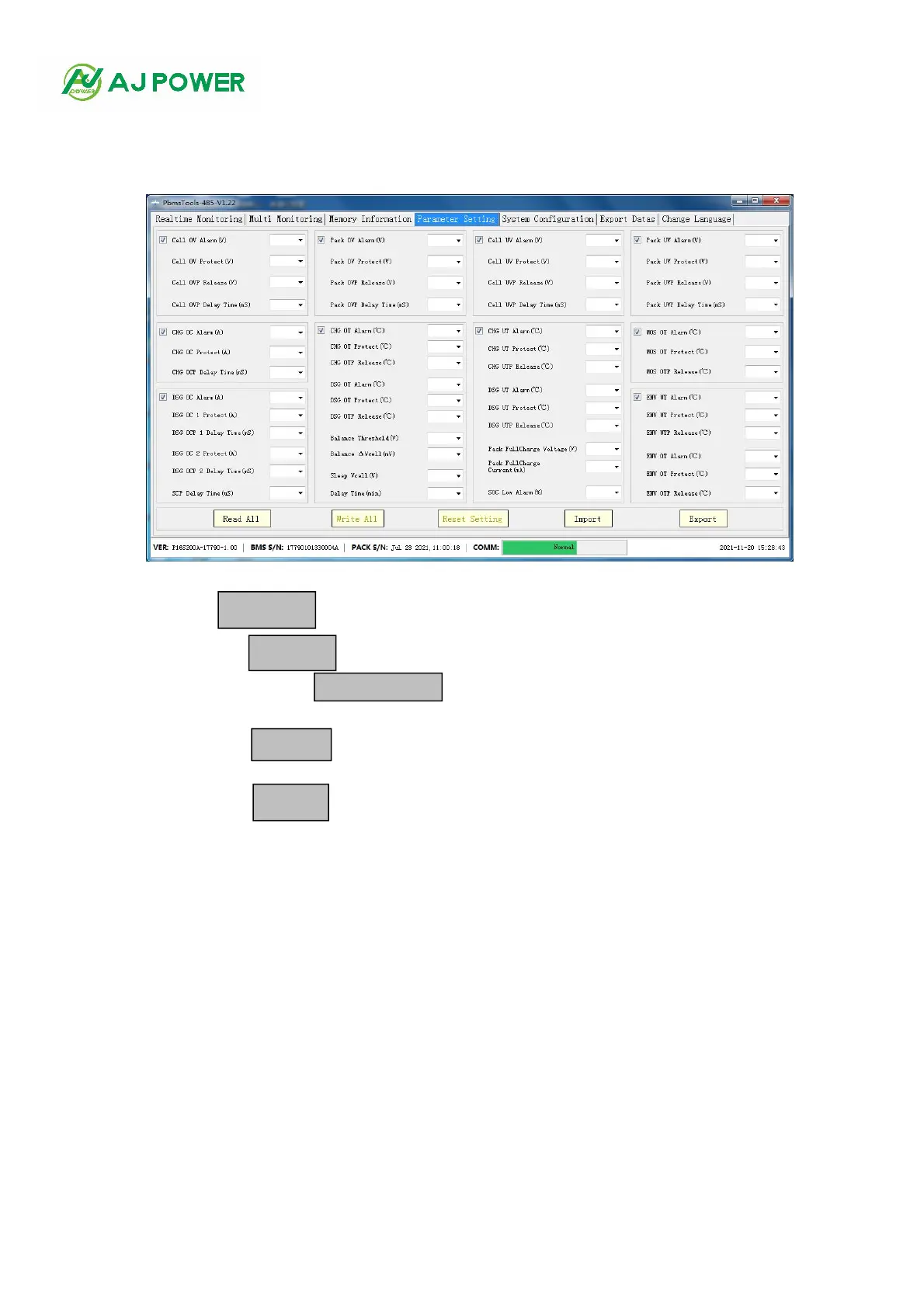
1. The interface
Click the main interface TAB [Parameter Information] to enter the interface. When entering the interface, the default value
of the interface is empty. As shown in figure 4-1
figure 4-1
Function of 2.
Read parameters: Click the button to read all parameters of the interface.
Write parameters: Click the button to write parameters. This operation requires administrator privileges.
Restore default parameters: Click the button to restore all interface parameters to default parameters.
The default parameters come from the default parameters in the BMS. This operation requires administrator privileges.
Import parameters: click the button to read the data from the local file into this interface. Note: Data is only
read to the interface, not written to the BMS, if you need to write, please perform write operation.
Export parameters: Click the button to save the data on the interface as an XML file.



 To Next Page