Click to save the existing data on the interface to the local.
Check【Save to data base】 to automatically save each real-time data. The saved path is in the folder named "data"
under the program root directory by default, and is stored according to the battery pack serial number by date.
【Memory Information】
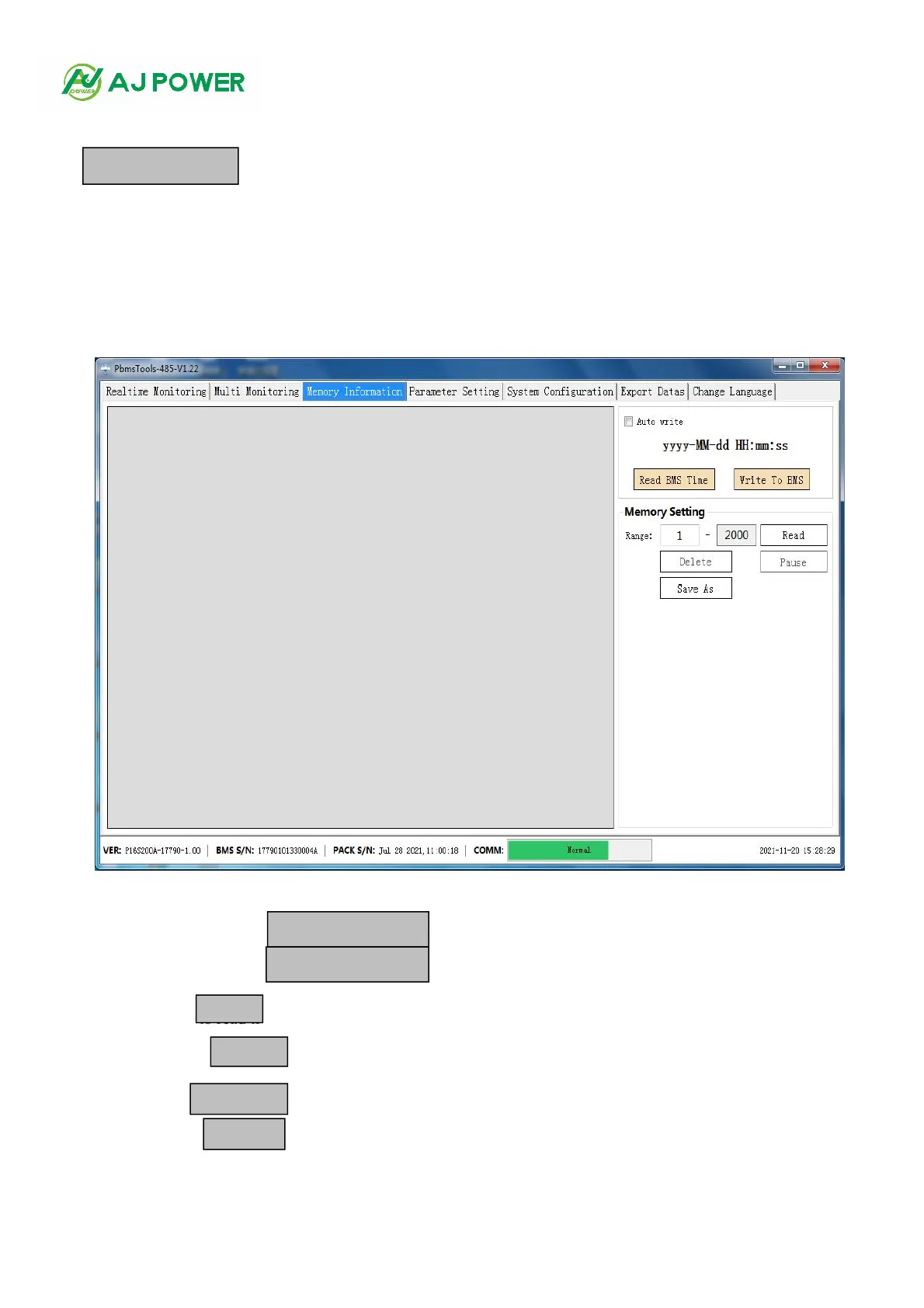
1. The interface
Click the main interface TAB [Memory Information] to enter the interface, as shown in Figure 3-1
Figure 3-1
2. Read/write the BMS time
Click the upper right button to
read BMS time.
Click the upper right button to write to BMS time.
3. Storage Settings
Read Record: Click to read ti the BMS. On the right.
Pause/Continue: Click reading while reading records, and click again to continue reading.
Save records: Click the button to save the records that have been read to the interface locally.
Delete Record: Click the button to delete the stored record in the BMS.



 To Next Page