Use of commands/options
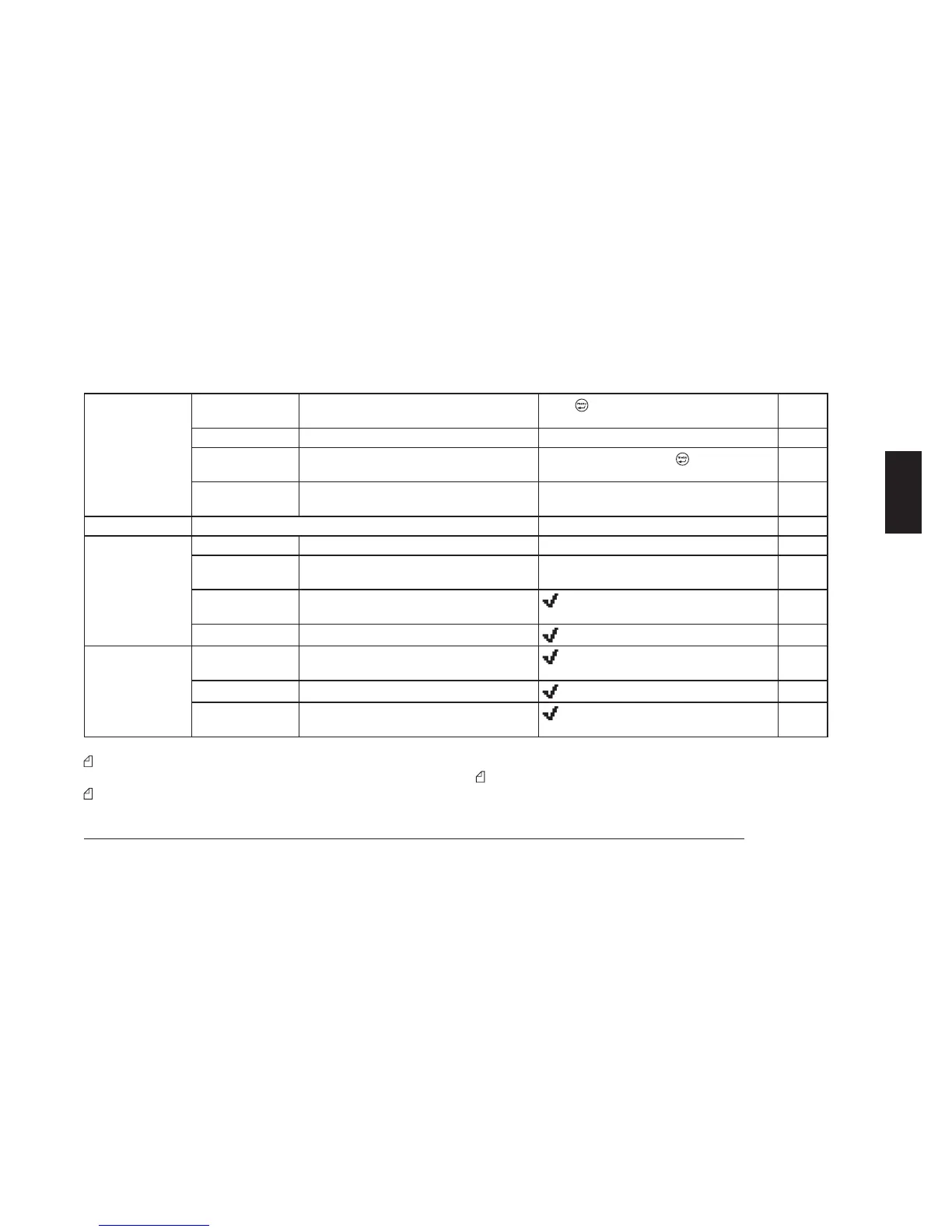
Scan Scanning
Start scanning (searches for signals on pro-
g
rammed channels)
Press
to start immediately
10.1.a
Scan Esc
Temporary pause in scanning Immediate pause
10.1.c
Chan Del
Temporary exclusion of one or more channels
from scanning
Immediate exclusion with
– Chan Del
10.1.b
Edit List
Modification of scanning list and of priority
channel
Modified using the function keys
10.1.d
Home Chan
Rapid recall of most commonly used channel Immediate activation (no sub-menus)
10.2
Lcd&Keypad Contrast
Adjustment of display contrast Bar indicator
8.2
Light
Display backlighting On = activated, Auto = automatic, and Off =
deactivated)
8.3
Keypad Micr.
Activation of microphone with keypad
MK06/35-K
if MK06/35-K activated
5.3.c
Pad Lock
Lock keypad microphone MK06/35-K
if keypad is locked
10.3
Switches PA
Activation of audio amplifier with external
speaker
if PA is activated
10.7
Aux.Out
Activation of auxiliary output switching
if contact is activated
10.8
Alarm
Activation of rear output connector upon re-
c
eption of a valid selective call
if alarm is activated
10.9
The main menu Home Chan has a sole purpose of recalling the
priority channel; therefore, it does not have a sub-menu.
During the programming phase, one or more sub-menus may
have been disabled and therefore not accessible. Contact your
radio network administrator for further information.
Some functions or sub-menus may have been assigned to the F1,
F2, F3, and F4/ESC function keys. Contact your radio network
administrator for further information.



 To Next Page