English 31
4 Getting Started
• The following items are enclosed in the packaging box:
DR402
Power Adapter
User Manual
• Get the network ready
- For wireless WLAN network connection:
Check if the WLAN LINK/ACT light of the wireless access point or router is
illuminated. Consult the user guide for any questions.
• Connect the power adapter to the back of the DR402 and plug it into the power socket.
Switch it on at the back of the DR402.
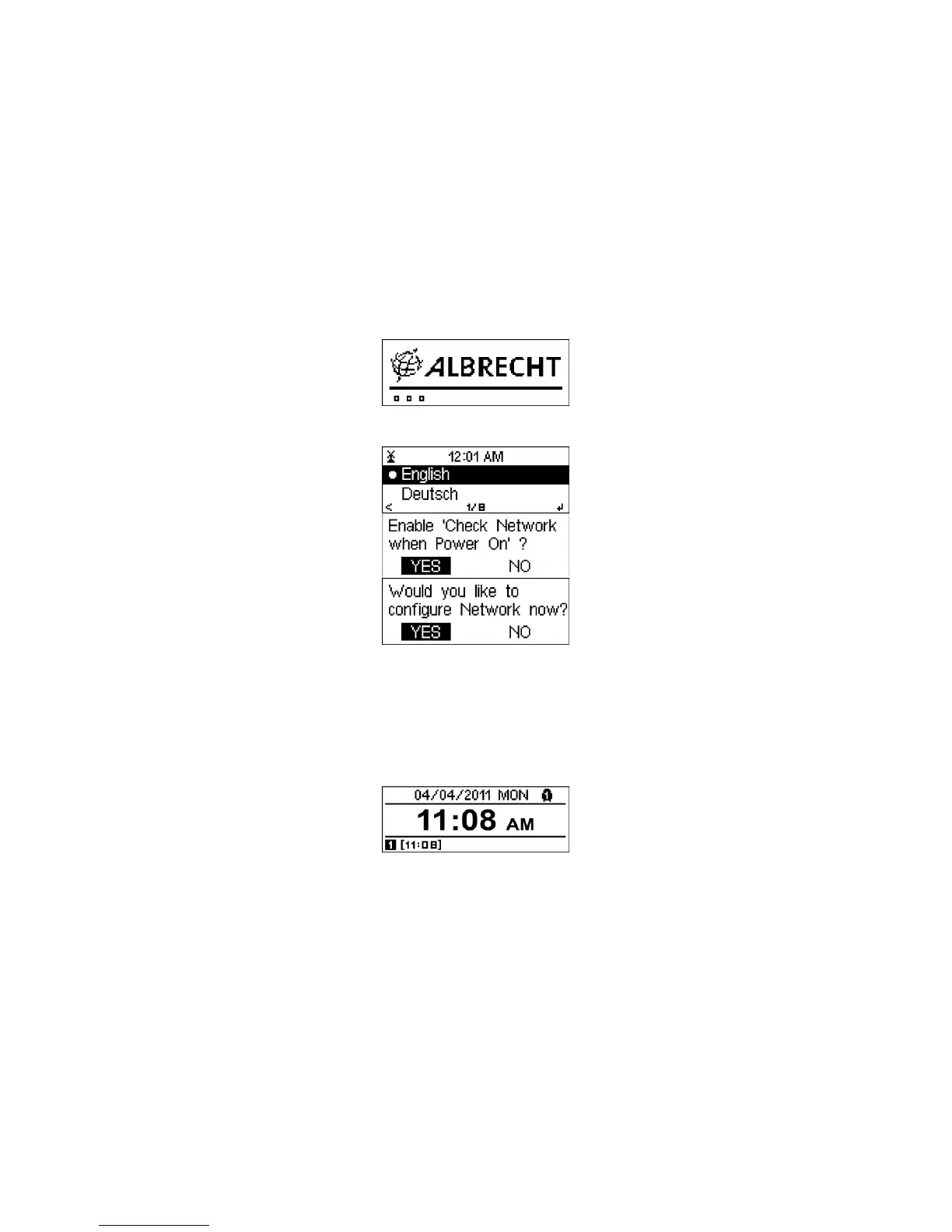
• When you start the device for the first time, the system will ask you to configure the
Language and Network.
See 6.3.2 for detailed network configurations.
You may setup the network connection immediately, but you can also do the setup later.
• Press Standby to enter standby mode. The time, date and any active alarm times are
displayed on the screen.
• If you have configured a network connection, and use the DR402 again with the network
in reach, the DR402 will automatically re-establish the connection. In case you desire to
change the network, enter configuration to setup the corresponding connection.
• In the letters or numbers input screen, rotate the reel to choose letter.
Once you are on the letter you want, press
to move to the next entry. When you are
at the end of the input, press Select to confirm. In case you want to correct something
press
to move to a previous entry.
• The 3.5mm LINE OUT connector is for the connection to any speaker system with a
3.5mm audio cable.



 To Next Page