English 37
6.2 Main Menu
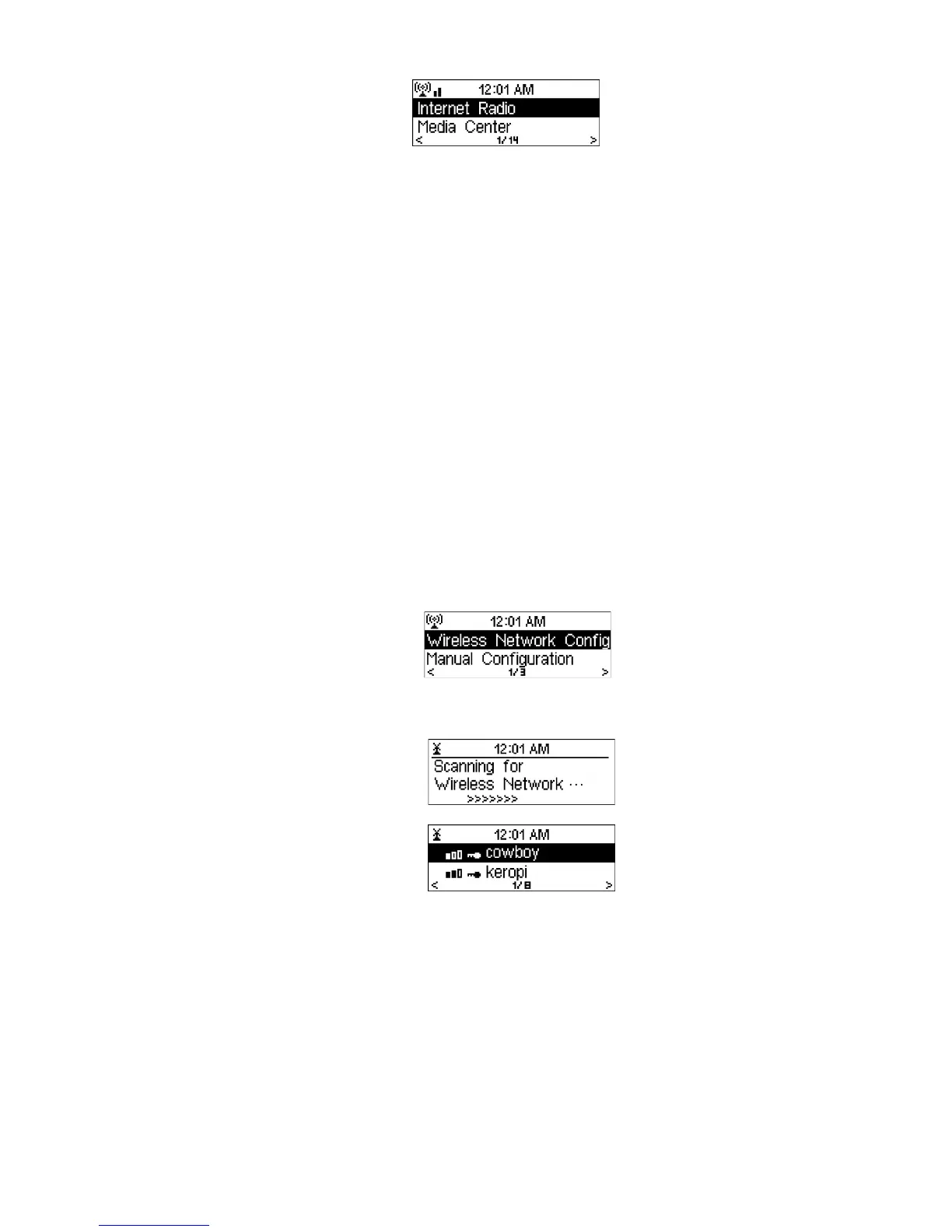
In the main menu, you can select the following modes: My mediaU (if it is enabled, see
6.4), Internet Radio, Media Center, FM, Information Center, and Configuration.
If you want to enter the main menu while you are in the modes My mediaU Internet
Radio, Media Center, Information Center or Configuration, you may press
several
times until you see the main menu.
However, if you are in FM mode and you want to enter the main menu, you have to
change to another mode by pressing Mode first.
6.3 Configuration
6.3.1 Manage My mediaU
When it is enabled, My mediaU will exist on the main menu.
If various mediaU accounts exist in the DR402, select the default login account in
here. Refer to 6.4 below for more information of mediaU account setup.
6.3.2 Network
• Wireless Network Configuration
Enable / disable Wireless network. If you enable the Wireless network, the
system will automatically search for available networks.
Please select the network.
Enter the WEP or WPA code to connect to the network. You can enter the code
by selecting the letter with the reel. You can move to the next letter by pressing
. If you need to correct a letter press
and then rotate the reel to correct the
entry.
• Manual Configuration
You can choose DHCP (which assigns the IP address automatically) or
manually input the IP address for the wireless network connection.
When you select manual setting for the wireless connection, the followings
have to be entered:
1. SSID (the name of Access Point);
2. IP Address;
3. Subnet Mask;



 To Next Page