NTP 103 — Install an I-010G-A indoor ONT
Alcatel-Lucent 7330/7302 ISAM FTTN R04.02.42a March 2011 NTP 103-5
3FE 54199 AAAA TCZZA Edition 01 ONT Product Information Guide
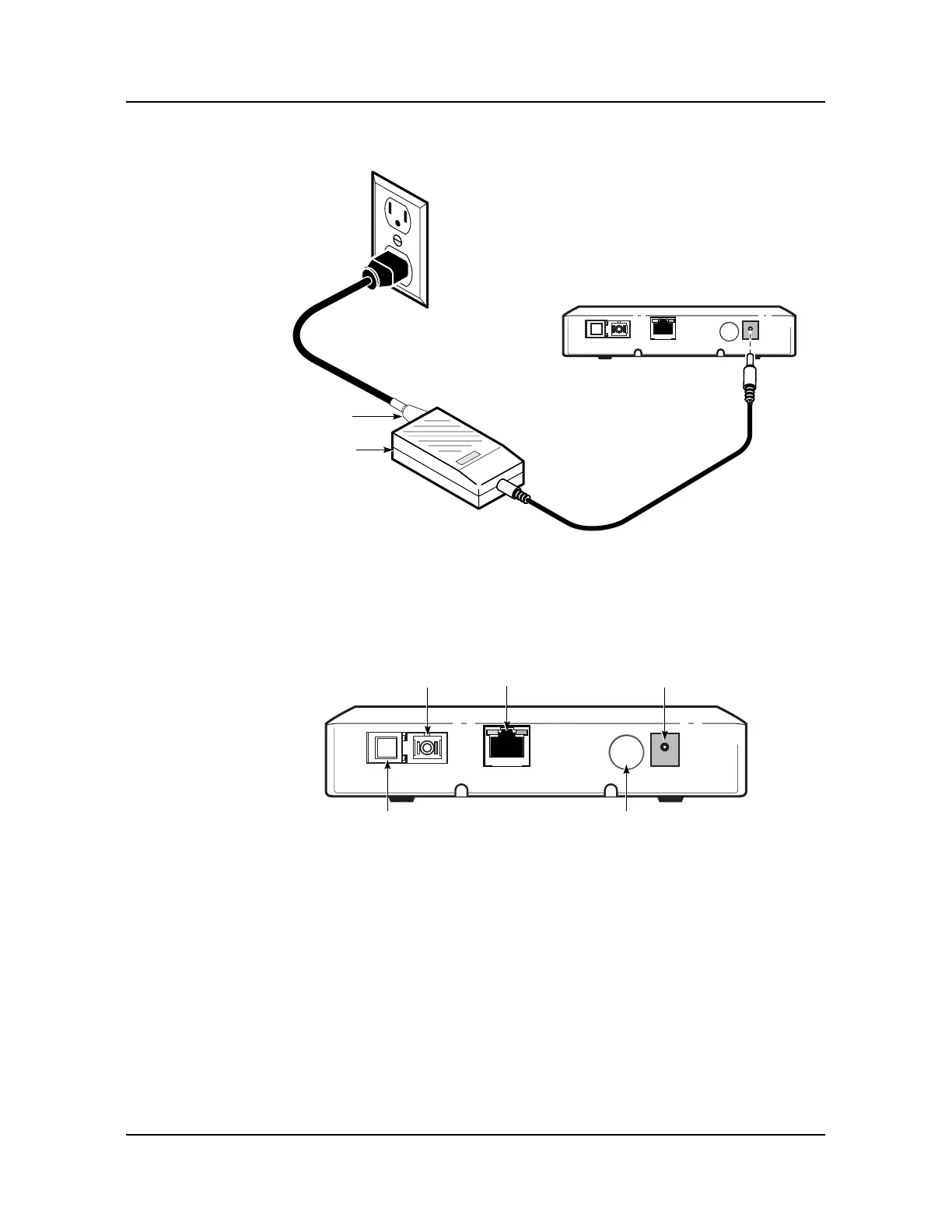
Figure NTP 103-3: I-010G-A indoor ONT with power supply
7 Connect the power converter to the ONT. On the I-010G-A indoor ONT, the power
connector is located at the back of the ONT; see Figure NTP 103-4.
Figure NTP 103-4: I-010G-A indoor ONT connections
8 Verify that the unit is powered. If there is no power, press the On/Off button.
9 Route the data cable to the RJ-45 Ethernet port at the back of the ONT; see Figure
NTP 103-5.
19840
Power cable
connector
AC/DC power
connector
On/Off push button
19833
Shutter
Power
connector
Ethernet (GE)
RJ-45
SC/APC
connector


 To Next Page
 Loading...




