13
Volume Adjustment
You can set ringer, media and phone •
ringtone volume to your preference by
pressing Volume Up/Down key or touching
Settings > Sound.
Applications and Widgets List
The list contains all pre-embedded and newly
installed applications and widgets.
To access the list, touch
from the Home
screen. To return to the Home screen, touch
the Home key or the Back key.
Phone Call 3.
Placing a Call
You can easily launch a call using Phone.
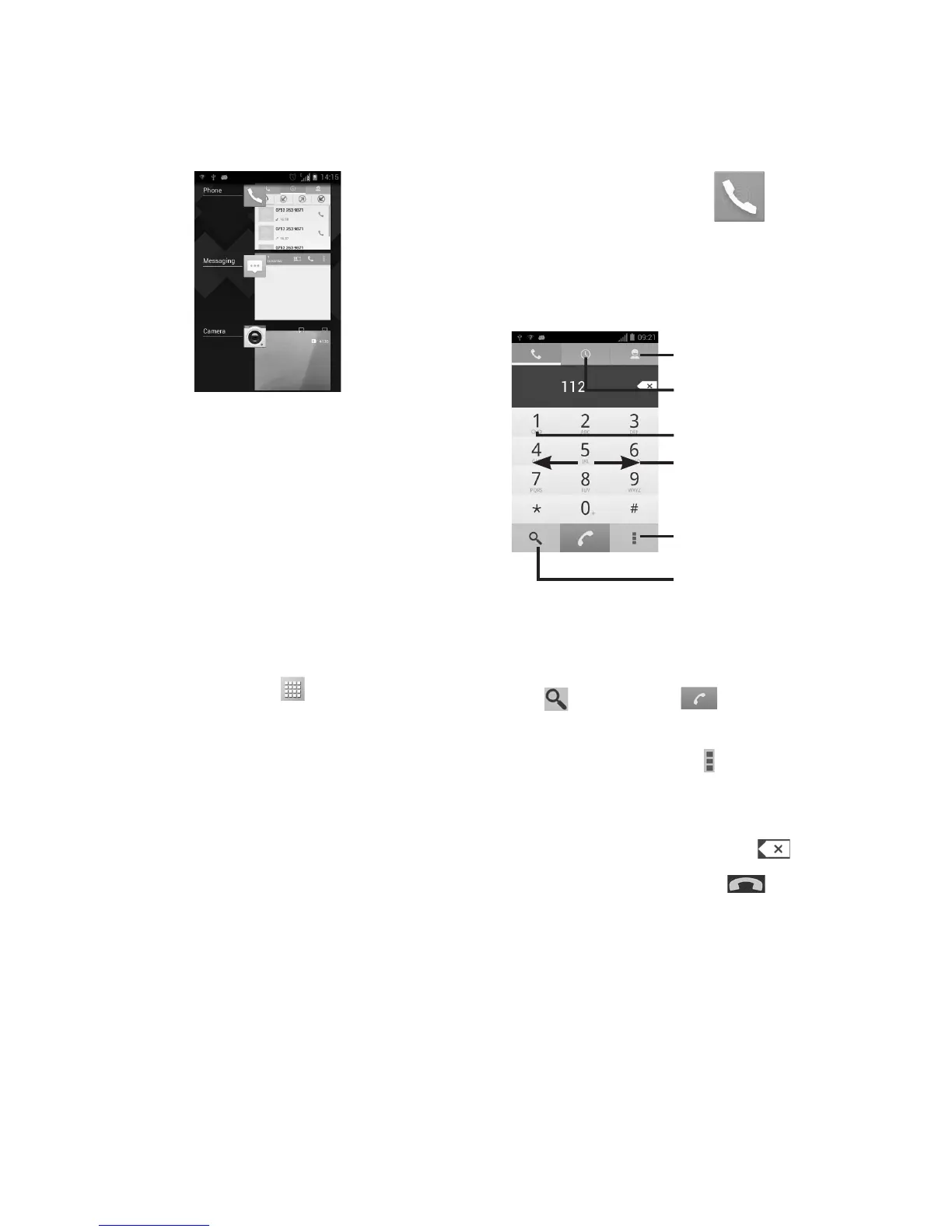
Touch the Phone icon on your home screen.
Touch and hold to access voicemail
Slide to access Call log and Contacts
Touch to access Settings
Contacts
Call log
Touch to find contacts
Enter a phone number on the dial pad or
select a contact from Contacts or Call log by
sliding to the right. Search Conacts by touch-
ing
, then touch to place the call.
The number you entered can be saved to
Contacts by touching
and selecting Add to
Contacts.
If you make a mistake, you can delete the
incorrect digits by touching
.
To hang up a call, touch
.










 To Next Page