27
Setup Wizard 19.
To access this function, touch the Application
tab from the Home screen, then touch Setup
Wizard.
Setup Wizard helps set up your phone in
multiple ways: language, input method, mobile
data connection, account setup, etc. This will
also be performed the first time you power on
your phone.
FM Radio 20.
Your phone is equipped with a radio
(1)
. You
can use the application as a traditional radio
with saved channels or with parallel visual
information related to the radio program on
the display if you tune to stations that offer
Visual Radio service. You can listen to it while
running other applications.
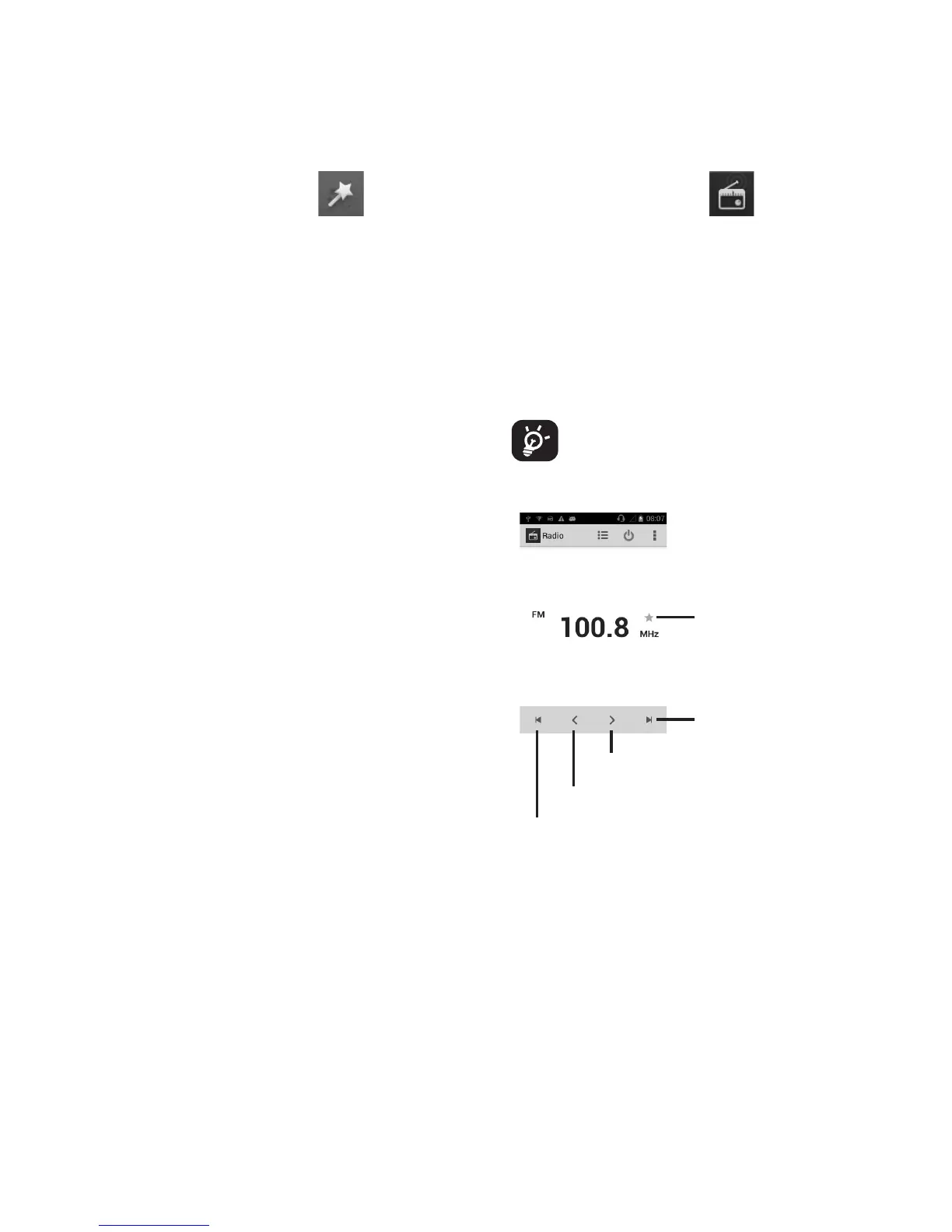
To use it, you must plug in your
headset, which works as an antenna
connected with your phone.
Touch to add the current station
to favorite list
Touch to go to next saved
channel
Touch to go to previous saved channel
Touch to decrease 0.1MHz
Touch to increase 0.1MHz
(1)
The quality of the radio depends on the cov-
erage of the radio station in that particular
area.










 To Next Page