26
Calculator 17.
With the Calculator, you can solve many
mathematical problems.
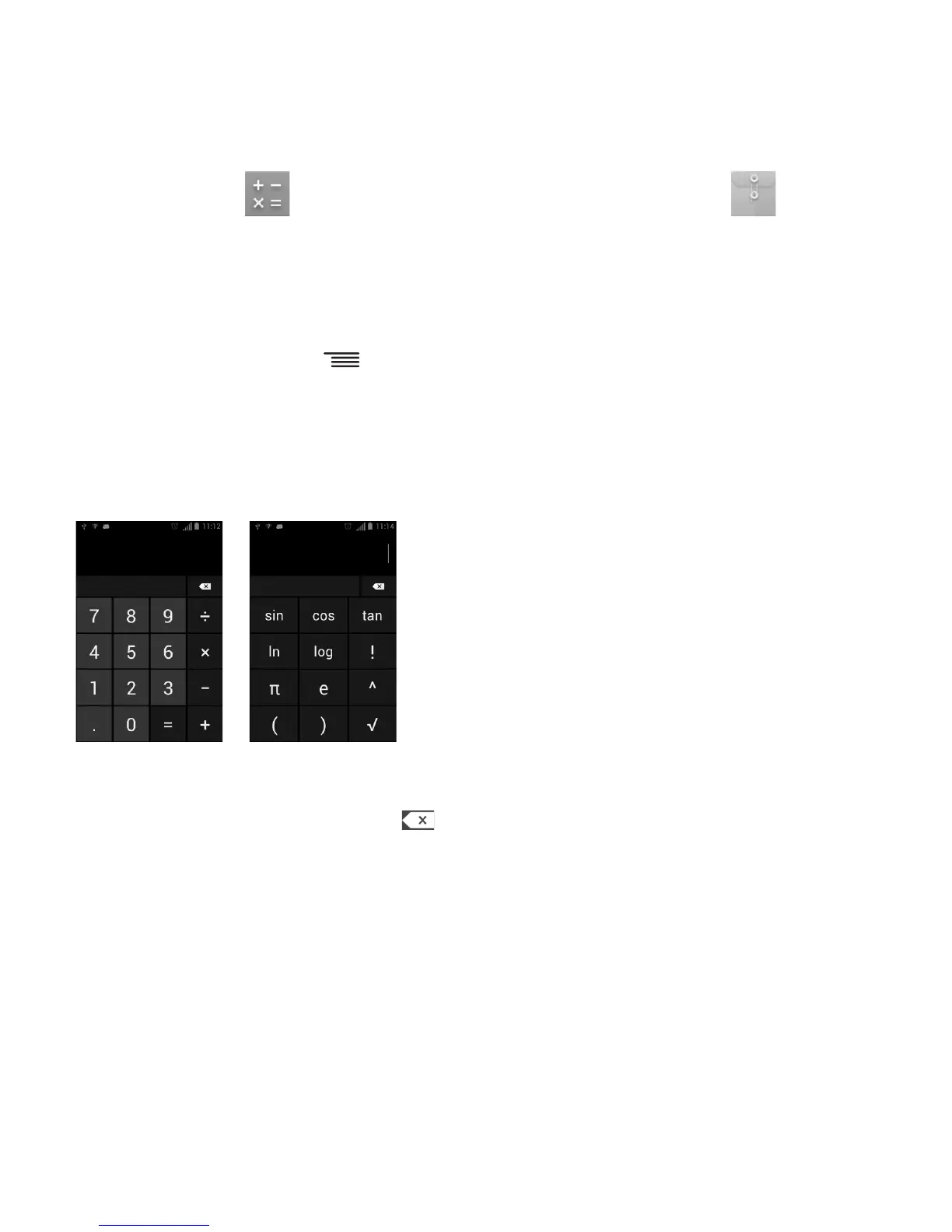
There are two panels available: Basic panel
and Advanced panel.
To switch between panels, touch
from the
basic panel to open the option menu and
touch Advanced Panel; or under auto rotation
mode, rotate screen to landscape to
automatically switch.
Basic Panel Advanced Panel
Enter a number and the arithmetic operation
to be performed, enter the second number,
then touch "=" to display the result. Touch
to delete digits one by one, touch and hold to
delete all at one time.
File Manager 18.
File Manager displays all data stored on both
microSD card and phone storage, including
applications, media files such as videos, pic-
tures or audio you have captured; other data
transferred via Bluetooth, USB cable, etc.
When you download an application from a
PC to your microSD card, you can locate the
application on File Manager, then touch it to
install it in your phone.
File Manager allows you to perform and be
really efficient with the following common
operations: create a (sub) folder, open a
folder/file, view, rename, move, copy, delete,
play, share, etc.










 To Next Page