9
1.3.6 Applications menu
Touch on the Home screen to enter applications menu.
To return to the Home screen, touch the Home key .
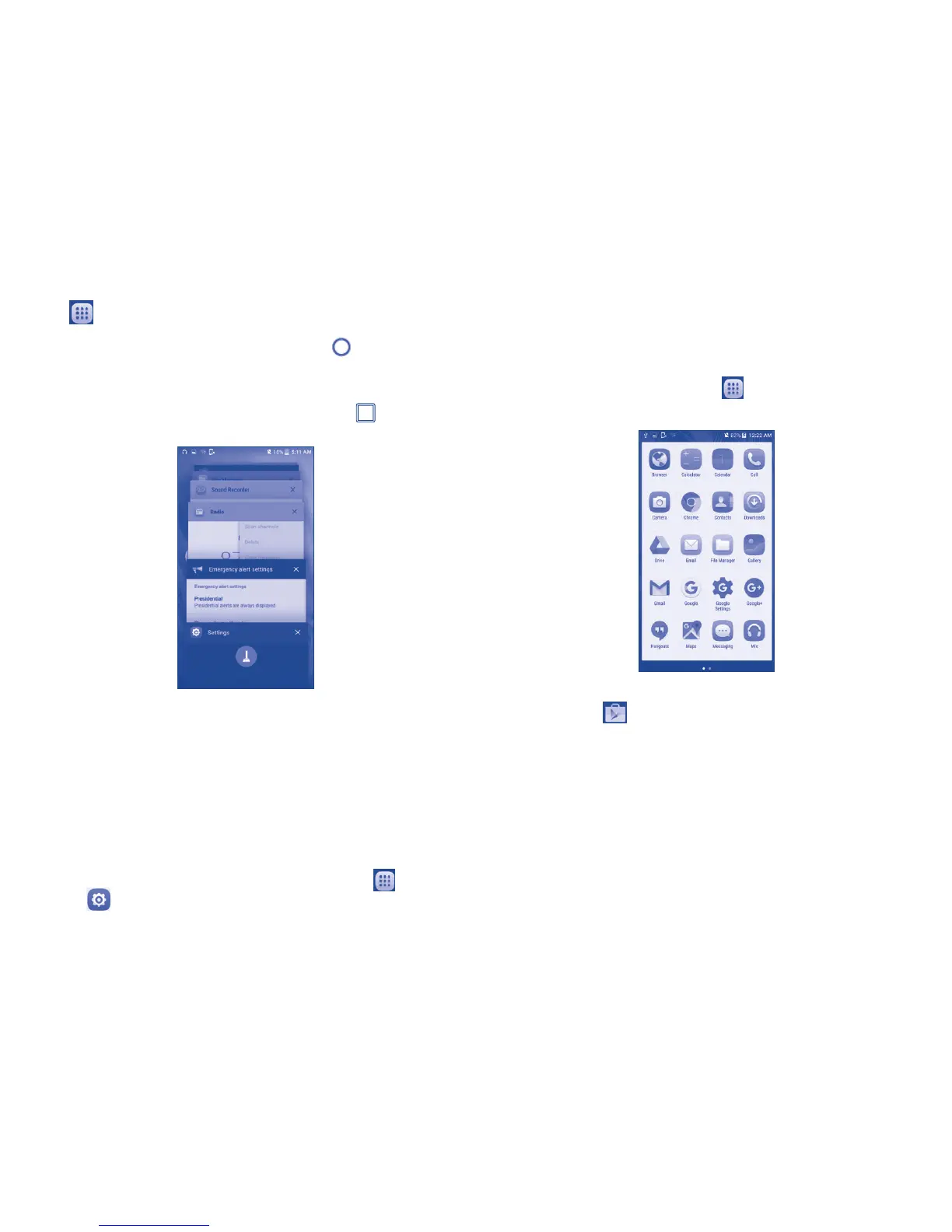
1.3.7 Recently-used applications
To view recently-used applications touch the Menu key . To remove an
app from the list, swipe the app to the left or right side.
1.3.8 Volume adjustment
Using volume key
You can set the ringer, media and phone ringtone volumes to your
preference by pressing the Volume up/down key, or touching Settings\
Sound & notification\Media volume to set the volume.
Using volume settings menu
To access Volume settings menu from home screen touch then touch
Settings , select Sound & notification to display volume controls for
Media, Alarm, Notification.
1.4 Applications and widgets menu
The applications and widgets menus contain and provide access to all pre-
installed and newly downloaded applications or widgets.
Accessing applications menu
To access the applications menu, touch from the Home screen.
Slide left and right to view all applications.
To download new applications from the applications menu or Home screen
touch Play Store and search for preferred applications by name,
subject or category.
Accessing widgets menu
In the widgets menu you will view all available widgets that can be added
to your home screens.
To access the widgets menu, touch and hold a blank space on the Home
screen, then touch WIDGETS, touch and hold the desired widgets and
move it to the desired Home screen. The selected widget will be placed
on the selected home screen (if space is not available on the preferred
home screen a new home screen with available space for widget must
be selected).











 To Next Page