4
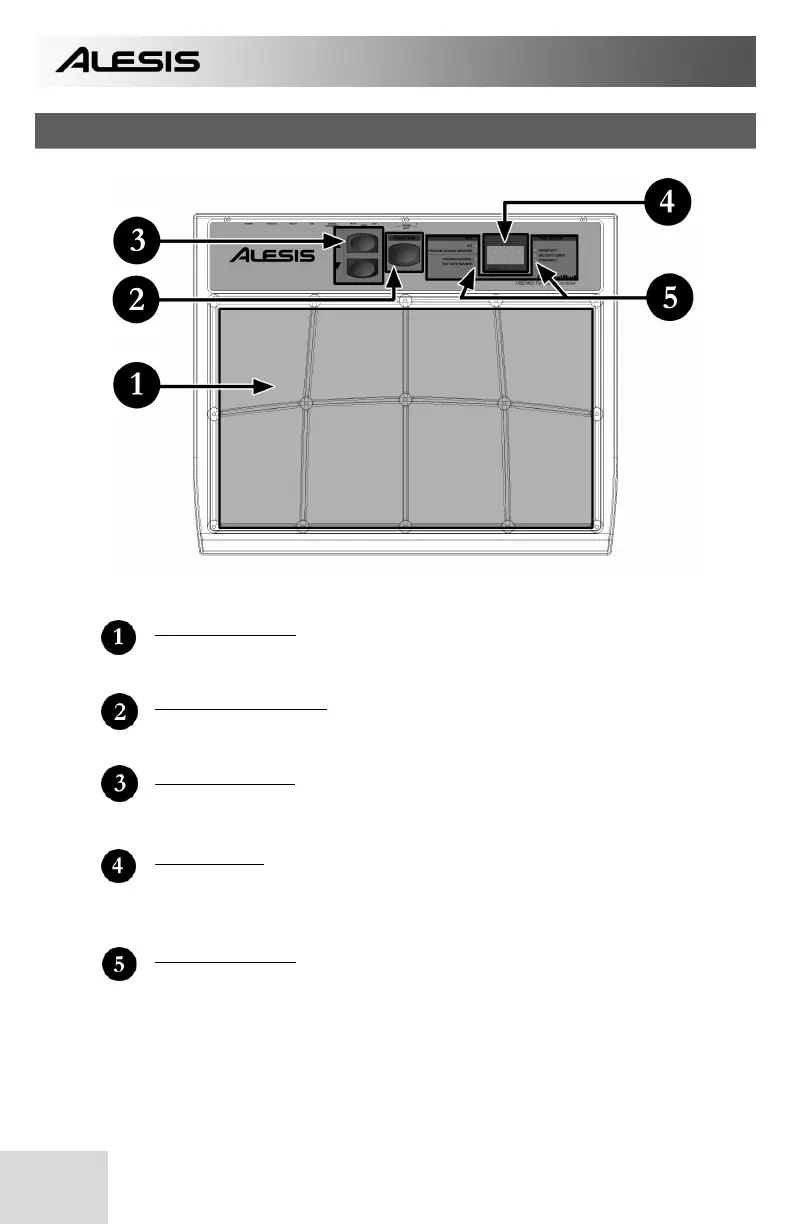
TOP PANEL OVERVIEW
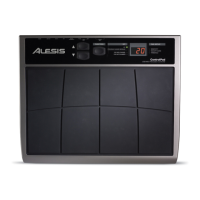
8 PLAYING PADS
These are the eight playable velocity sensitive pads.
FUNCTION BUTTON
This button is used to select different operations.
T
/ S BUTTONS
These two buttons are used to cycle through presets, as well as increase and
decrease values when a parameter is selected.
LED SCREEN
The LED screen displays information about the state of the ControlPad including
kit number and function parameters. The screen also features a small “Activity”
LED which will light up each time that a pad, trigger, or pedal is engaged.
FUNCTION LEDs
Each function in Edit Mode is paired with a corresponding LED on the panel.
When in Edit Mode, these LEDs will reflect which function is currently being
edited.


 To Next Page