Diagnosis
Note:
z Once starting the fkey test (after pressing the fkey “SUSTAIN”), you cannot switch to another test
until all the fkeys are passed in this test.
z If the display reports an error by showing “Err”, the test will stop and wait until the problem
is fixed.
Test 4: Keys
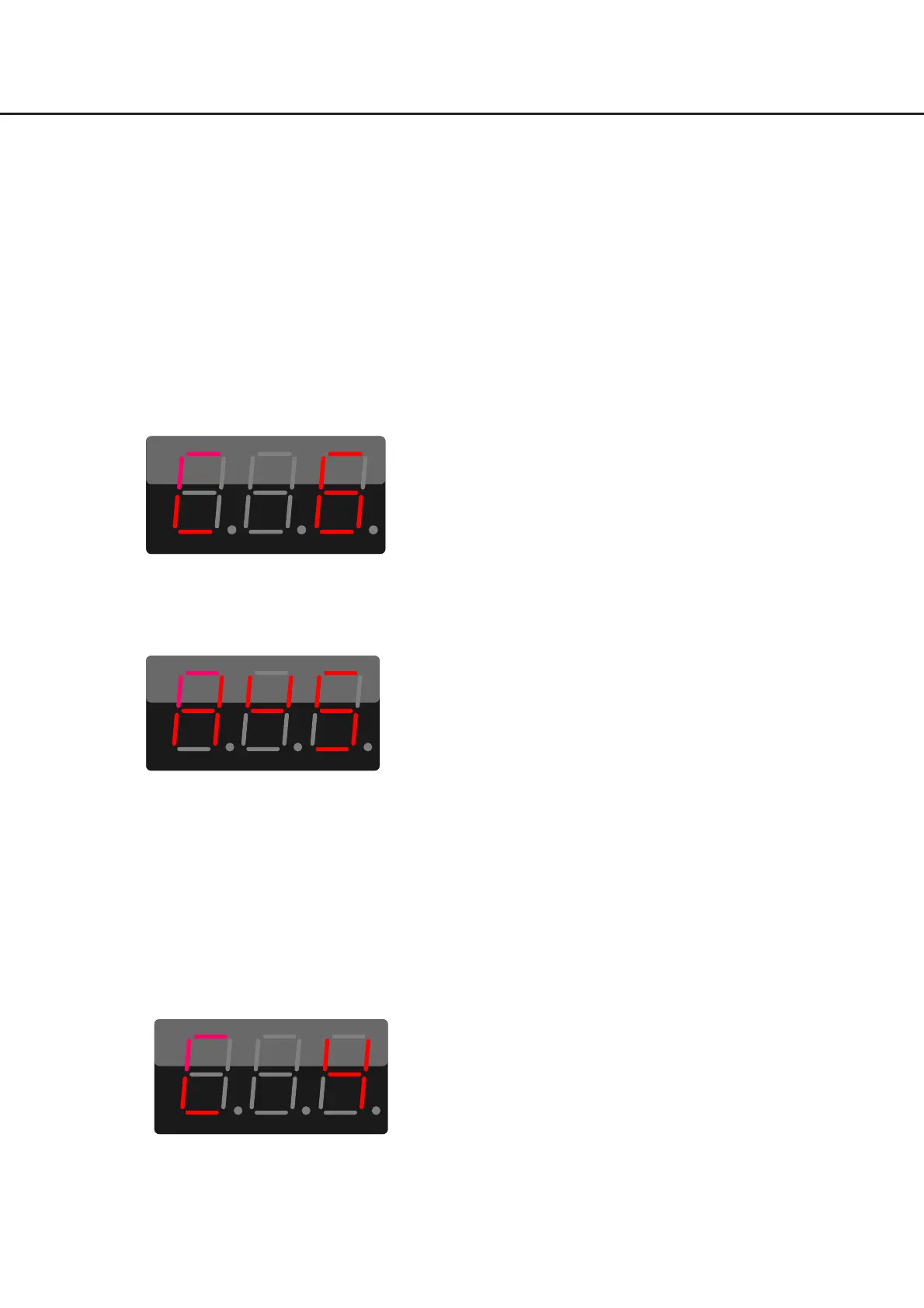
When it enters Test 4, the display will show “C6” (the first key from the right side of the keyboard)
In Test 4, the display will show the key name which you need to press. For example, when the display
shows “A
U
5”, it indicates you need to press the key “A
#
5” (the third key from the right side of the
keyboard). The “
U
” on display indicates “
#
”.
Press the keys with medium playing strength, strictly in the sequence as marked with a red arrowhead in
the picture below. If the currently checked key is OK, the display will then show the next key name, and it
will send note on/off message. However, if you have pressed the right key but your playing strength is
either too strong or too weak, the display will NOT show the next note and it will NOT send any note
on/off message. Or if you press the wrong key or fail to press the keys in the required sequence, it will
show “Err” and it will NOT send any note on/off message.
For example, after pressing the key [C
#
4], the display will then show “C4”, prompting you to press the
key C4. The key test range is “C3-C6” (37 keys range).
Follow strictly the arrowhead marked in Red to check the keys.
31



 To Next Page