8128 SIP Strobe Light (G2)
Note: If you don’t have a PoE switch, you’ll need a PoE or PoE+ injector installed
between the 8128 and the network switch. The PoE injector will supply 48V dc to
the 8128. Most PoE injectors are capable of providing more power than the 8128
requires (12.95 W). Ensure that the PoE injector is fully compliant to the IEEE
802.3at PoE+ or 802.3af standard.
The IP address may be discovered by downloading the Algo locator tool to find Algo
devices on your network: www.algosolutions.com/locator
Enter the IP address (e.g. 192.168.1.111) into a browser such as Google Chrome or
Firefox. The web interface should be visible and the default password will be algo in
lower case letters.
Inputs/Outputs
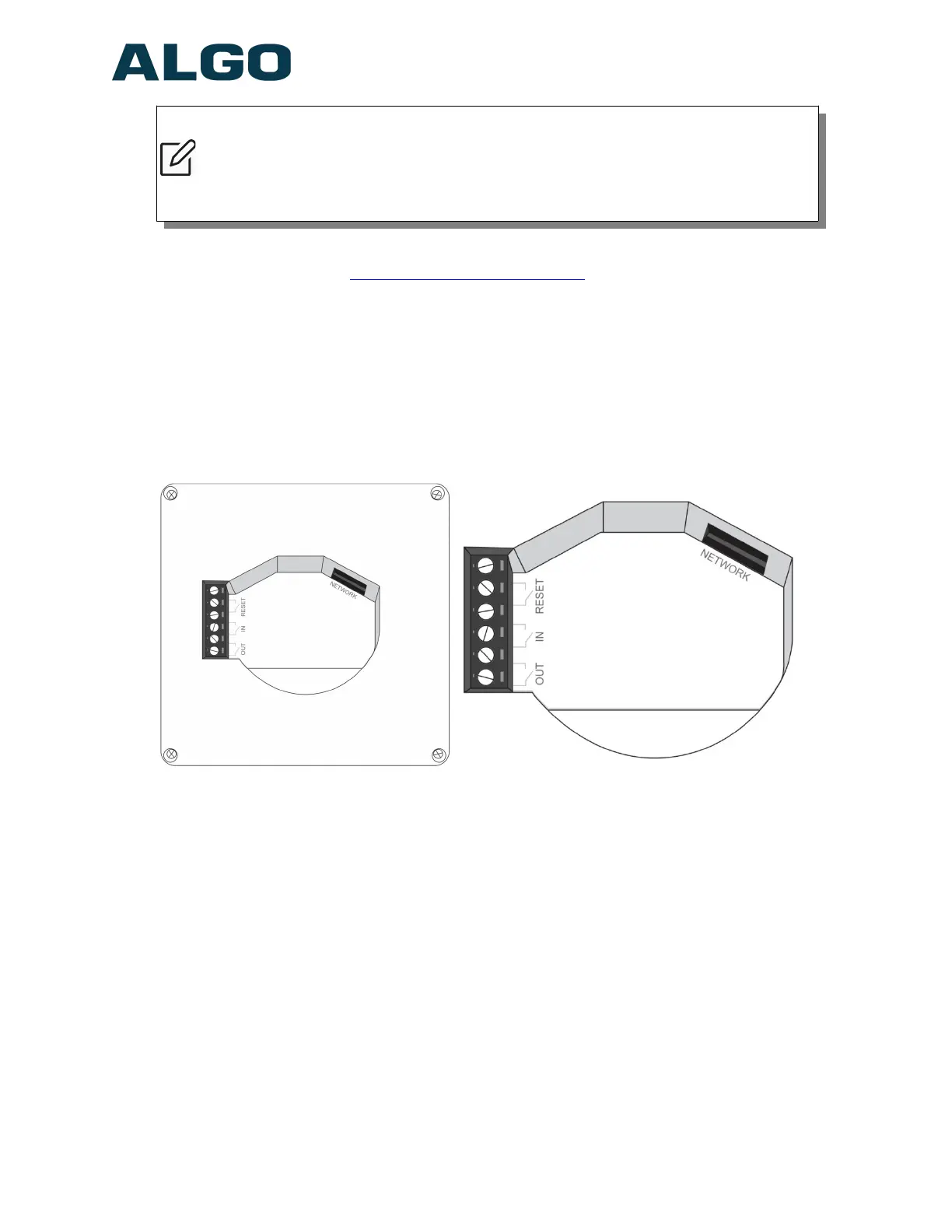
On the back, the 8128 SIP Strobe Light has a relay output, relay input and terminal
block reset. Door Control relay.
Terminal Block Relay In
By default, these terminals are inactive. Connection options are a normally closed
switch, normally open switch, 1202 Call Button, 1203 Call Switch, or EOL resistor
termination.
Terminal Block Relay Out
By default these terminals provide a contact closure when the 8128 SIP Strobe
Light is active.
Terminal Block Reset
To return all settings to a factory default, use a wire pair to short these terminals at
start up—continue until all the 8128 LEDs start a pulsing flash pattern.
Document 90-00100C
11/27/2019
Page 12
Algo Communication Products Ltd
4500 Beedie St Burnaby BC Canada V5J 5L2
www.algosolutions.com
(604) 454-3792
support@algosolutions.com


 To Next Page