8128 SIP Strobe Light (G2)
7. Rename file settings.txt to algop8128.conf
8. File algop8128.conf can now be uploaded onto the Provisioning server
If using a generic configuration file, extensions and credentials have to be entered
manually once the 8128 SIP Strobe Light has automatically downloaded the
configuration file.
Generating a specific configuration file
1. Follow steps 1 to 6 as listed in the section “Generating a generic
configuration file”.
2. Rename file settings.txt to algom[MAC address].conf (e.g.
algom0022EE020009.conf)
3. File algom[MAC address].conf can now be uploaded on the Provisioning
server.
The specific configuration file will only be downloaded by the 8128 with the MAC
address specified in the configuration file name. Since all the necessary settings
can be included in this file, the 8128 will be ready to work immediately after the
configuration file is downloaded. The MAC address of each 8128 Strobe can be
found on the back label of the unit.
For more Algo SIP endpoint provisioning information, see: www.algosolutions.com/
provision
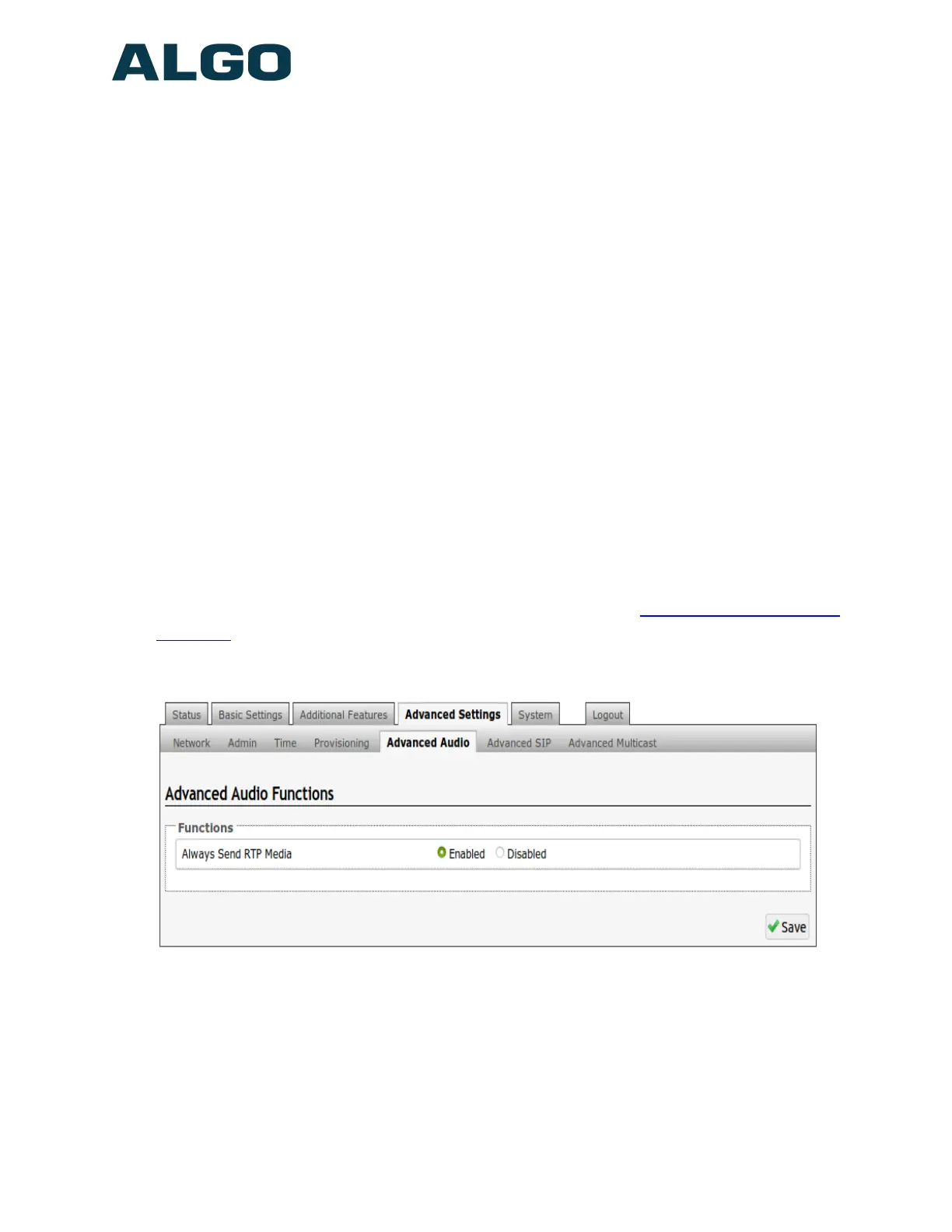
Advanced Settings Tab – Advanced Audio
Always Send RTP Media
If enabled, audio packets will be sent at all times while a call is active. This option
is needed in cases when the server expects to see audio packets at all times.
Document 90-00100C
11/27/2019
Page 43
Algo Communication Products Ltd
4500 Beedie St Burnaby BC Canada V5J 5L2
www.algosolutions.com
(604) 454-3792
support@algosolutions.com


 To Next Page