Procedure
NOTE: The system board shipped in your computer may differ from the system
board shown in the images below.
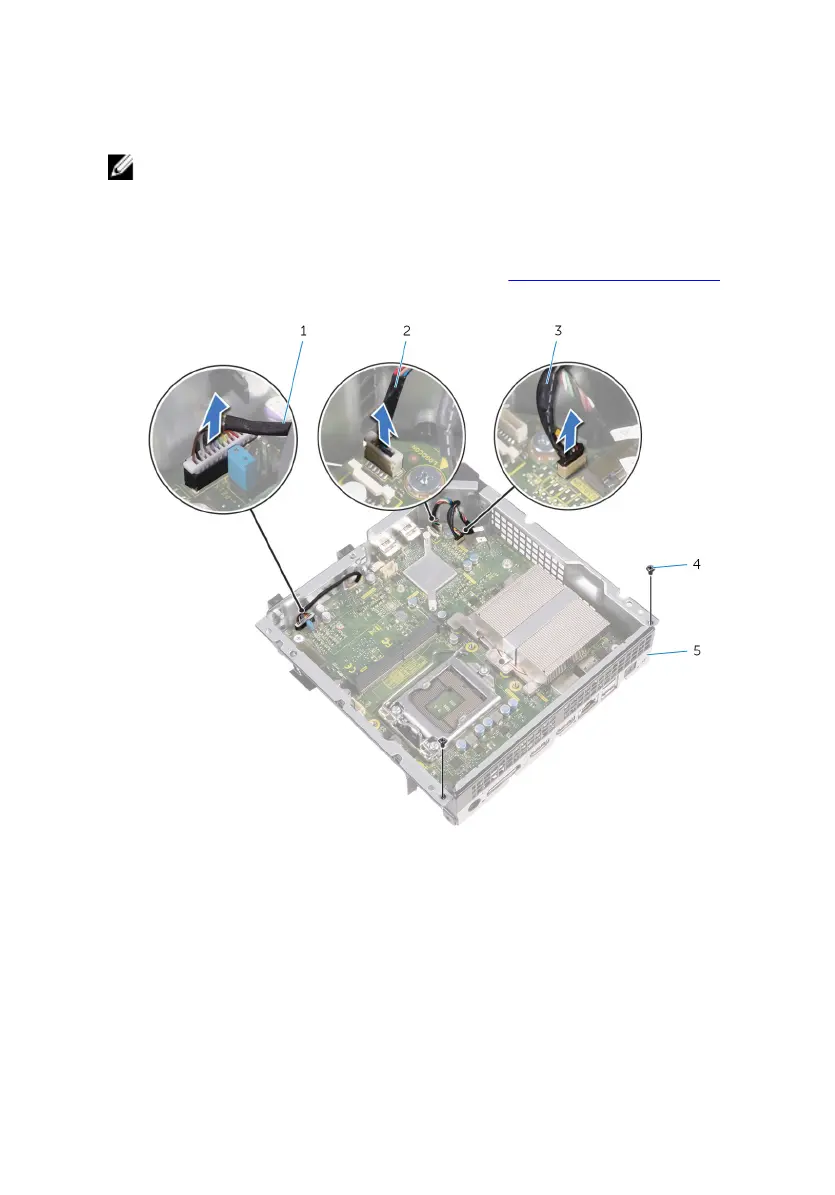
1 Disconnect the USB-port cable, front-panel light board cable, and power-button
board cable from the system board.
For information on the location of connectors, see “System- board components”.
2 Remove the screws that secure the back panel to the chassis.
1 power-button board cable 2 front-panel light board cable
3 USB-port cable 4 screws (2)
5 back panel
3 Turn the chassis over.
72















 To Next Page