Operating the monitor | 55
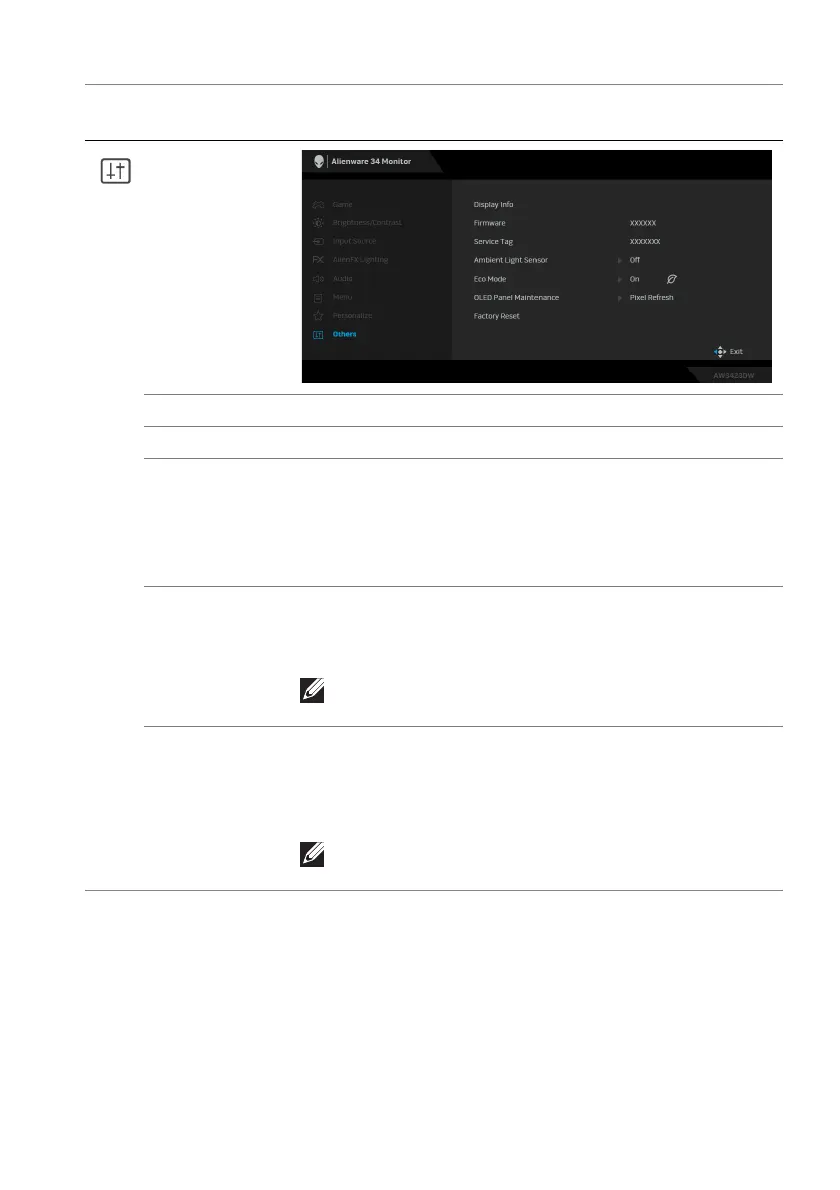
Others
Display Info Displays the monitor's current settings.
Firmware Displays the firmware version of your monitor.
Service Tag Displays the Service Tag of your monitor. The Service
Tag
is a unique alphanumeric identifier that is required
when you contact Dell technical support, access
warranty information, search for latest drivers on Dell
support website and so on.
Ambient Light
Sensor
When you set it to On, t
he monitor automatically
adjusts the brightness of the display based on ambient
light conditions. The default setting is Off.
NOTE: When HDR content is displayed, this
option is disabled.
Eco Mode When the computer goes into standby mode, the Eco
Mode
enables the monitor to go into Standby mode as
well. The default setting is On. Selecting Off may
prevent the monitor from going into Standby mode.
NOTE: Pressing the joystick may wake up the
monitor after it goes into Standby mode.
Icon Menu and
sub
menus
Description















 To Next Page