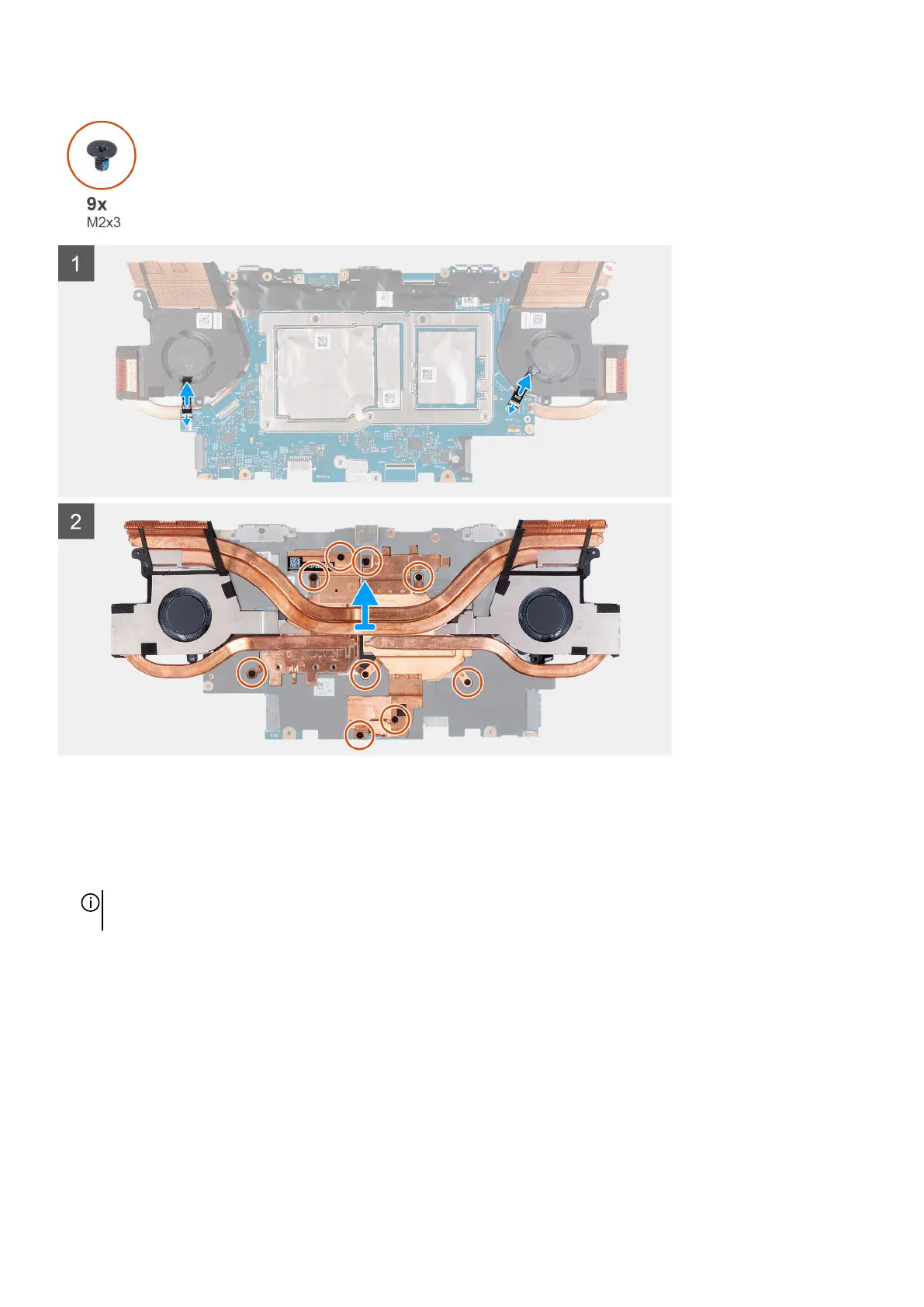
Steps
1. Disconnect the left and right fan cables from the system board.
2. Turn the system-board assembly over.
3. In the reverse sequential order (9>8>7>6>5>4>3>2>1), remove the nine screws (M2x3) that secure the fan and heat-sink
assembly to the system board.
NOTE: For computer shipped with NVIDIA GeForce RTX 3060, remove the eight screws (M2x3) that secure the fan and
heat-sink assembly to the system board.
49












 To Next Page