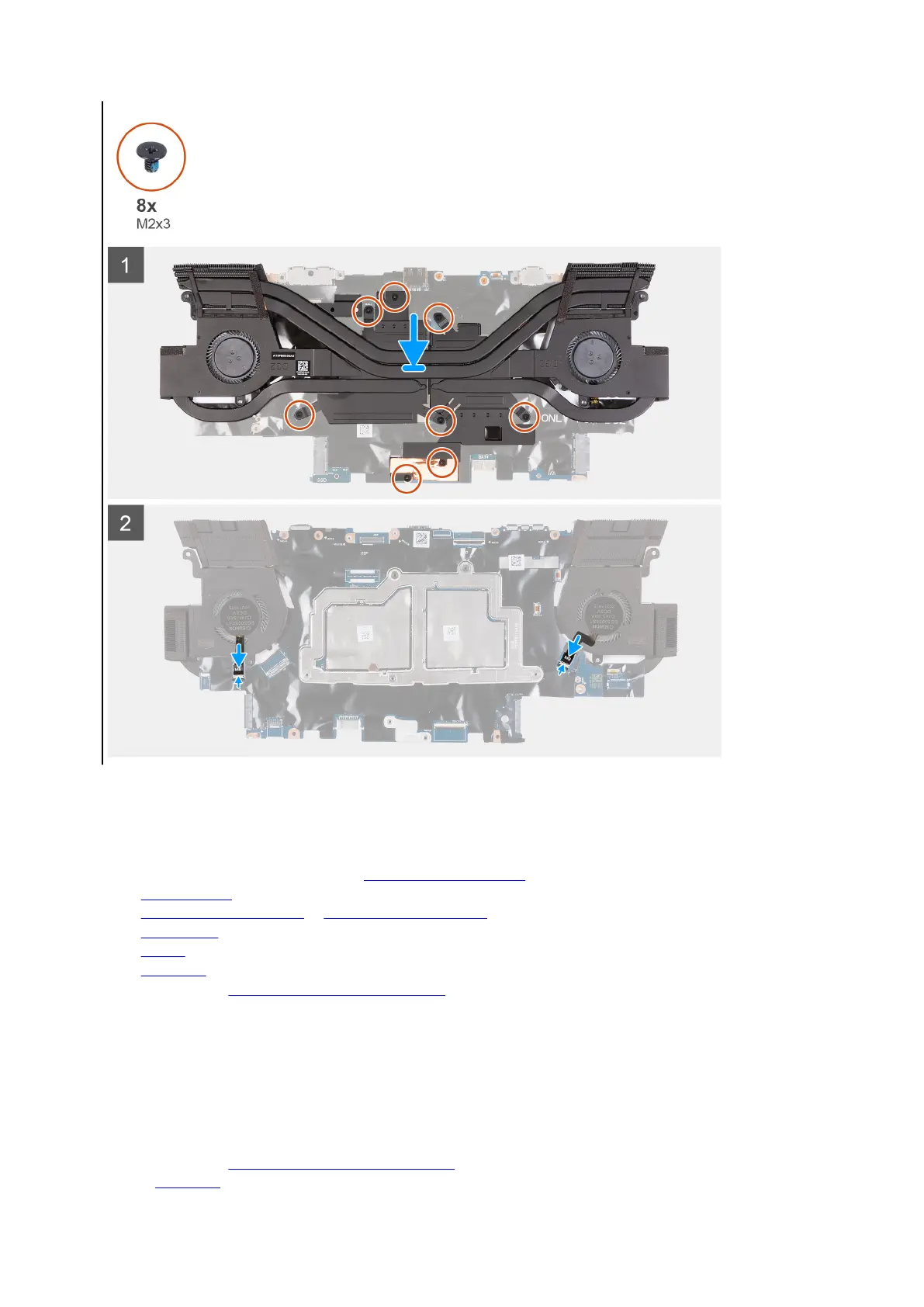
4. Turn the system-board assembly over.
5. Connect the left and right fan cables to the system board.
Next steps
1. Follow the procedure from step 3 to step 17 in
Installing the system board.
2. Install the rear I/O-cover.
3. Install the M.2 2230 solid-state drive or M.2 2280 solid-state drive, as applicable.
4. Install the wireless card.
5. Install the battery.
6. Install the base cover.
7. Follow the procedure in After working inside your computer.
Headset port
Removing the headset port
Prerequisites
1. Follow the procedure in Before working inside your computer.
2. Remove the base cover.
52












 To Next Page