7
3
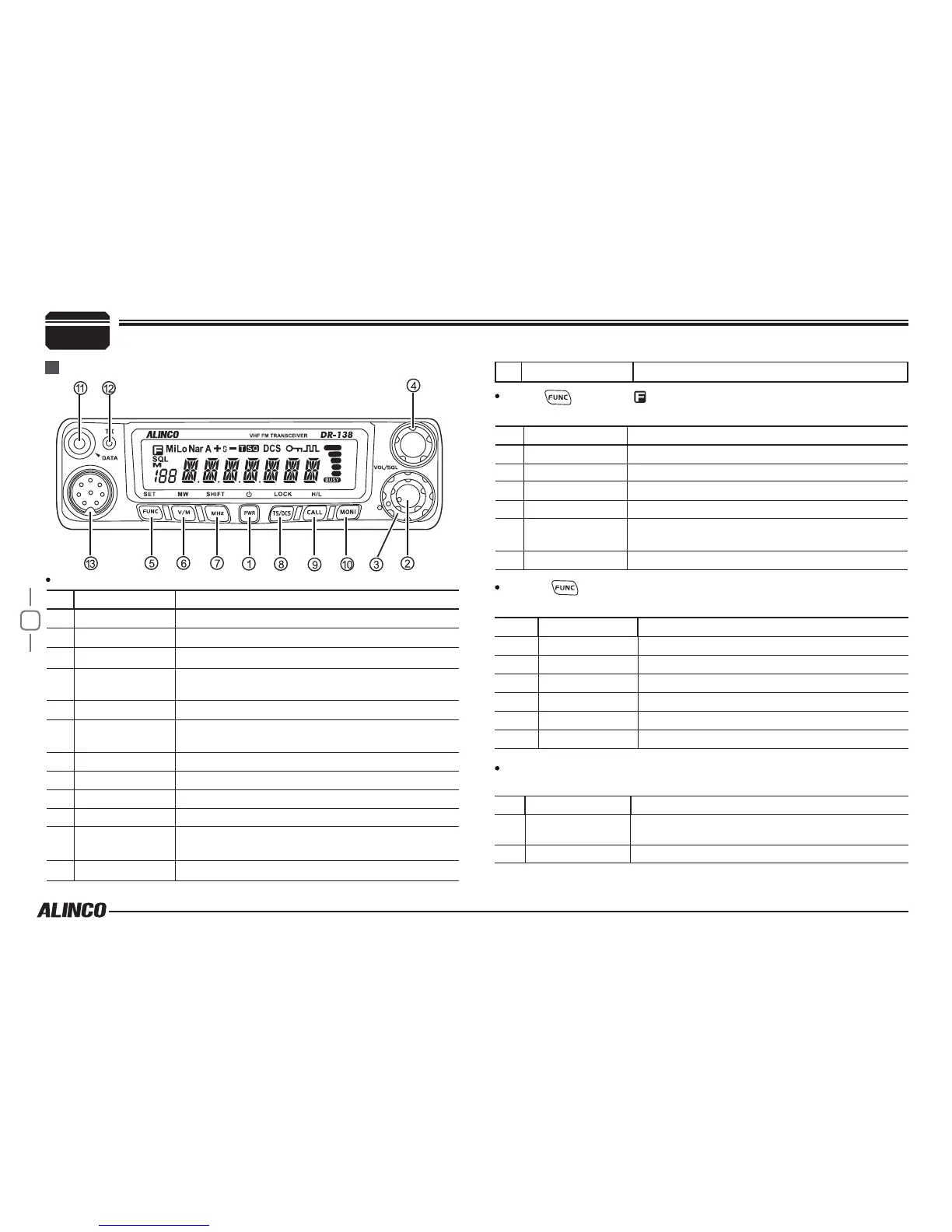
NO. KEY FUNCTION
1
PWR(Power) Power on/Off
2
VOL Adjust Volume Key
3
SQL Knob Adjust Squelch level
4
Main Dial
Change frequency, memory channel and scan
direction etc.
5
FUNC/SET Function Key
6
V/M/MW
Switches between VFO mode and Channel
mode
7
MHz/SHIFT Step Size Key ( step:1MHz)
8
TS/DCS/LOCK Sets CTCSS and DCS value
9
CALL/H/L Call key
10
MONI Squelch off
11
Data Terminal
Data reading/writing, cloning and theft alarm
functions
12
TX Lights during Transmitting
NO. KEY FUNCTION
5
FUNC/SET Conrms the selective functions and exit
6
V/M/MW Stores data into channels
7
MHz/SHIFT Sets offset direction and offset frequency
8
TS/DCS/LOCK Sets Keypad lock function
9
CALL /H/L
Switches between HI, MID and LOW power
transmission
10
MONI Compander mode on/off
NO. KEY FUNCTION
1 & 10
PWR & MONI Reset to factory default settings
6
V/M/MW Erase the memory
7
MHz/SHIFT Switches between Wide/Narrow band
8
TS/DCS/LOCK Auto dialer
9
CALL
Enters clone data function mode
10
MONI Enters power supply voltage indication mode
NO. KEY FUNCTION
5
FUNC/SET
Press and hold for 2s to enter the Setting
mode
10
MONI Monitor mode
Getting Acquainted
Front panel
Press
key until icon appears then press the following
key.
Press
key and following key together to activate
following function:
Functions that require continuous pressing following key
to be activated
Basic Functions
13
Mic.connector
Microphone connection port



 To Next Page