17
7
Sending 5-Tone Call
Turn Main Dial to select the desired 5-TONE group, Press [
3.
PTT] to
transmit selected group.
Total:100groups, 00-99, Default:00.
4.
Press
5.
key to conrm and exit.
5-TONE operation parameters must be edited by programming
software prior to the practical operation.
Press
4.
key to conrm and exit.
Sending 2-Tone Call
Press and hold
1.
key for over 2 seconds to enter setting menu.
Press
2.
/
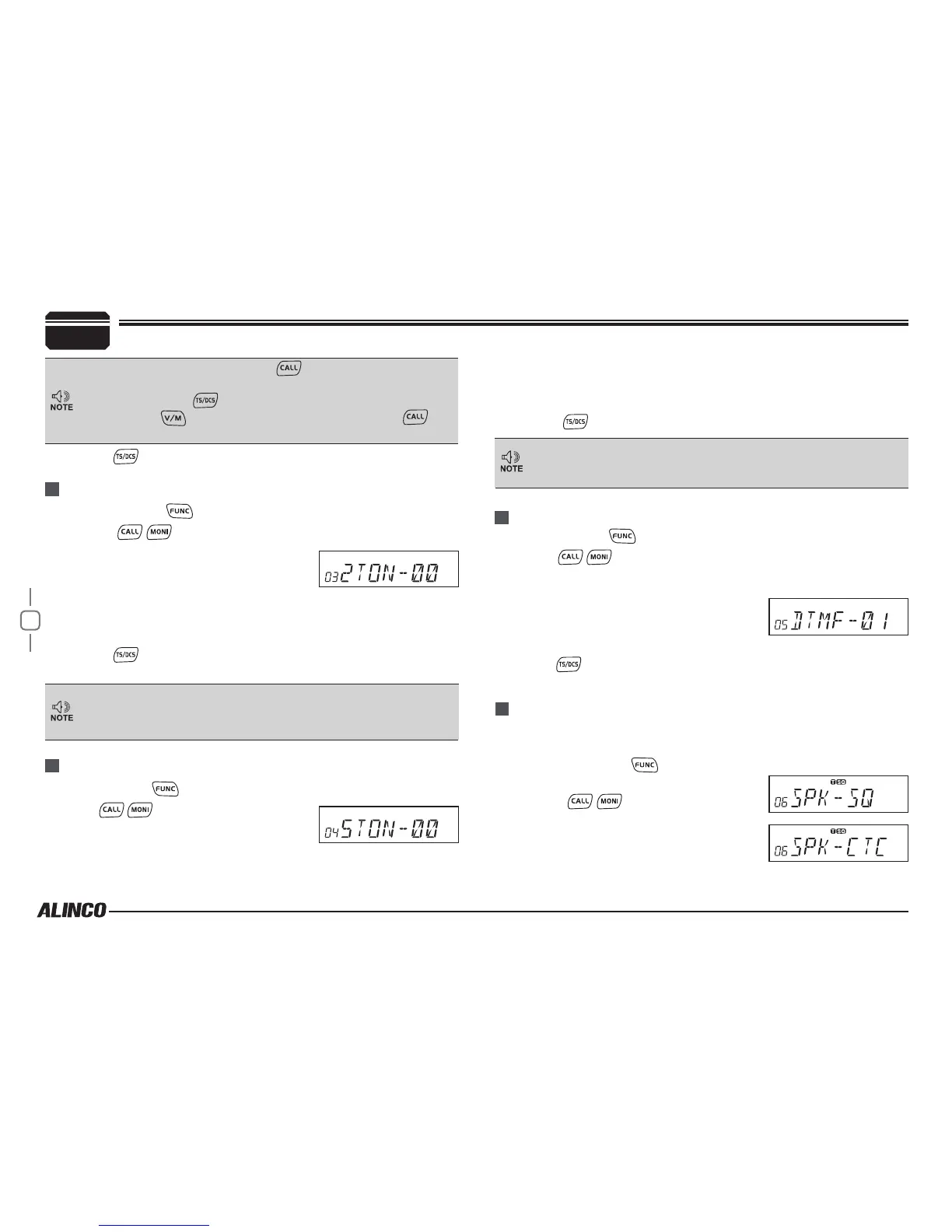
key to choose No.03
menu, LCD displays "2TON xx", "XX"
indicates the preprogrammed groups.
Turn Main Dial to select the desired
3.
2-TONE group, Press PTT to transmit
selected group.
Total:32groups, 00-31, Default: 00.
4.
Press
5.
key to conrm and exit.
2-TONE will be operation parameters must be edited by
programming software prior to the practical operation.
This function is to only query edited group or name.
Press and hold
1.
key for over 2 seconds to enter setting menu.
Press
2.
/
key to choose No.04 menu,
LCD displays "5TON xx", "XX" indicates
the preprogrammed groups.
Sending DTMF call
Press and hold
1.
key for over 2 seconds to enter setting menu.
Press
2.
/ key to choose No.05 menu, LCD displays "DTMF
xx", "xx" indicates the operation parameters must be.
Turn Main Dial to select the desired
3.
DTMF group, Press PTT to transmit
selected group.
Total:16groups, 00-16, Default:00.
4.
Press
5.
key to conrm and exit.
Signaling Combination setup
This function is to improve the level of protecting the radio against
receiving irrelative signal.
In 5Tone signaling mode, press for 2 seconds until LCD
displays "AN---", turn Main Dial to select desired digit(caller ID).
In this mode, press
to conrm existing digit and move cursor
to next, press
to forward cursor. After editing, press key
to operate ANI call.
Press and hold
1.
key for over 2
seconds to enter setting menu.
Press
2.
/
key to choose No.06
menu, LCD displays "SPK--SQ".
Turn Main Dial to select the desired
3.
combination.
PARAMETER SETTING MODE



 To Next Page