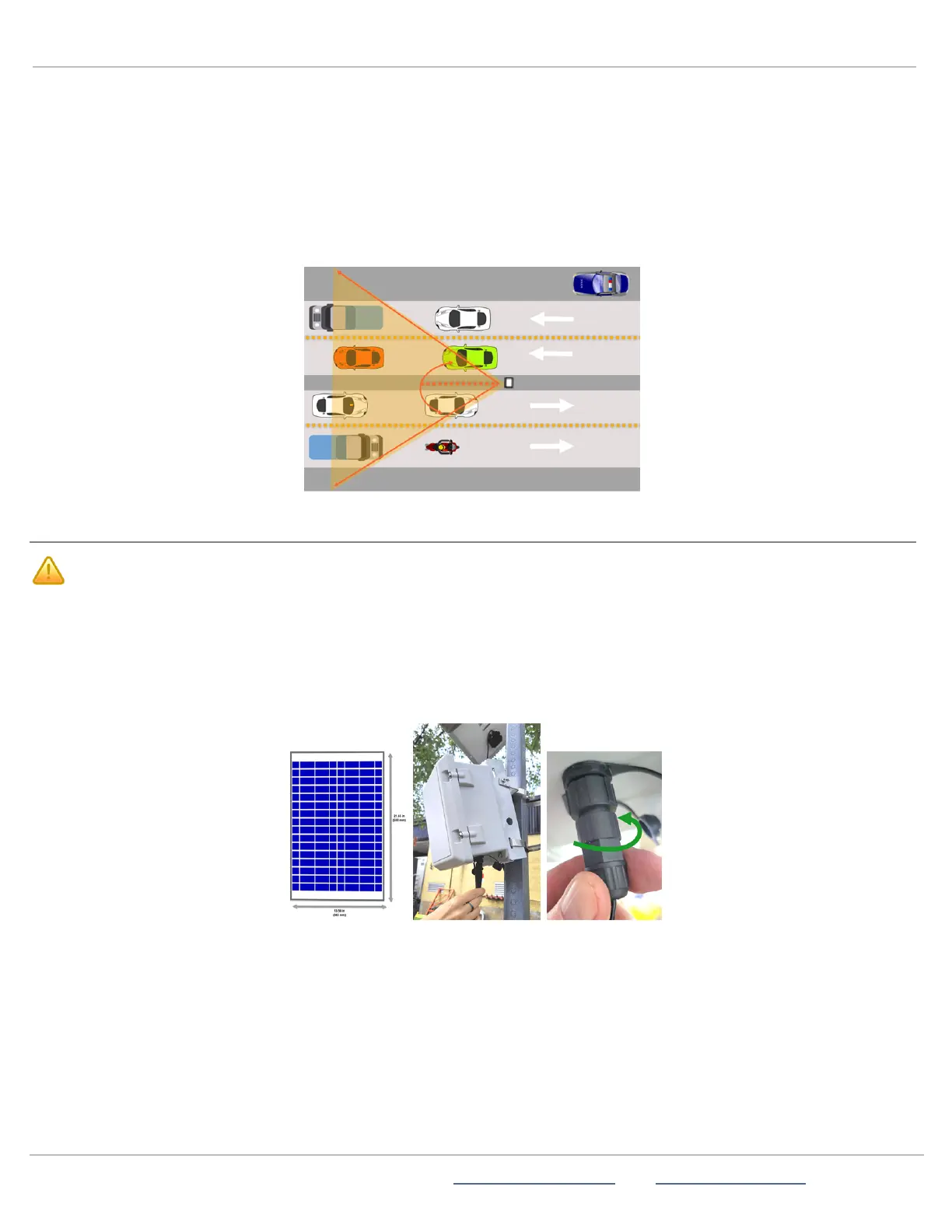
To set up monitoring for four lanes, bidirectionally:
Use the following setup to monitor four lanes of traffic, with two lanes moving in one direction and the other two lanes moving in the
opposite direction. For median installations, traffic must be moving in opposite directions, as shown below.
A.
Install the StatTrak-E on a pole on the median of the road.
B.
Position the device directly facing either direction of traffic, parallel to the roadway (a 0-degree angle).
C.
Recheck the downward angle you set on page8 to ensure it's at 12 degrees.
Here is an example StatTrak-E median placement, covering four lanes, with two lanes outgoing and two lanes incoming.
STEP 7:CONNECTING A SOLAR PANEL TO THE STATTRAK-E
CAUTION: Before doing any maintenance on a StatTrak-E, it is critical that you first turn off the power. This will
prevent the risk of minor electrical shock and damage to electrical components. Also, you should always
disconnect the solar panel beforehand if ever you need to change the batteries. See
Replacing StatTrak-E
batteries
on page15.
Use the instructions in this section to connect the StatTrak-E to the optional solar panel.
The solar panel and the StatTrak-E come with IP68 electrical cable connectors for waterproof connection, as shown. The solar
panel and smart battery charger use the same port on the bottom of the StatTrak-E.
To connect the solar panel to the StatTrak-E:
A.
Insert the solar panel connector into the StatTrak-E power connectors.
B.
Twist to tighten the waterproof IP68 electrical cable connector onto the port, as shown.
ATS | Chantilly, VA | USA | Tel: 1-866-366-6602 | Email: sales@alltrafficsolutions.com | Web: www.alltrafficsolutions.com
Copyright © 2024 |
StatTrak-E Quick Start Guide, TraffiCloud Subscriber Edition
, ver. 1.01 | 4800268 | All rights reserved.
Step 7:Connecting a solar panel to the StatTrak-E Page 10 All Traffic Solutions



 To Next Page