REPLACING STATTRAK-E BATTERIES
Use this procedure to replace StatTrak-E batteries. No electrical certification is required to complete this procedure.
If you purchased a solar panel with the StatTrak-E, only one battery is included.
C
AUTION
: Before doing any maintenance on a StatTrak-E, it is critical that you first turn off the power. This will
reduce the risk of damage to electrical components or minor electrical shock.
To avoid overloading StatTrak-E circuit boards with electricity from the solar panel (if equipped), ALWAYS
disconnect the solar panel before changing batteries.
What you'll need
» One or two fully charged lithium iron phosphate batteries supplied by All Traffic
Solutions. Batteries from other vendors are not supported.
» A Torx T-30 security bit (included with your original shipment), a nut driver, and
power screwdriver or drill.
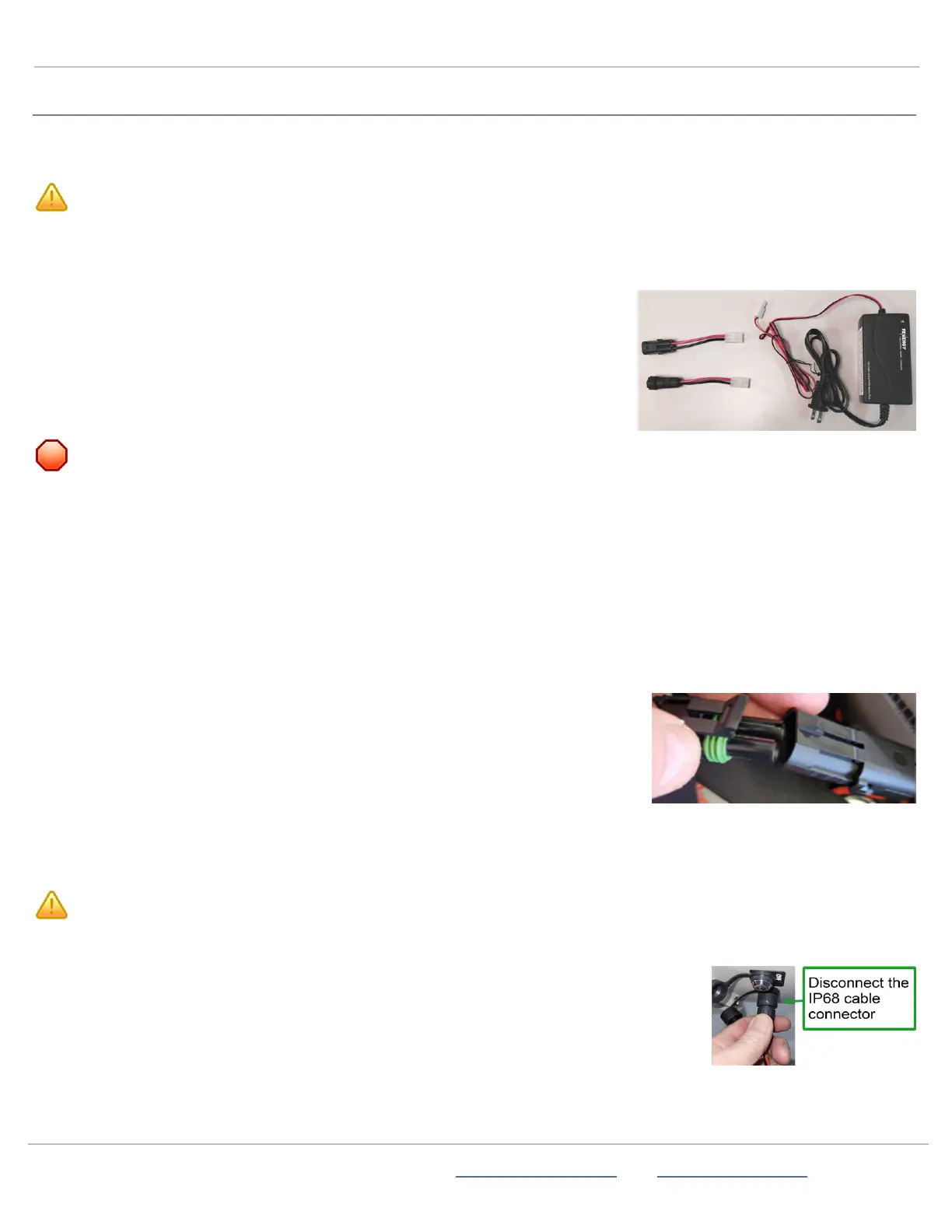
» The smart charger and adapters included with your new battery purchase.
To charge a new battery or batteries:
W
ARNING
: RISKOFELECTRIC SHOCK OR EQUIPMENTDAMAGE The battery charger is designed for use in
protected environments only and must not be left unattended during charging. Keep the charger and batteries free of
moisture and away from flammable or explosive goods. Place the charger on a flat, non-flammable surface in a well-
ventilated environment. Do not cover the charger when charging and ensure that ambient room temperatures do not
exceed 104°F (40°C). Turn off the power supply before you connect or disconnect the charger and batteries. Do not
modify the charger, accessories, or connectors as this may cause a short circuit, fire, or over-heating. All Traffic
Solutions is not liable for any damages caused by such changes. Failure to follow these guidelines could result in
electric shock or damage StatTrak-E, rendering your warranty null and void.
A.
Unpack the battery or batteries, smart charger, and adapters and place them on a smooth, non-flammable work surface
sheltered from precipitation or any other moisture. See the warning above for safety guidelines.If you are simply recharging
one or two previously installed batteries, skip this step and see
Step 1:Charging the StatTrak-E
on page2.
B.
Connect the power cable to the charger.
C.
Connect one of the two adapters to the charger power cable.
D.
Connect the charger to one of the new batteries (or battery if you have a solar
panel, as shown at right).
E.
Plug the charger into your AC power source.
Depending on the model of your charger, the LED or charging gauge turns green
or shows 100% when charging is complete.
F.
Repeat the previous steps to charge the second battery if included.
G.
Unplug the battery charger when you have completed charging the batteries.
C
AUTION
: Never connect a fully charged battery with a discharged battery.
To replace the StatTrak-E battery or batteries:
A.
Place the StatTrak-E on a smooth, non-flammable work surface sheltered from precipitation
or any other moisture. See the "Warning:Risk of Electric Shock or Equipment Damage"
above for safety guidelines.
B.
Turn off the StatTrak-E by inserting the security key and turning it 1/4 turn counter-
clockwise, to the OFF position. See
Step 8:Powering on the StatTrak-E
on page11.
ATS | Chantilly, VA | USA | Tel: 1-866-366-6602 | Email: sales@alltrafficsolutions.com | Web: www.alltrafficsolutions.com
Copyright © 2024 |
StatTrak-E Quick Start Guide, TraffiCloud Subscriber Edition
, ver. 1.01 | 4800268 | All rights reserved.
Replacing StatTrak-E batteries Page 15 All Traffic Solutions



 To Next Page