ALLEN&HEATH 39 AP10733_1_XONE:PX5 User Guide
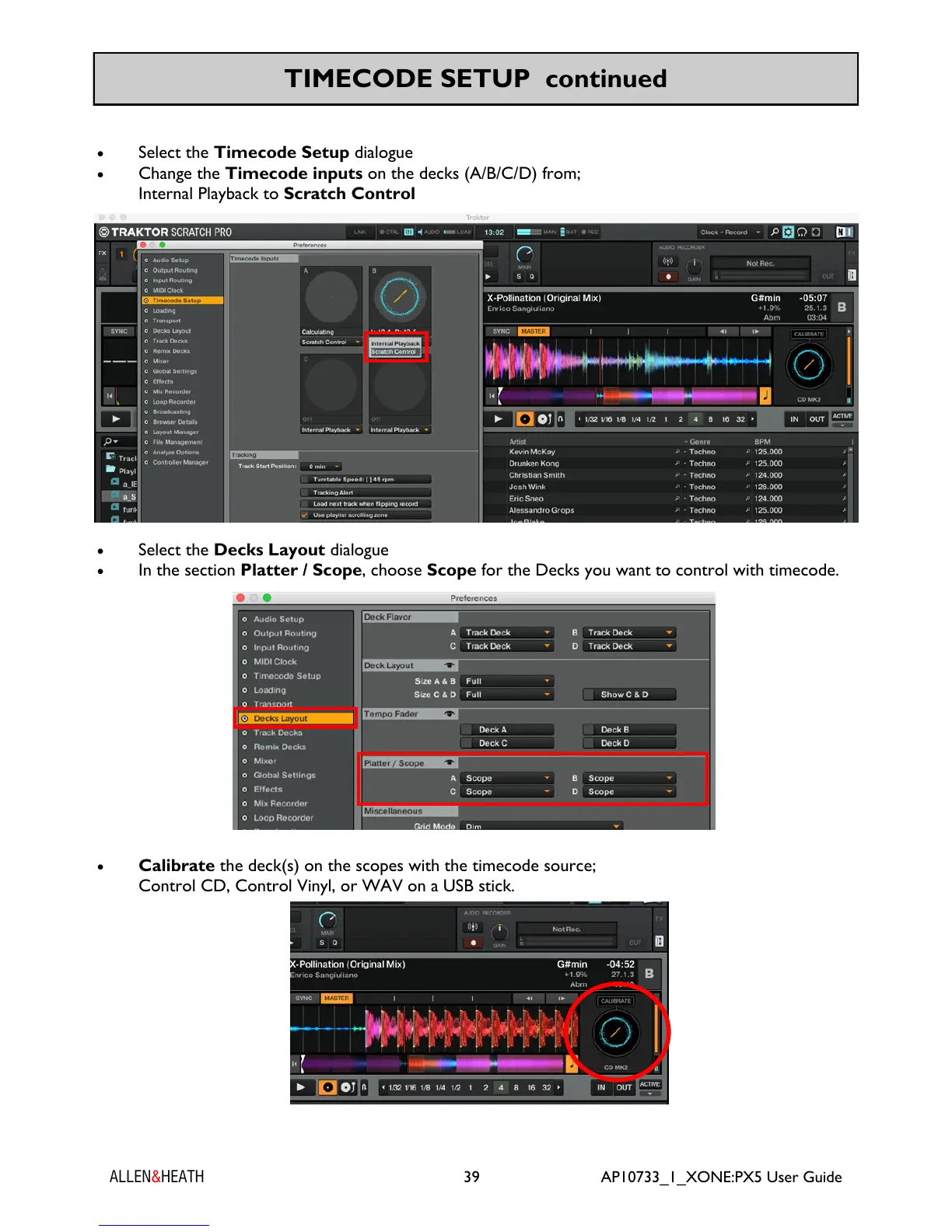
Select the Timecode Setup dialogue
Change the Timecode inputs on the decks (A/B/C/D) from;
Internal Playback to Scratch Control
Select the Decks Layout dialogue
In the section Platter / Scope, choose Scope for the Decks you want to control with timecode.
Calibrate the deck(s) on the scopes with the timecode source;
Control CD, Control Vinyl, or WAV on a USB stick.
TIMECODE SETUP continued


 To Next Page
 Loading...