Wireless-N Broadband Router User Guide
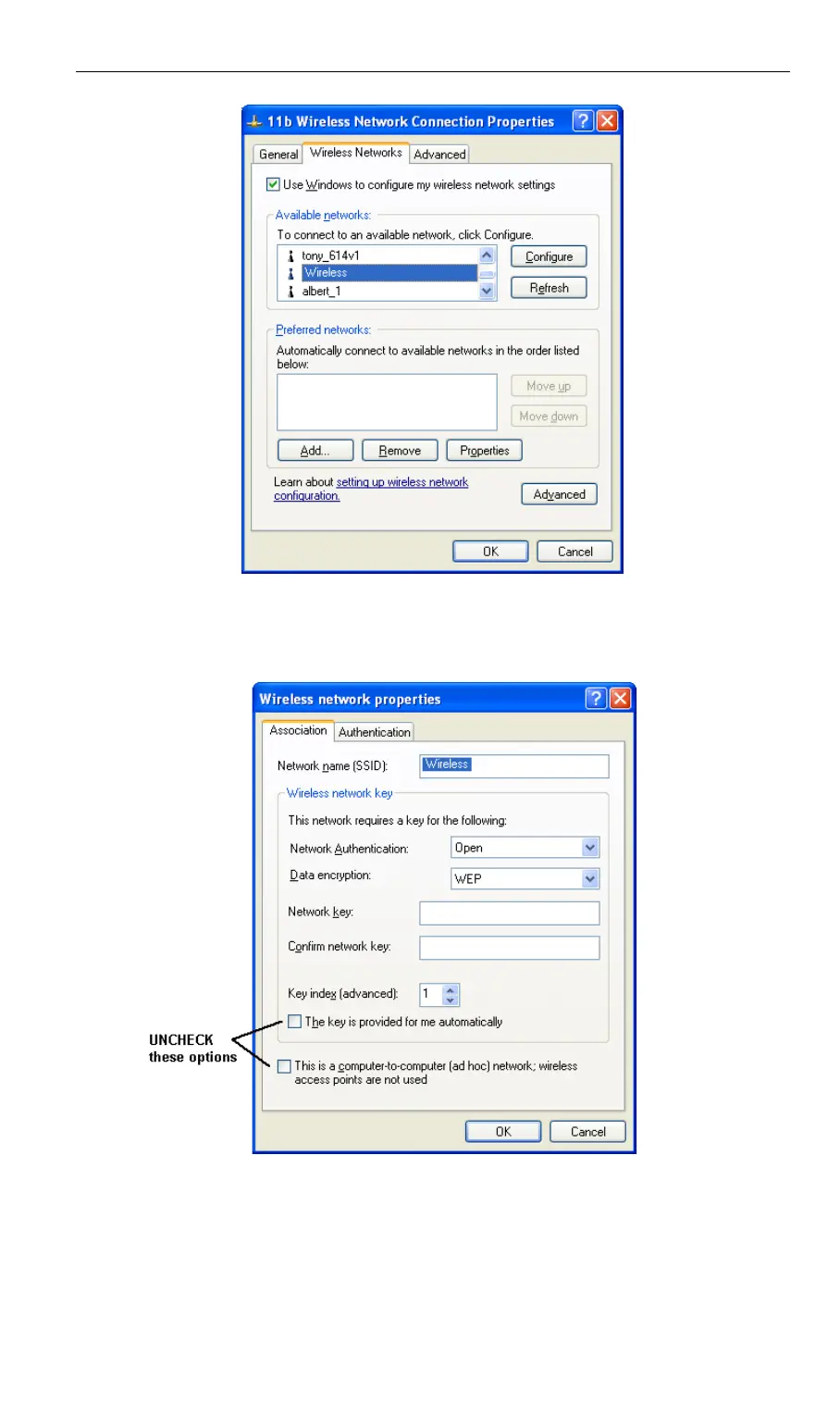
Figure 30: Advanced - Wireless Networks
Select the SSID for the Wireless-N Broadband Router, and click Configure, to see a screen like
the following:
Figure 31: Wireless Network Properties - WEP
Configure this screen as follows:
• Set Network Authentication to match the Wireless-N Broadband Router. (If the setting on
the Wireless-N Broadband Router is "Auto", then either Open or Shared can be used.)
• For Data Encryption, select WEP.
44



 To Next Page