UM
150
User’s Manual
29
UM
150
User’s Manual
5.3.5 Using the Wireless Internet Card Extension Cable
• The UM
150
Modem package includes an extension USB Y-shaped cable.
Although the cable is not required for use with your UM
150
Modem, it offers
increased performance for your UM
150
Modem under certain operating
conditions. Simply insert the USB connector into the USB port of your
computing device to deliver a power boost, increased RF performance, and
to solve clearance issues.
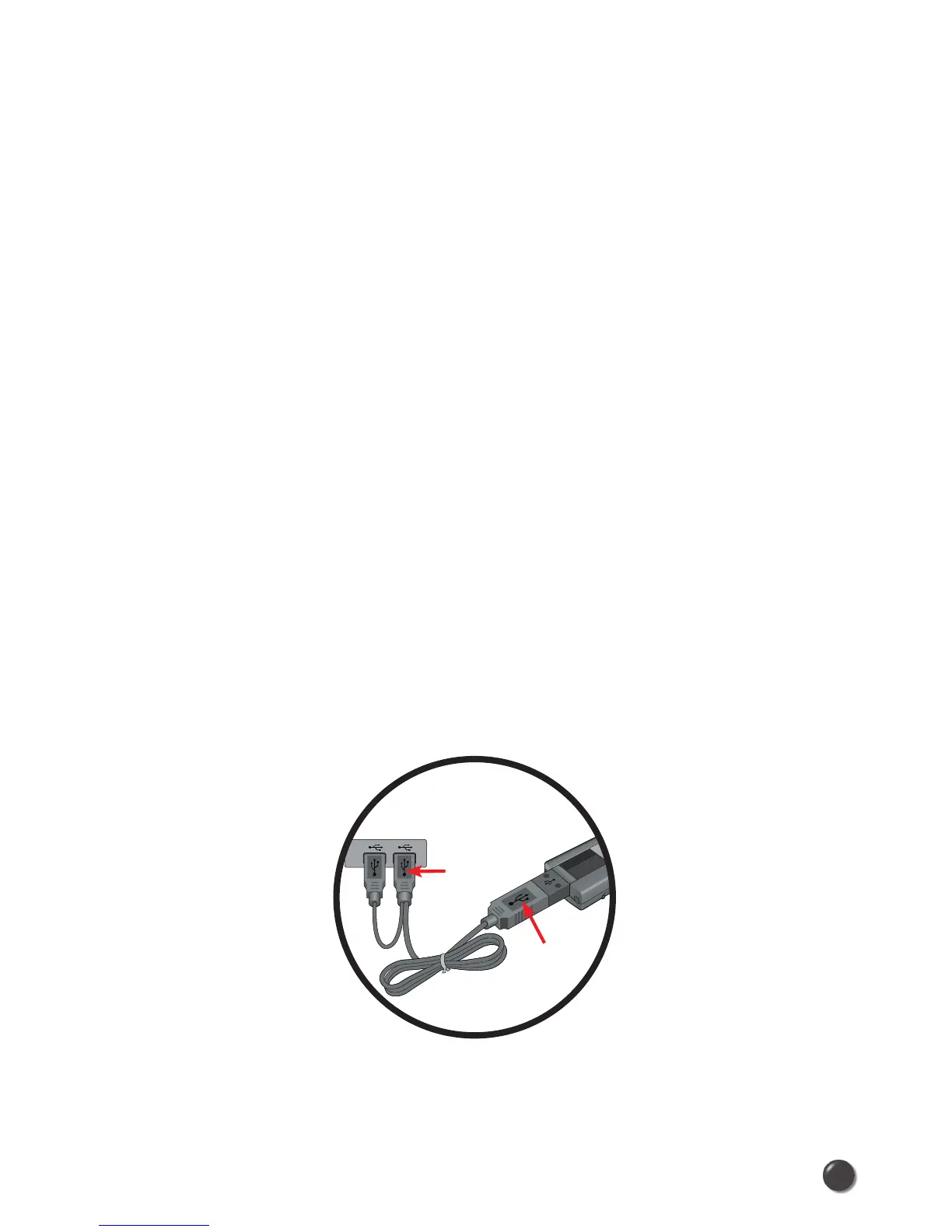
Using the Wireless Internet Card Extension Cable:
1) Plug the single end of the Y-shaped cable into the UM
150
Modem. [A]
2) Depending on the condition you are trying to solve (power boost, increased
RF performance, or clearance issues), plug either one of the two connected
ends of the Wireless Internet Card extension cable into the Type A USB
port(s) on your computer. [B]
* The Wireless Internet Card extension cable connector labeled #1, is the
primary data power cable used to either extend the UM
150
modem away
from your computer allowing you to locate the modem in a more optimum
signal location or solve any computer USB port clearance issues. The
Wireless Internet Card extension cable connector labeled #2, is a power
boost cable and must be used with connector #1 to provide the modem up to
1Amp of current for use in weaker signal areas.
3) The device is connected to and powered by the computer as soon as the
USB cable is plugged properly into the appropriate Type A USB port(s).
4) Launch Quick Link Mobile and click
Connect.
A
B
#1#2



 To Next Page