UM
150
User’s Manual
7
UM
150
User’s Manual
2.2 The QuickLink Mobile Setup Wizard
After you have successfully completed the installation process of QuickLink Mobile,
you are ready to start the QuickLink Mobile program and begin your initial setup. The
steps in the Setup Wizard are critical to the proper operation of QuickLink Mobile.
STEP 1: To start the QuickLink Mobile program click the Start button, select the
Programs menu and choose the QuickLink Mobile menu item.
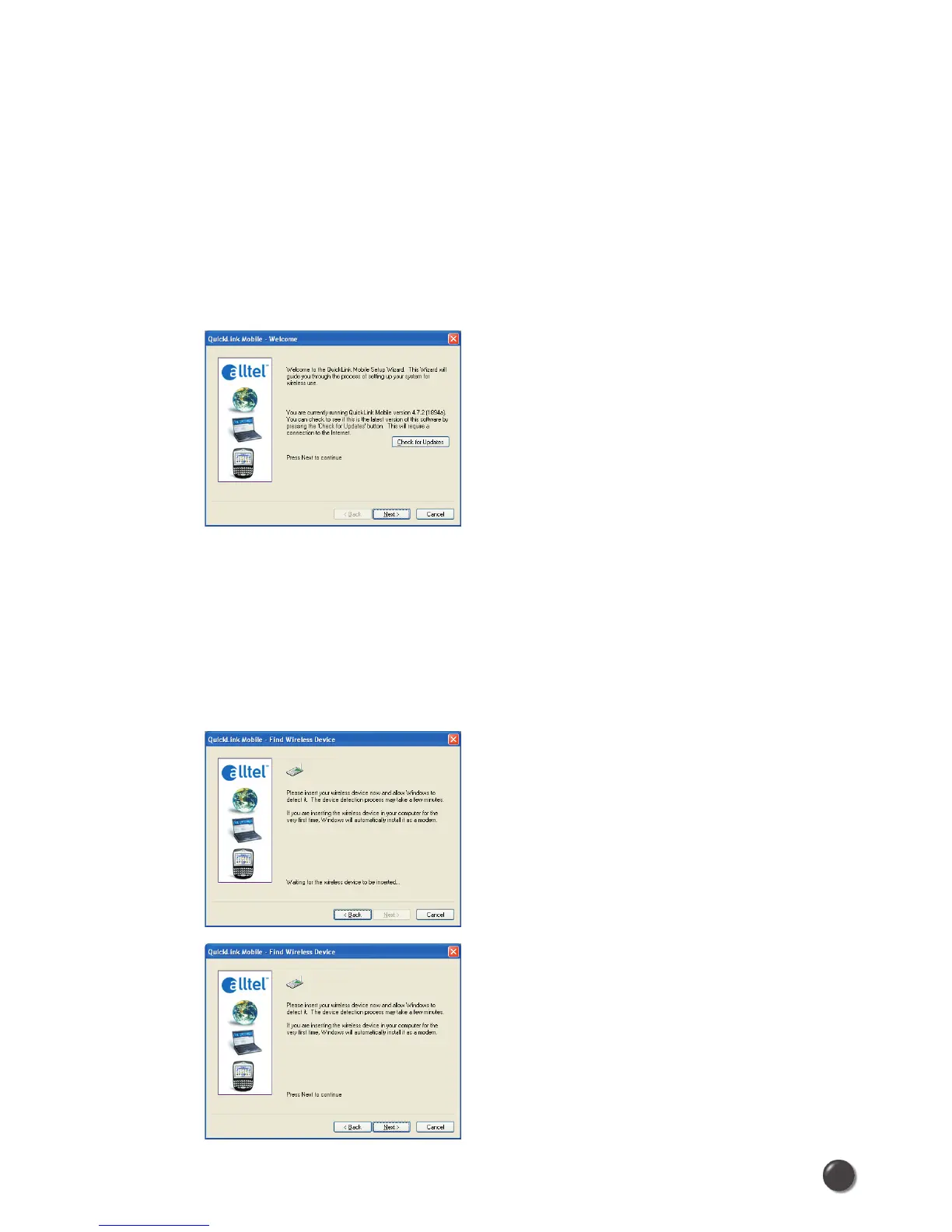
STEP 2: On first-run of QuickLink Mobile the Setup Wizard will automatically
run. The “Welcome” screen appears.
If you have an Internet connection, it is recommended that you check to see
if you are running the latest version of QuickLink Mobile. Click the Check for
Updates button to perform this check.
Click Next to continue.
STEP 3: Insert your UM
150
, then wait for Windows to detect and install drivers for
the device.



 To Next Page