UM
150
User’s Manual
4
UM
150
User’s Manual
2. INSTALLATION AND SETUP FOR THE QUICKLINK MOBILE
This section will guide you through the installation and setup process for the
QuickLink Mobile. Before getting started, you should become familiar with the
documentation that came with your mobile phone or Wireless Internet Card.
CD’s
1. If you purchased the UM150 Wireless Internet Card, there is only one CD that
contains the QuickLink Mobile and Wireless Internet Card drivers.
Getting Started
To install the QuickLink Mobile:
1. Turn on your computer then close all applications.
2. Insert the CD-ROM into your CD drive.
3. If set up does not automatically start, click the Start button on the taskbar then
choose Run. Type D:\Start (where D is the letter of your CD-ROM drive) then click
OK.
4. Follow the steps in the next section.
* QuickLink Mobile software must be installed before you insert the Wireless Internet
Card into the computer for the first time. Only after the software has been installed
can Windows successfully install and configure the Wireless Internet Card.
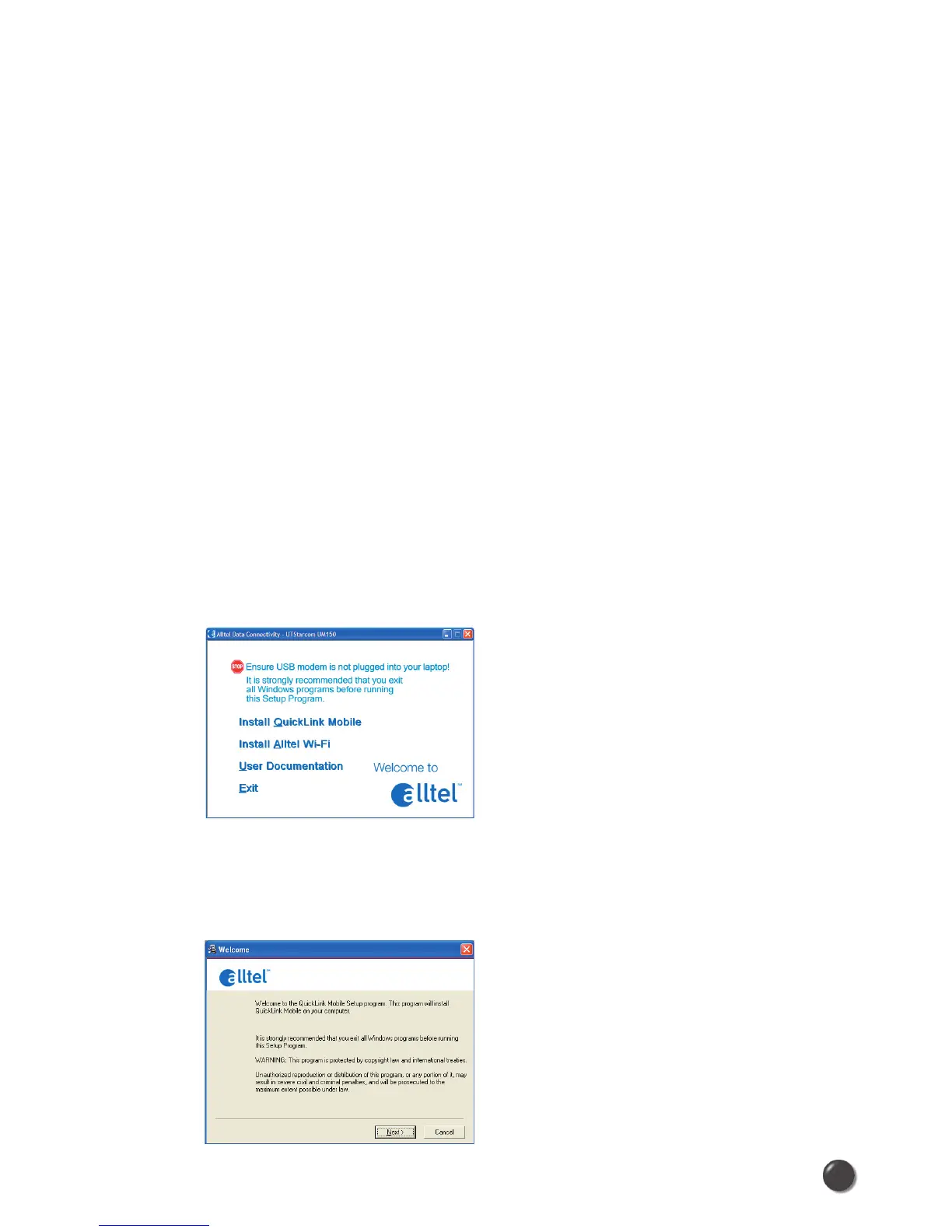
2.1 The QuickLink Mobile Setup Program
STEP 1: Click the QuickLink Mobile setup program. The “Welcome” screen appears.
Click the Next button to continue with the installation process.



 To Next Page