UM
150
User’s Manual
26
UM
150
User’s Manual
5.3.3 Unplugging or Ejecting the Device
Make sure to complete the unplug/eject process on your computer before removing
the UM
150
from your PC. If you remove the USB device improperly, the product may
be damaged.
• WINDOWS
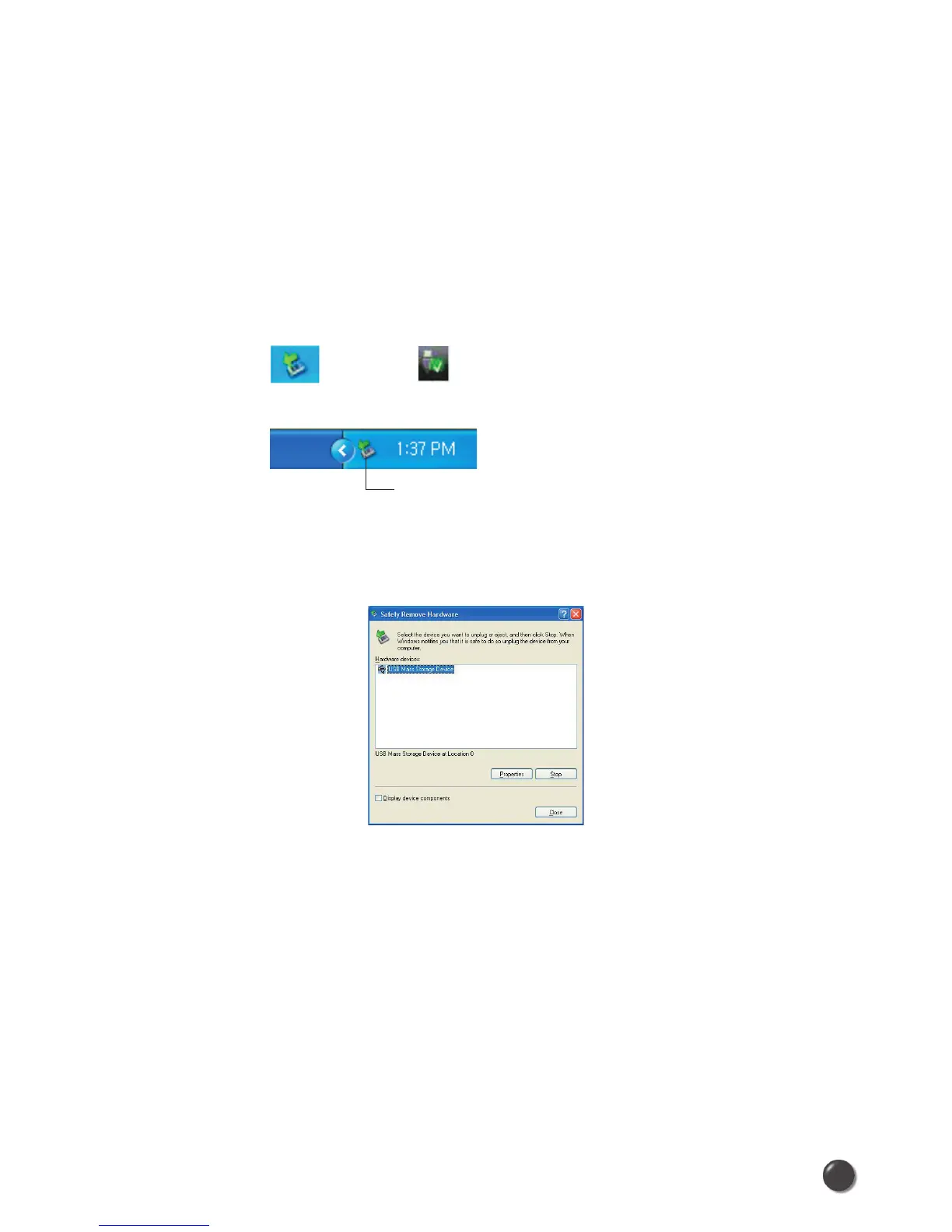
When disconnecting a USB mass storage device from the computer, close all
windows and quit all running applications that are stored on the device and double
click the Unplug/Eject Hardware icon in the System tray.
When you press the Unplug/Eject icon in the system tray, the pop-up window will
appear.
Click the [Stop] button. Now, you can remove the UM
150
from your computer.
Windows XP Vista
Unplug / Eject Hardware icon
System Tray



 To Next Page