EasyManua.ls Logo

Alltion AM-2000 - User Manual

Alltion AM-2000
46 pages
Print Icon
To Next Page IconTo Next Page
Loading...
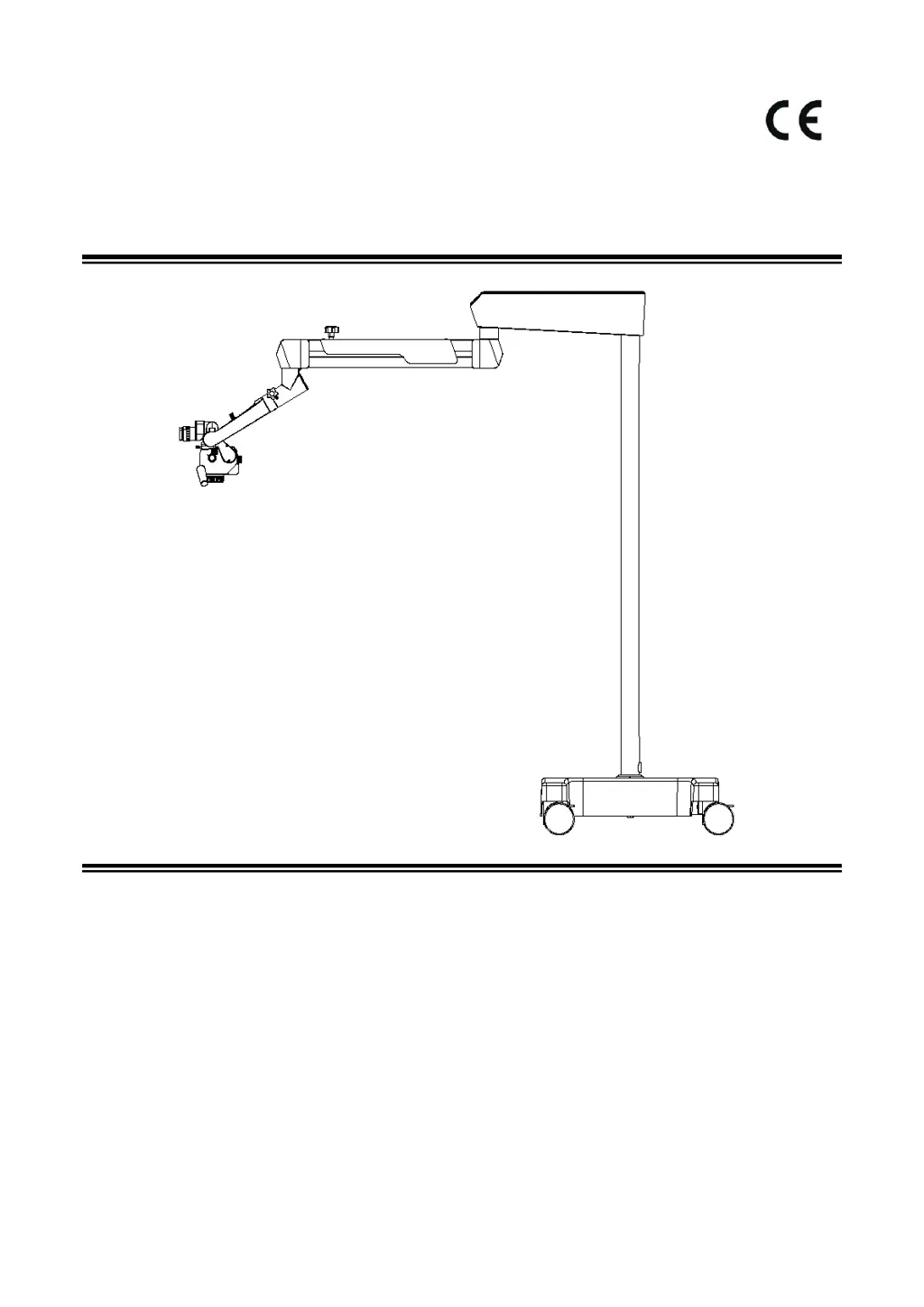
AM-2000 Surgical Microscope
User's Manual
(Please read the instruction carefully before using it)
PA1805-UM01-EN
VersionA4
2019-12-25
Alltion (Guangxi) Instrument Co., Ltd.

Table of Contents

Questions and Answers

  • P
    peter78Aug 6, 2025
    How to troubleshoot lighting failure in Alltion Medical Equipment?
    • A
      Alejandro GreenAug 6, 2025
      If the Alltion Medical Equipment lighting fails, check the following: * Ensure the power cable is securely connected; if not, connect it. * Verify the power switch is turned on. * Adjust the dimming knob if it's at the minimum position. * Make sure the balanced arm is within the working area.
  • K
    Kayla HansonAug 13, 2025
    What to do if Alltion AM-2000 illumination fails intermittently?
    • N
      Nancy JohnsonAug 13, 2025
      If the illumination of your Alltion Medical Equipment fails intermittently, it might be due to the cooling window or air inlet being blocked. Remove any foreign objects and clean the cooling window to resolve this issue.
  • E
    Erin KelleyAug 21, 2025
    Why Alltion Medical Equipment cannot stop when moving up and down?
    • G
      Gary ContrerasAug 21, 2025
      If your Alltion Medical Equipment doesn't stop when moved up or down, the balanced arm might need adjustment. This is especially true if you've recently added or removed accessories from the microscope. Balance the balanced arm to fix this.
  • M
    Michelle AllenAug 28, 2025
    How to fix Alltion Medical Equipment running stiffly?
    • J
      Justin BarkerAug 28, 2025
      If the Alltion Medical Equipment is running stiffly, the friction adjustment knob may be too tight. Loosen the friction adjusting knob and moderately adjust the friction to resolve this issue.

Summary

Safety Caution

Prompt and Information Symbols

Defines symbols for hazards, information, and operational sequences.

Environment and Application Guidelines

Details working/storage environments, contraindications, and application range.

Safety Requirements and Installation

Outlines essential safety guidelines and installation prerequisites.

Safety Signs on the Instrument

Instrument Label and Warnings

Explains the product label and key warning signs for safe operation.

Load-bearing and Date Information

Details weight limits for the arm bracket and the product date indication.

Product Assembly

Standard Configuration and Inspection

Details standard components and checks before assembly.

Installation of Support Systems

Guides for installing various support structures like floor, ceiling, and wall mounts.

Installation of Cross Arm System

Instructions for assembling and mounting the cross arm system.

Installation of Binocular Head Barrel

Steps for correctly attaching the binocular head barrel to the microscope.

Installation Confirmation

Checks to verify that the instrument has been installed correctly.

Installation of Supporting Components

Guidance for installing additional components like binocular heads and lenses.

Product Functions

Product Components Overview

A list of the main components of the surgical microscope.

Main Body of Microscope Functions

Describes the functions of the microscope's main body, including interfaces and controls.

180° Binocular and Eyepiece Adjustments

Details adjustments for pupillary distance, diopter, and eyecups.

Objective Lens Functions

Explains the function of the focusing knob for image definition.

120° Hanger Bracket Functions

Describes friction adjustment knobs for tilting motion and the dimming knob.

Mobile Floor;Wall Stand Functions

Explains controls for balancing and friction adjustment of mobile and wall stands.

Ceiling;Wall Mount Functions

Explains controls for balancing and friction adjustment of ceiling and wall mounts.

Operation of the Microscope

Pre-Operation Checks

Essential safety and functional checks before using the microscope.

Optical Adjustment Procedure

Step-by-step guide for achieving clear images through magnification and diopter adjustments.

Performance Parameters

Basic Dimensions and Motion Range

Visual representation of the microscope's physical size and joint movement capabilities.

Microscope Specifications

Details on magnification, objective lenses, binocular barrel, and eyepieces.

Optical and Electrical Parameters

Tables detailing optical performance and electrical specifications.

Electromagnetic Compatibility

EMC Requirements and Guidance

Guidelines for installation and general EMC compliance for equipment and systems.

EMC Immunity and RF Separation

Immunity levels against disturbances and recommended separation distances for RF equipment.

Cleaning and Maintenance

Preventive Maintenance and Inspection

Outlines the schedule and user's role in preventive inspection.

Optical and Mechanical Surface Cleaning

Detailed instructions on how to safely clean optical and mechanical components.

Waste Disposal

Instructions for proper disposal of waste materials and scrapped instruments.

Maintenance Related Information

Troubleshooting Common Faults

Lists common issues, their possible causes, and suggested solutions.

Alltion AM-2000 Specifications

General IconGeneral
BrandAlltion
ModelAM-2000
CategoryMedical Equipment
LanguageEnglish

Related product manuals