Operation
12
(06/2016)
Operation
Buttons
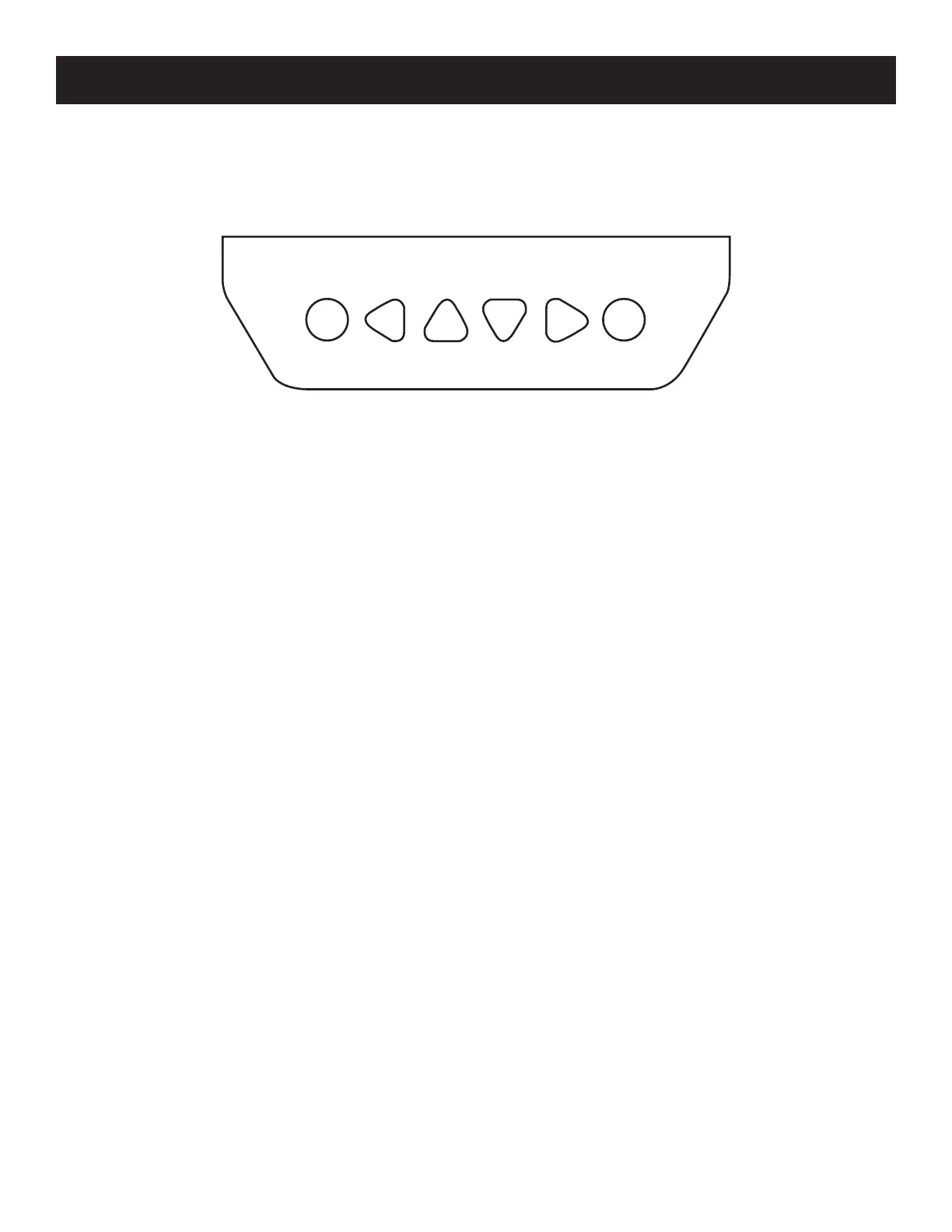
Figure 8, Outback Mate Micro Buttons
From left-to-right, the buttons are: Esc, Left, Up, Down, Right, and OK. Pressing OK will navigate to a subpage, and pressing Esc will
take the user back to the previous page.
The default page is the “Browse” mode. Pressing OK and inputting the correct password will allow the user to enter “Modication”
mode. The left and right buttons are used to move the cursor, while the up and down buttons are used to modify parameters.
When modifying parameters, OK can be used to conrm the modication, while Esc can be used to cancel the modication.
Main Menu
The Main Menu is accessed by pressing Esc. On the Main Menu, the up and down buttons are used to move the cursor up and
down the menu items. The screen displays 4 list items at a time. Press OK to select a subpage any of the listed subpages:
1. Monitoring
2. Device Info.
3. Test Operation
4. Control Para.
5. Load Set
6. Device Para
7. Device PSW.
8. Factory Reset
9. Failure Info.
10. Meter Para.
Esc OK



 To Next Page