M ANAGING SMARTA PPLETS
Disabling SmartApplets on NEOs
AlphaSmart Manager 2 User Manual 35
. . . . .
Disabling SmartApplets on NEOs
Follow the steps below to disable a SmartApplet on your NEOs using
AlphaSmart Manager. When you do this, the SmartApplet can’t be used on
the NEOs, but it is still installed on the NEOs, and you can enable it again
later.
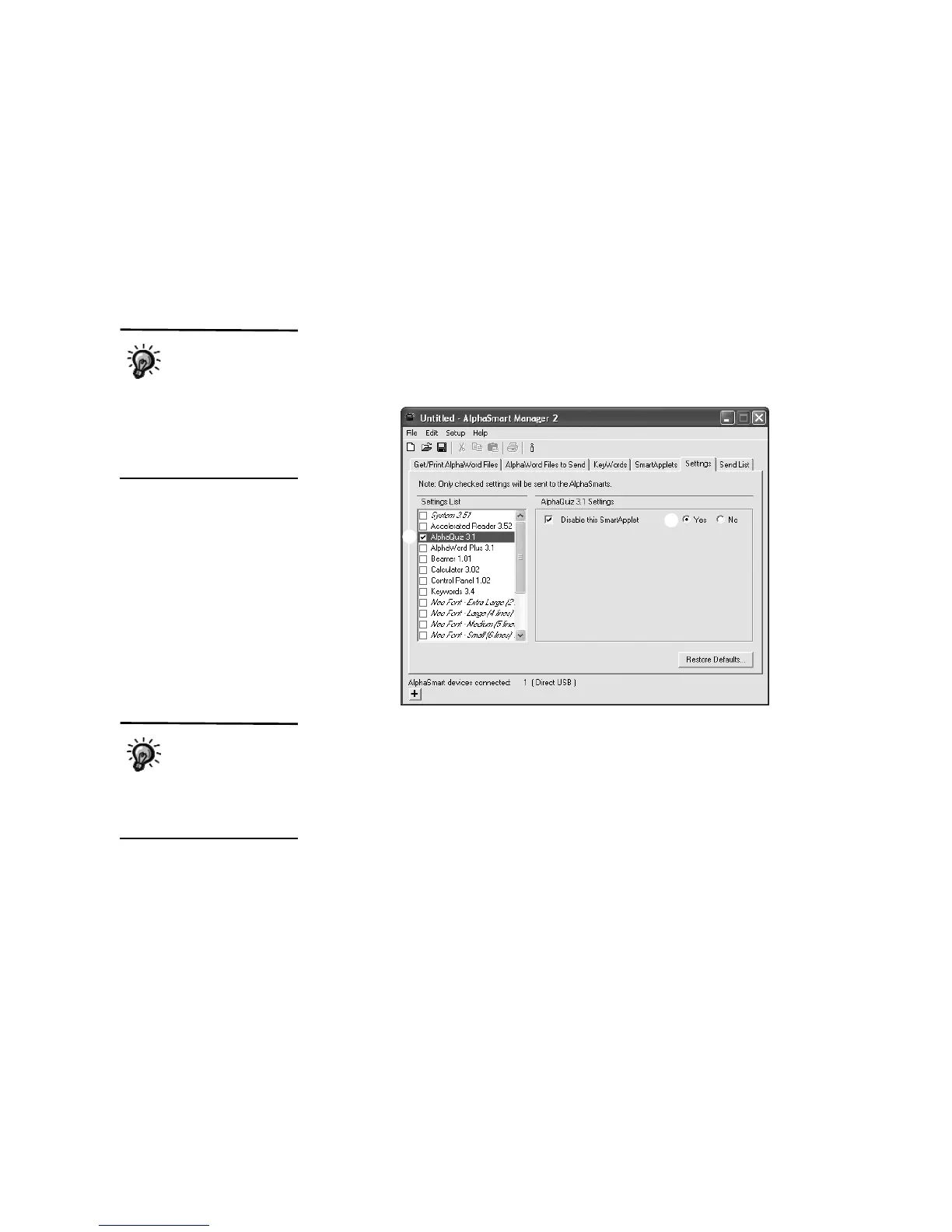
1. In AlphaSmart Manager, click the Settings tab.
2. On the left, click the SmartApplet that you want to disable on your NEO(s)
A.
3. On the right, after the Disable this SmartApplet setting, click Yes B.
The box will be checked.
4. Click the Send List tab and verify that your setting change is in the list.
5. If you have a SmartOption Mobile Lab and you want to send the setting
change to some, but not all, of the NEOs, click Select Devices, check the
numbers to which you want to send the change, and click OK. (To send to
all connected NEOs, skip this step.)
You can also disable
SmartApplets right
on the NEO. Press
applets, move the cursor next
to the SmartApplet you want
to disable, and press ctrl-z-L
Then, enter the master
password and press enter.
A
B
When you’re ready
to enable the
SmartApplet again,
repeat these steps and click
No instead of Yes for the
setting.



 To Next Page