M ANAGING SMARTA PPLETS
Viewing SmartApplet Information
AlphaSmart Manager 2 User Manual 37
. . . . .
Viewing SmartApplet Information
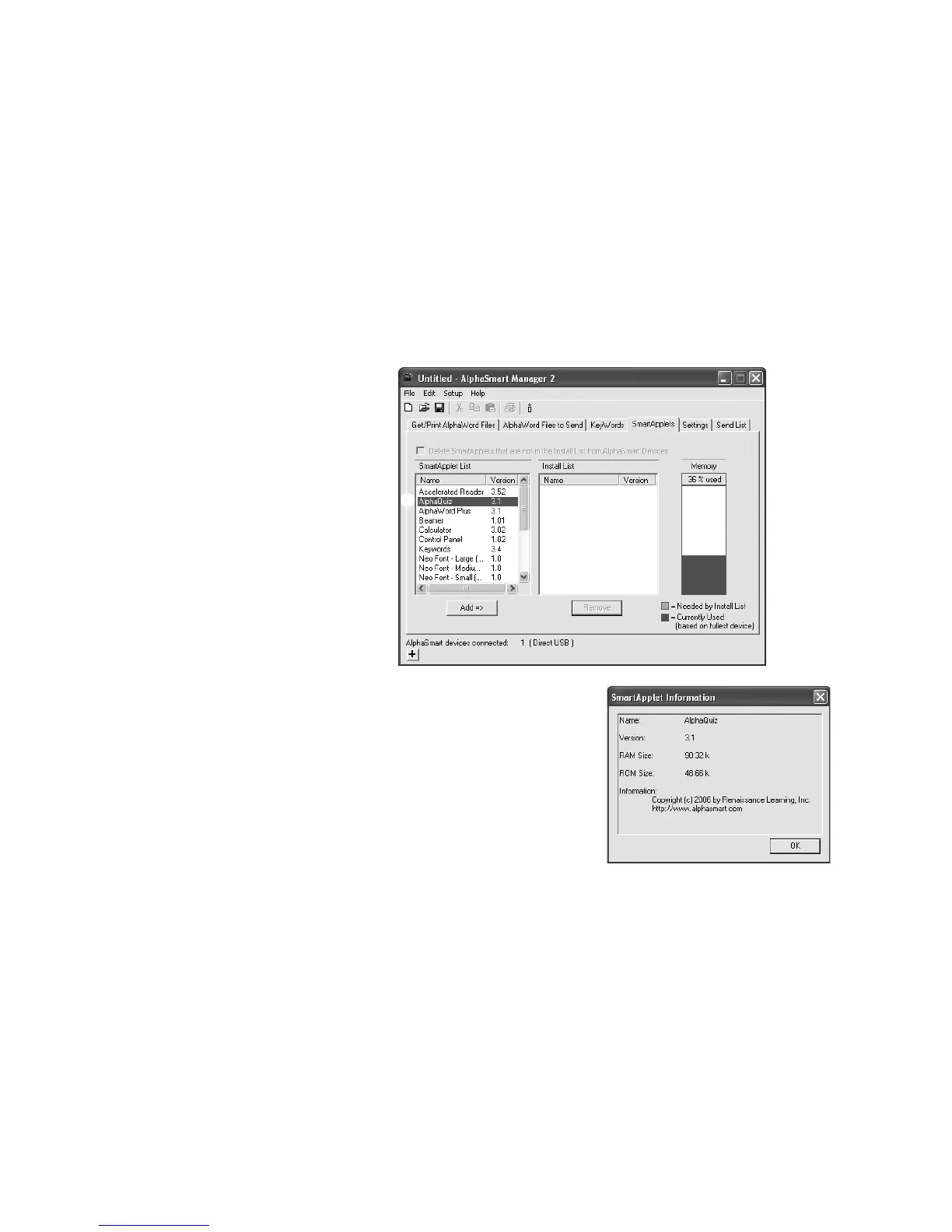
Follow these steps to get more information about the SmartApplets that are
installed on your computer.
1. In AlphaSmart Manager, click the SmartApplets tab.
2. Double-click the SmartApplet for which you want information A, or click
the SmartApplet, click the File menu, and choose Get SmartApplet Info.
3. The window that appears will show
you the name of the SmartApplet, the
version, the RAM and ROM size, and
the copyright date. To close the
window, click OK (Windows) or
Close (Macintosh).
About SmartApplet Settings
Each SmartApplet has its own settings, which you can change in AlphaSmart
Manager. (You can also change many settings in the Control Panel on each
individual NEO.) To change the SmartApplet settings in AlphaSmart
Manager, see page 52.
A



 To Next Page