AlphaSmart Manager 2 User Manual 65
O
THER
A
LPHA
S
MART
M
ANAGER
T
ASKS
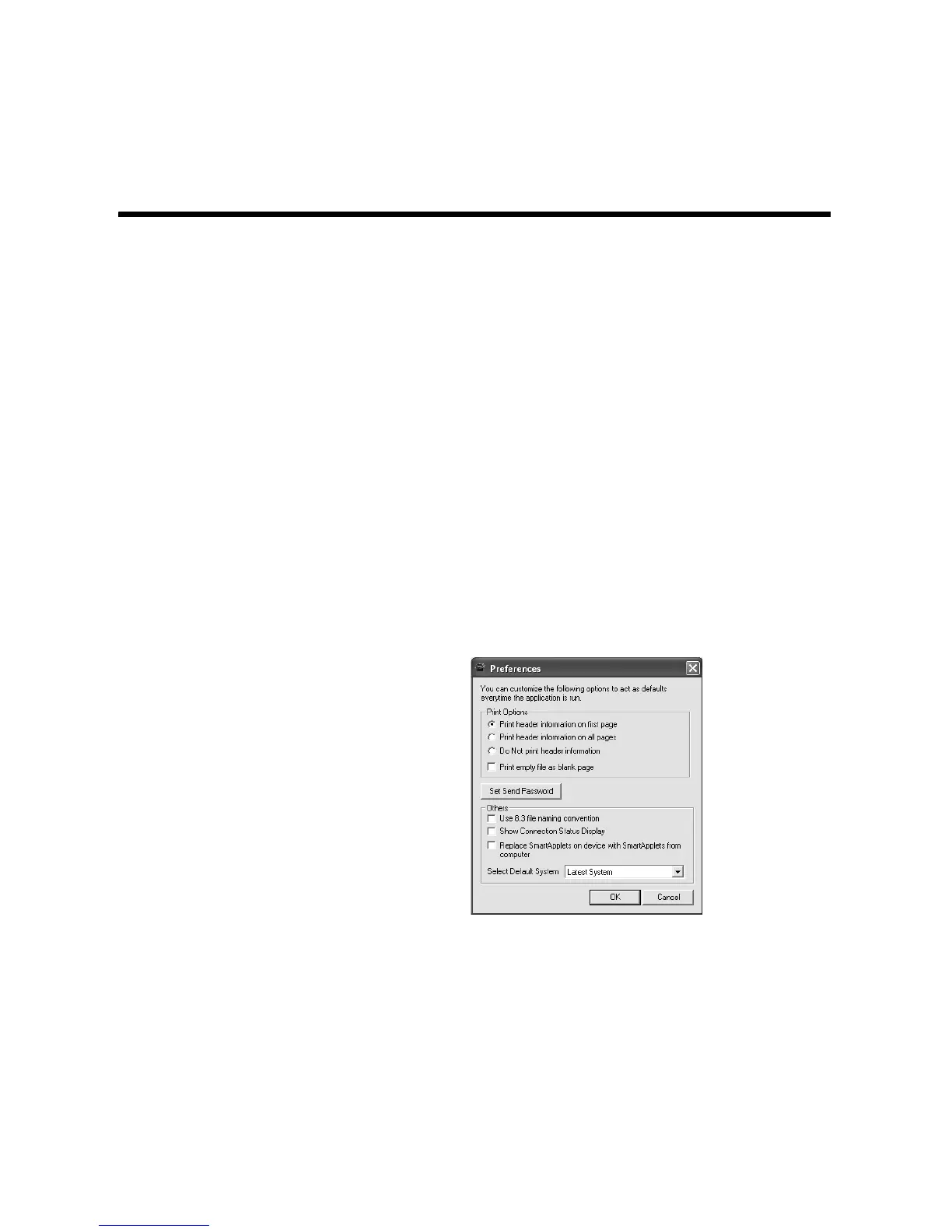
Setting AlphaSmart Manager Preferences
AlphaSmart Manager has its own set of preferences.
Follow these steps to change AlphaSmart Manager preferences:
1. Windows computers: Click the Edit menu and choose Preferences.
Macintosh computers: Click the AlphaSmart Manager menu and choose
Preferences.
2. Click one of the options for the Printing preferences
A, which affect
AlphaWord Plus files that you print out:
• Print header information on first page. Prints the NEO number (or
“AlphaSmart USB”) and the file number on the first page only.
• Print header information on all pages. Prints the NEO number (or
“AlphaSmart USB”), the file number, and the page number on all
pages.
• Do not print header information. Omits header information from all
pages.
3. Check the box below the print options if you want empty files to print as a
blank page
B. This provides a useful visual clue if you’re printing several
files from multiple NEOs.
A
B
C
D
E



 To Next Page