K EYW ORDS IN ALPHAS MART MANAGER
Synchronizing KeyWords Data with KeyWords RP
AlphaSmart Manager 2 User Manual 43
. . . . .
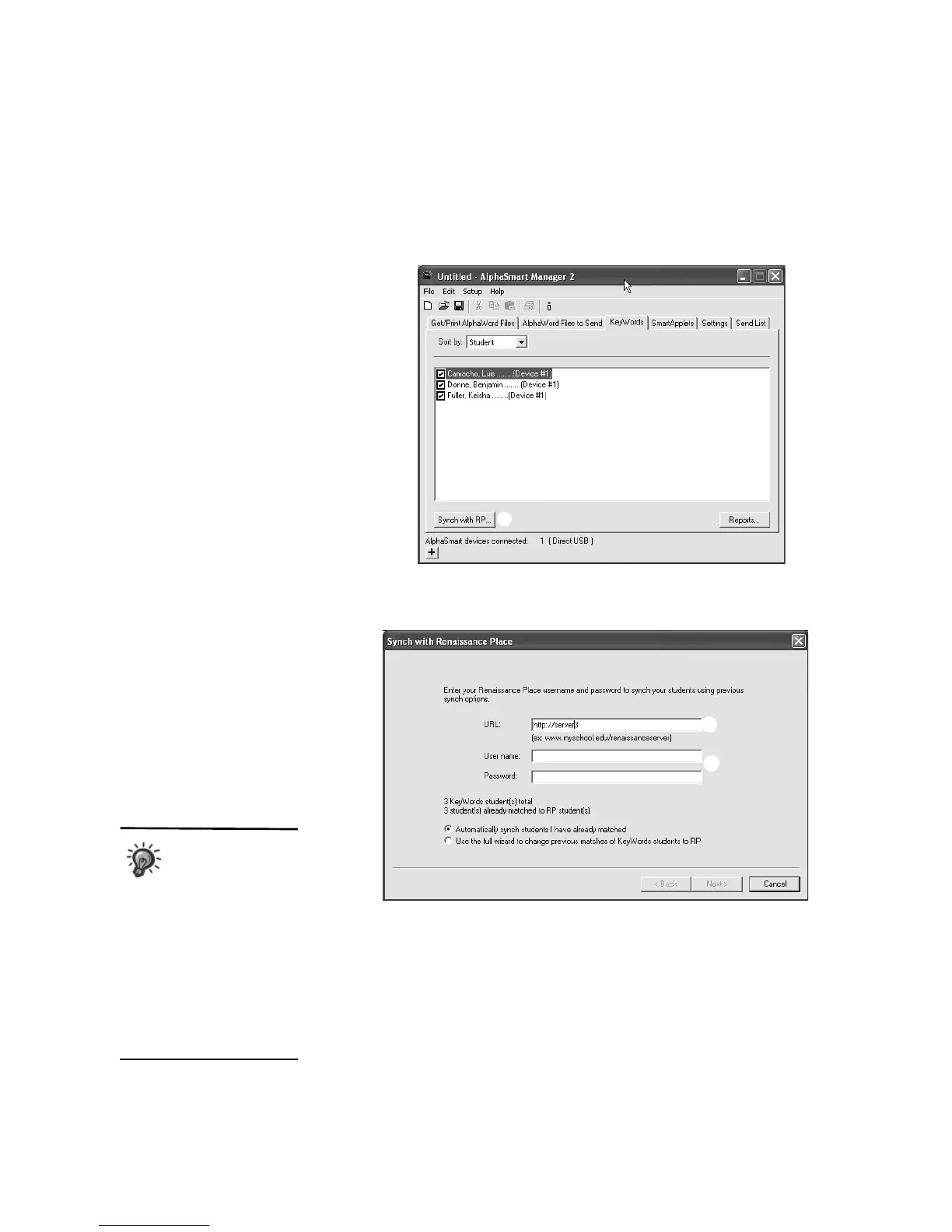
AlphaSmart Manager will retrieve students’ KeyWords data from
connected NEOs. You can use the drop-down list
A to choose whether to
list by student or to list students under the device (NEO) they’ve used.
2. Click Synch with RP
B.
3. Enter the Web address that you use to access Renaissance Place
C.
4. Enter the user name and password that you use to log in to Renaissance
Place
D.
A
B
C
D
E
You don’t need to
use the same
Renaissance Place
user name for future
synchronizations if you are
using AlphaSmart Manager 2
version 3.0 or higher. Different
Renaissance Place users can
synchronize from the same
computer as long as they are
logged into the computer as
different users (with different
accounts on the computer).



 To Next Page