Service manual AlphaCom XL transceiver Rev. 1.4 10-08-2011 Blz. 23/74
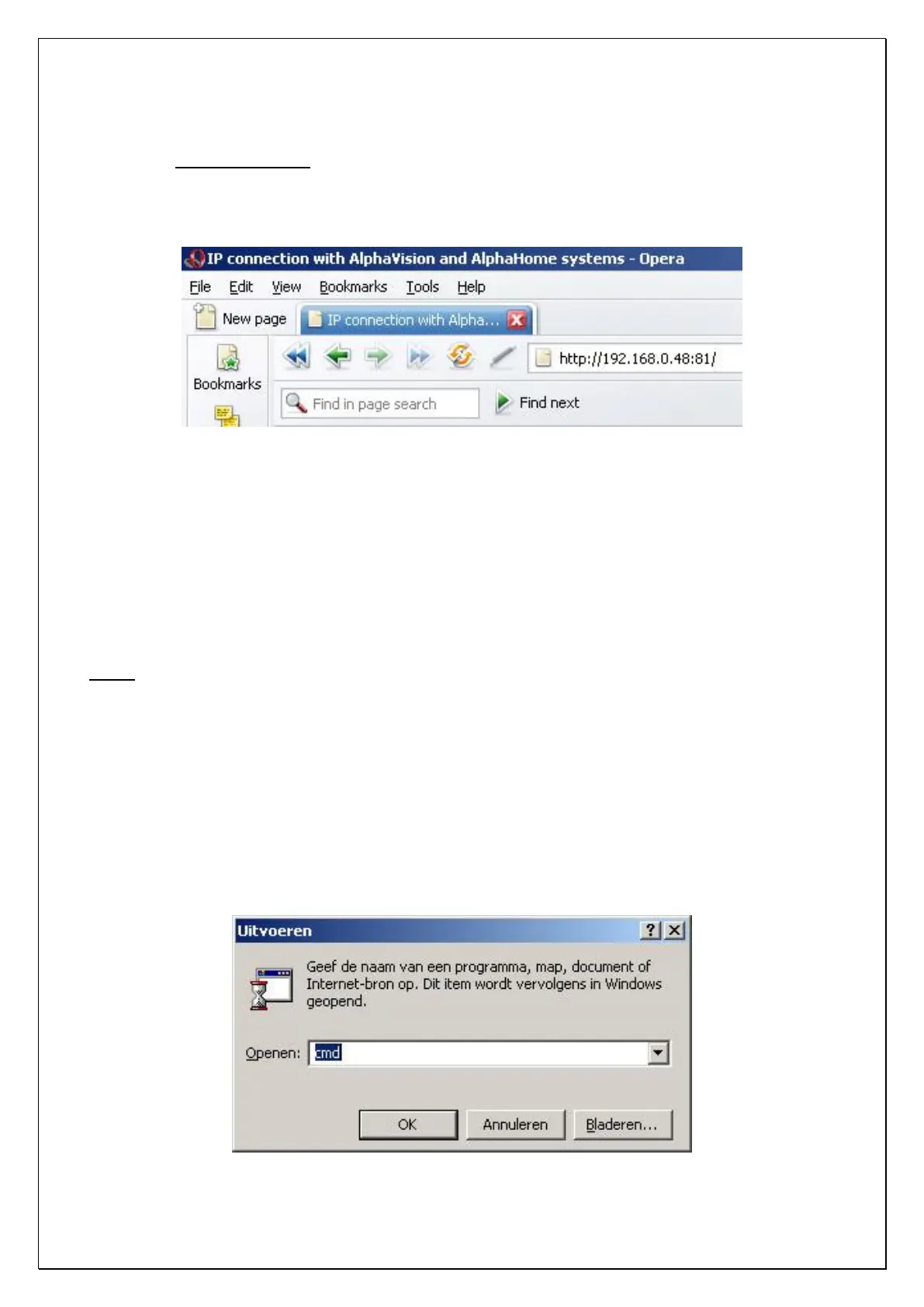
When the dipswitches are set correctly and the AlphaCom XL is powered up, use the browser to open
http://192.168.0.48 (or the IP address that is already programmed into the ALPHACOM XL). Remember to
type in only http://192.168.0.48, without „www‟. If required, the used port number can be placed behind the
IP address, as such: 192.168.0.40:81. The :81 is used to force the browser to use port 81 and only needs to
be used when dipswitch 2 is set to OFF.
Port 80 is the standard web port, meaning it can always be reached, regardless of the used router or firewall.
This is the reason for using port 80 in the ALPHACOM XL when dipswitch 2 is set to ON. Since this is not
the safest port, make sure to program the used port in the ALPHACOM XL to a different one. The default
port setting with dipswitch 2 set to OFF is port 81. This means when no other port is programmed, the
ALPHACOM XL can only be reached on port 81.
Attention: when dipswitch 2 is set back to the OFF position and the AlphaCom XL transceiver is reset, the
AlphaCom XL can only be reached by using the programmed web port.
Please note: In Internet Explorer, for „normal‟ web pages, using web port 80, it is not necessary to type in
http:// but when using another web port, like 81, it is necessary!
Attention: when accessing the AlphaCom XL from an external internet connection it is also necessary to
open the programmed web port (81 or 82) in the modem/router. When de standard webport 80 is used,
normally it is not necessary to open it explicitly in the modem/router. If port 80 is standard remotely
accessible, depends on the type of modem/router.
Hint: to check if the computer can reach the ALPHACOM XL the Alphatronics Equipment Discovery Tool
can be used. Another option is to use the PING command. This command can be executed in a DOS prompt.
Also the computer‟s IP configuration can be displayed easily by using the IPCONFIG command. To open a
DOS prompt, go to Start, Execute and enter „cmd‟ at the command line:



 To Next Page