Service manual AlphaCom XL transceiver Rev. 1.4 10-08-2011 Blz. 58/74
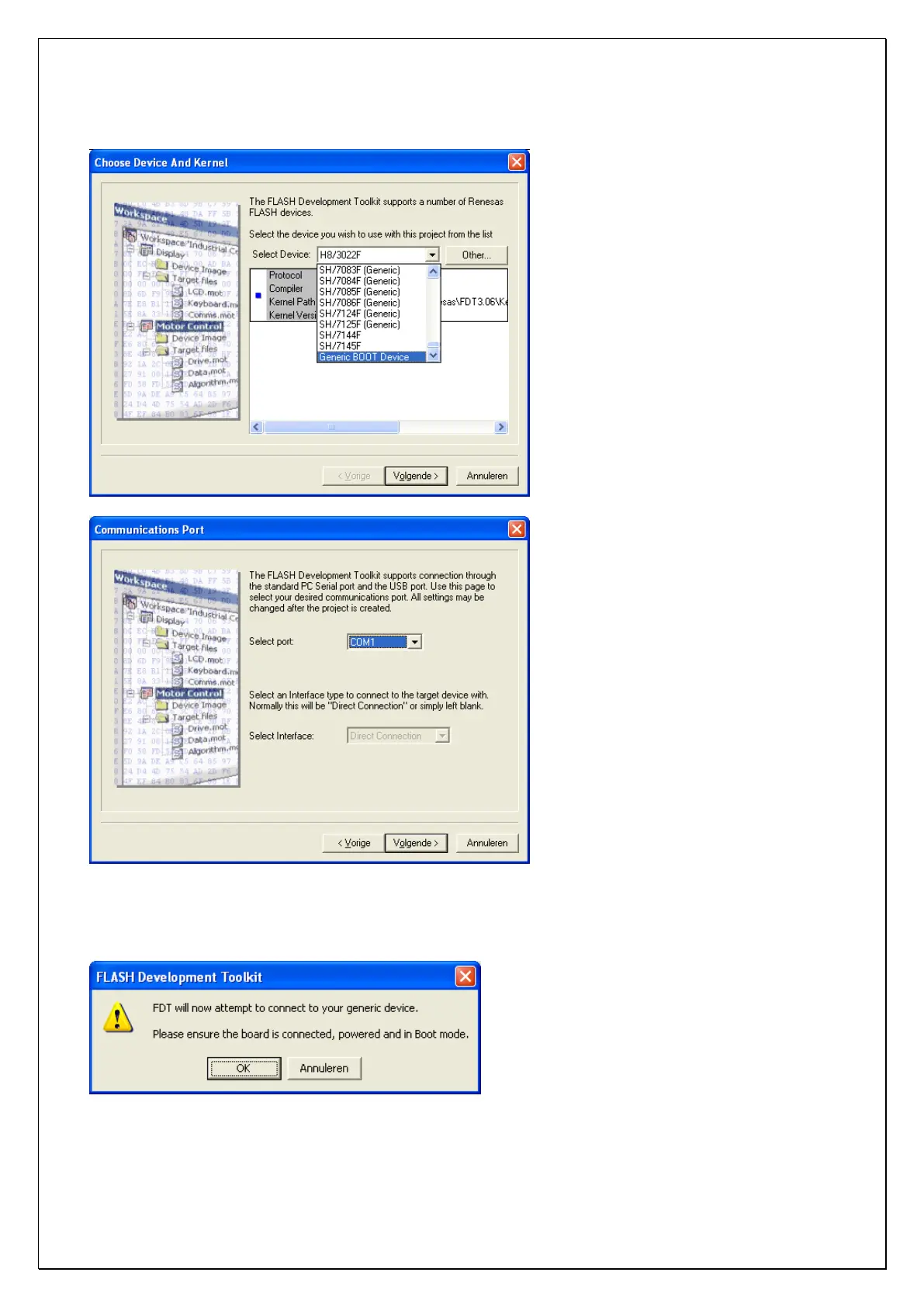
Choose the Select Device voor Generic BOOT Device and press Next.
Select the serial COM-port that the programming cable is connected to. Be aware, when using a serial to
USB converter, a virtual COM-port will be made by the software driver. Press Next.
Ensure that the settings of the AlphaCom XL are installed correctly (flash mode) and power-up the
AlphaCom XL. The green watchdog LED will turn-on shortly and then turn off. Press OK.



 To Next Page