SYSTEM SETTINGS
7
102 - Settings
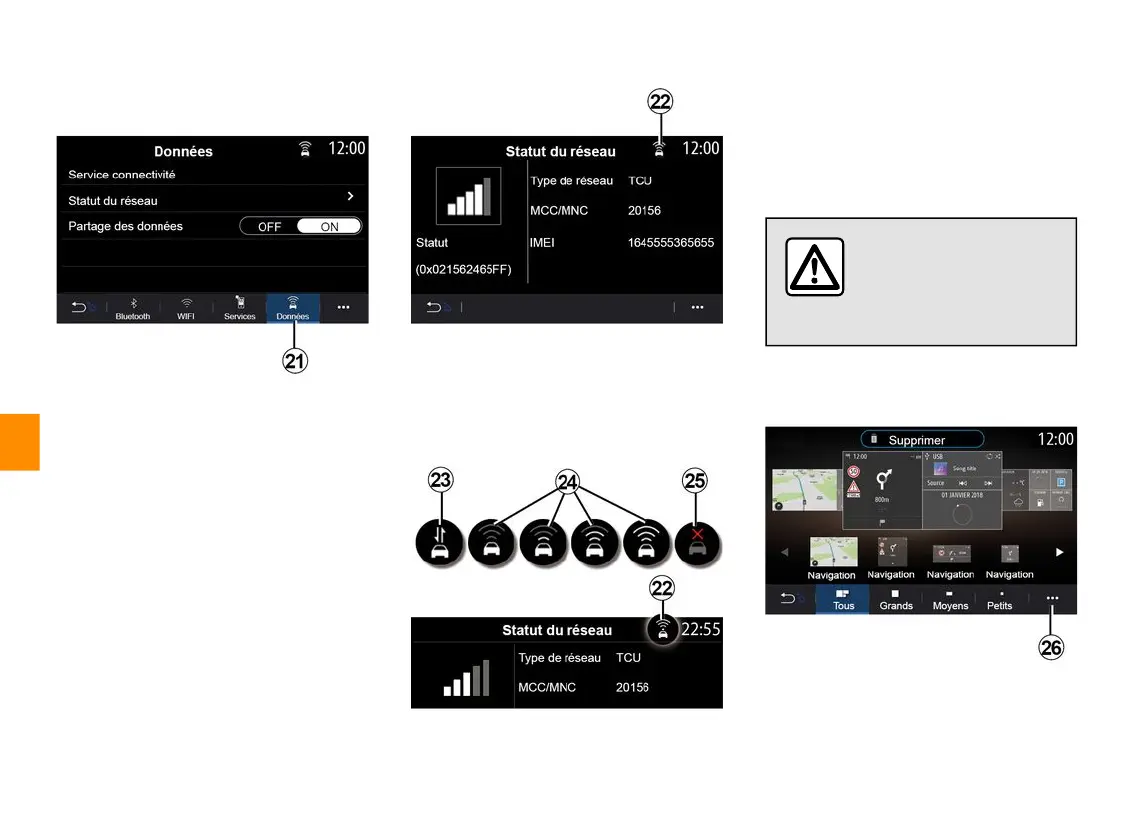
From the "Data" tab
21
, you can
access information on:
– which operator is responsible for
connectivity to your vehicle;
– connectivity data and status;
– data sharing.
The status and connection data show
you the status, reception level
22
and
system ID.
Reception level and data sharing
status are indicated by the icon
22
:
– data sharing on
23
;
– data sharing off. Reception level
24
;
– vehicle offline or outside of the
coverage area
25
.
For safety reasons, carry
out these operations
when the vehicle is
stationary.
«Homemenu»
Use this menu to configure the home
pages for your multimedia system.



 To Next Page