Delay
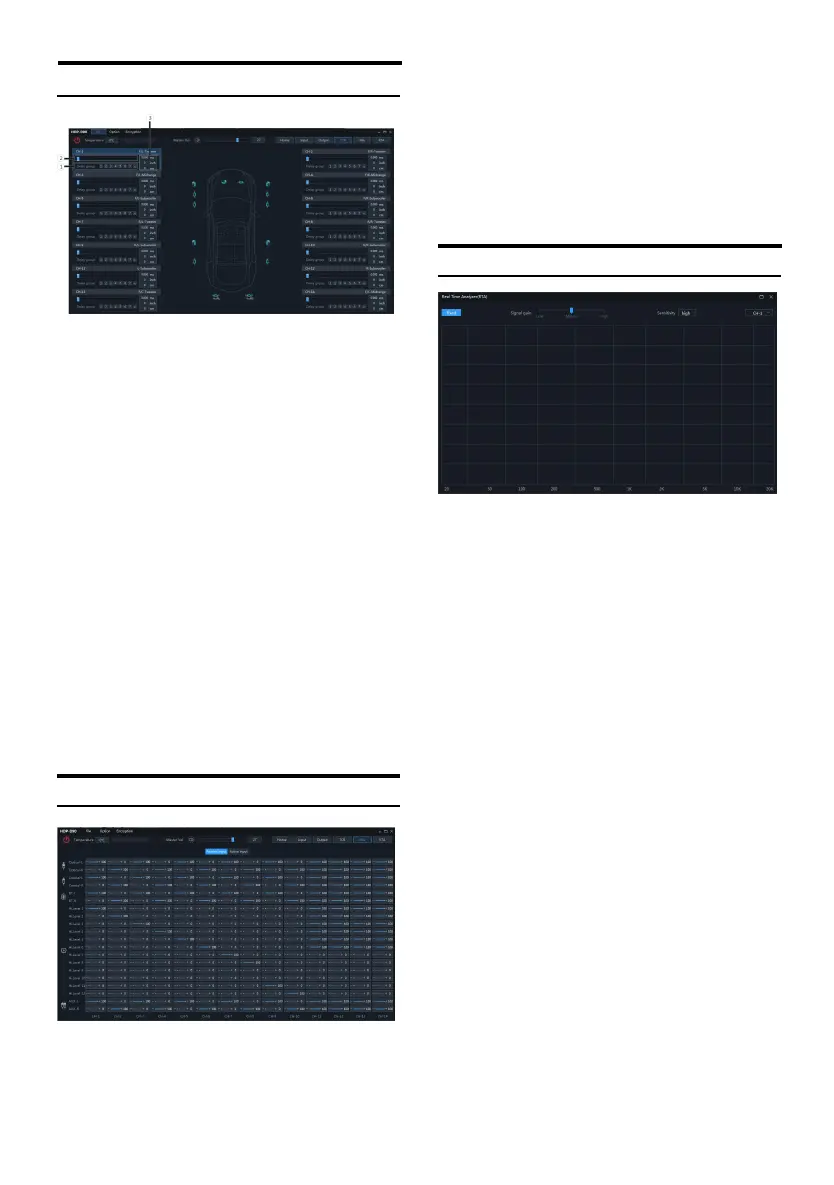
① Delay adjustment.
② Delay group sele ction.
③ Delay value displa y window.
Setting items:Delay setting
Setting content:Delay/delay group
1. Delay adjustment: The delay can be adjusted
by directly inputting the value, scrolling the
mouse wheel or the up and down keys on
the keyboard.
2. Delay group: select the delay group, and the
channels with the same delay group can be
adjusted together.
3. The dela y units a re ms (mill iseconds), inch
(inches) and cm (centimeters).
Delay range: 0.000~20.000 milliseconds;
0~692 cm;
0~273 inches.
Mix
After the HDP D90 machine sets the sound
source signal into t he aud io processor, it i s
divided into the volume of each output ch annel,
and t he purp ose of mixin g and mixing can be
achieved by adju sting the volume of each
sound s ource in the channel. In the passive
input mode, t he frequ ency division is set by the
PC t erminal; in th e activ e input mode, th e
frequency division is set by the original vehicle
host itself.
RTA
1. Display window: The window size can be
the largest screen and can be zoom ed
freely.
2. Select the display channel:
(1) O utput: Click the drop-down list to select
the spectrum dynamics of th e output
channel.
(2) Fixed: Only t he spectrum dyna mics of th e
currently selected output channel ca n
be displayed, and other output
channels cannot be switched.
(3) Follow: Follow th e output cha nnel clic ked
by t he mouse to switch and display the
spectrum dynamics of the sele cted
output ch annel.
(4) S ignal gain: h old dow n the mouse and
push th e fader left and right to adjust
the s ignal gain.
(5) Sensit ivity: There a re high, mediu m and
low options. The higher the sensitivity,
the more sensitiv e the frequency
spectrum jumps.


 To Next Page