19
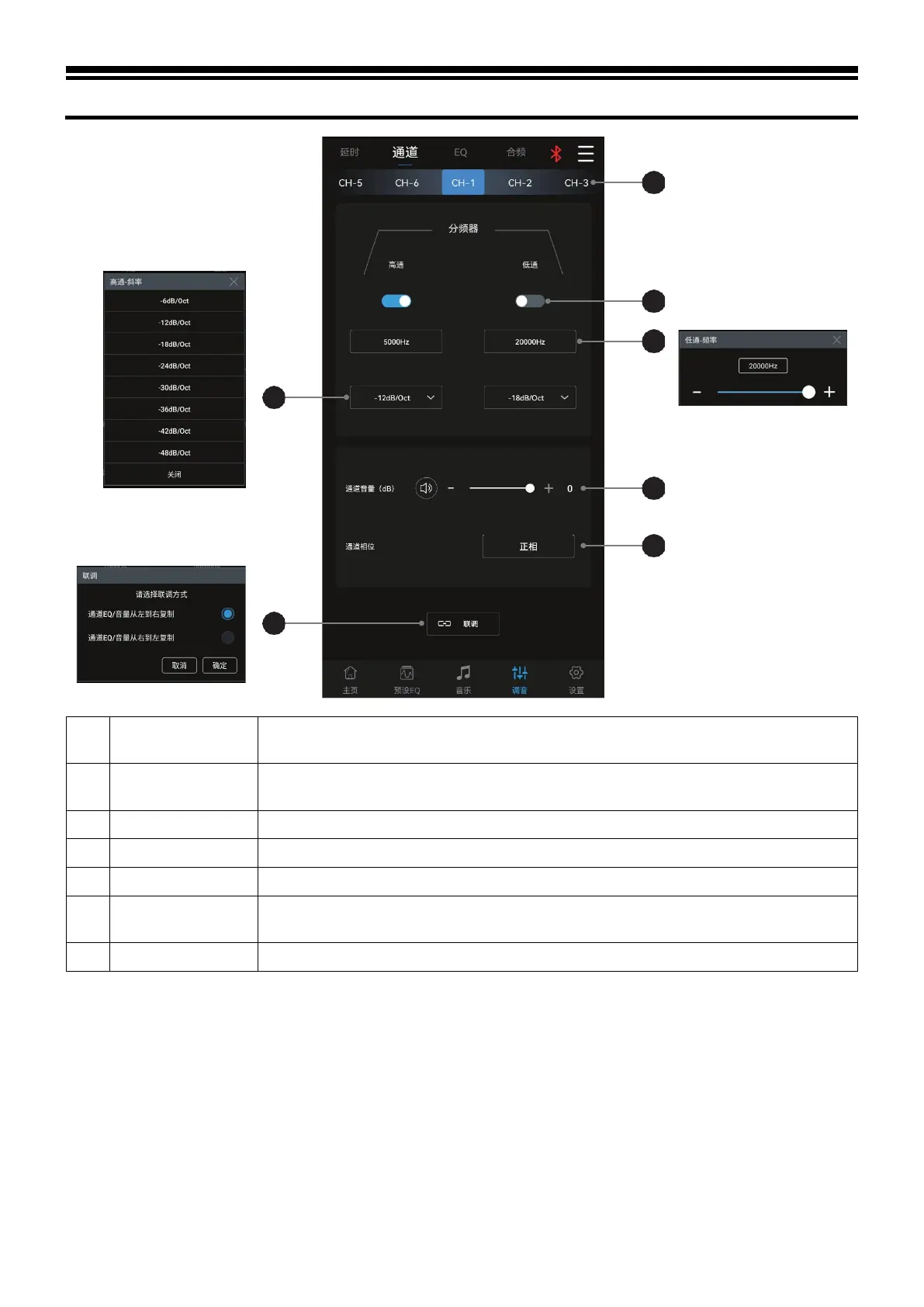
Description of mobile APP - Channel
1 Debugging
The debugging modes to choose from include “Copy channel EQ / volume from left to
right” or “Copy channel EQ / volume from right to left”.
2 Slope
Select the divider slope (-6dB/Oct, -12dB/Oct, -18dB/Oct -24dB/Oct -30dB/Oct, -
36dB/Oct, -42dB/Oct, -48dB/Oct or OFF).
Slide left and right to select the output channel to set. There are 6 channels to choose from.
Turn on or off High-pass/Low-pass.
Select the divider frequency (between 20Hz and 20kHz).
6 Channel volume
Push the fader left and right to adjust the channel volume, or click "+" and "-" to adjust the
channel volume.
Select the channel phase (normal phase or reverse phase).



 To Next Page