14
Bluetooth is a wireless technology used for short distance communication between mobile devices and PCs. It
can realize data transmission between Bluetooth-compatible devices If the distance between two devices is less
than 10 meters, they can transmit data with Bluetooth within the approved 2.4 GHz frequency spectrum.
1
Bluetooth
When the host machine is powered on for the first time and is not connected to any device
via Bluetooth, you need to wait for the mobile phone to pair and connect it. Search “UTX-
M06-XXXXXX” directly on the mobile phone background and connect to it. “” is a 6-d
random code, for example: UTX-M06-
A00414. For detailed operation, please refer to the
below:
1. Enable Bluetooth on the mobile phone;
2. Search pairable devices on the mobile phone background, and select “UTX-M06-
XXXXXX” to pair.
3. After pairing succ
essfully, press and hold the knob for a while to enter the Setting interface
→ General → Bluetooth, press “Bluetooth” to enter the interface, which shows
“Connected”.
4. If you need to disconnect the Bluetooth device, short press the knob and it will promp
t the
user to “Confirm to disconnect the Bluetooth device”. Short press it again to confirm
disconnection. After disconnection, it will show “Disconnected”. After disconnection, if
you need to connect the Bluetooth again, perform step 2.
Caution: This devi
ce can only pair with one Bluetooth compatible device at a time and
cannot be connected to two Bluetooth compatible devices at the same time.
2
Bluetooth
music
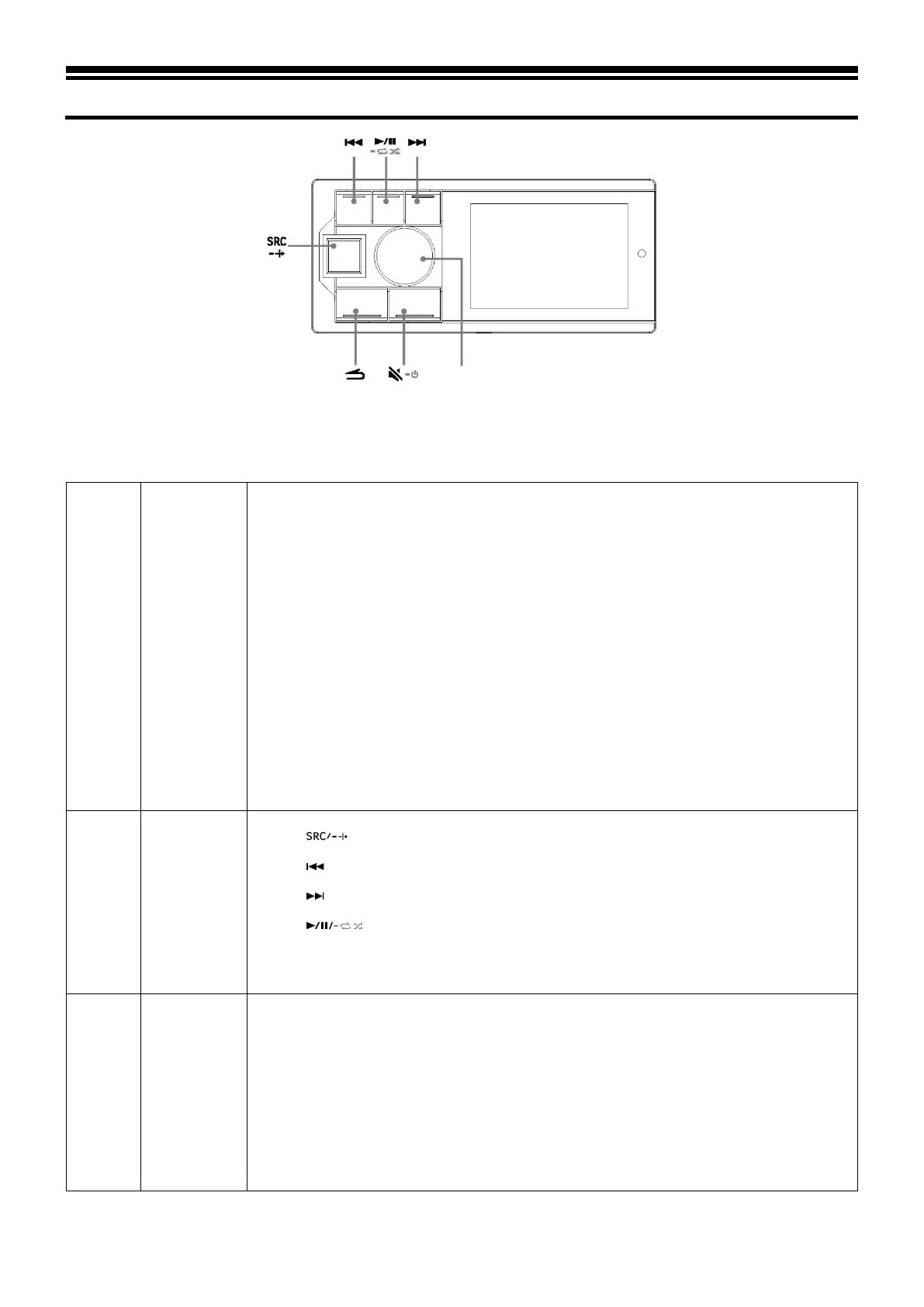
1. Press to choose Bluetooth music.
2. Press to select the previous track.
3. Press to select the next track.
4. Press to switch between pause and play.
Caution: 1. This operation varies depending on the device connected.
2. This device has separate memory for volume settings of
3
About
Bluetooth
Depending on the Bluetooth version, Bluetooth compatible devices may be unable to
communicate with this device.
1. It is not guaranteed that this device can be used normally in conjunction with all
Bluetooth
compatible devices. For the operation of Bluetooth compatible devices, please consult your
Alpine dealer or visit Alpine’s website.
2. Depending on the environment, Bluetooth wireless connection may be unstable.
3. Depending on the Bluetooth comp
atible device connected, this function may vary. Please
also refer to the user manual of the device connected.
4. When searching for this device on the mobile phone, the name of this device is “UTX-



 To Next Page