5
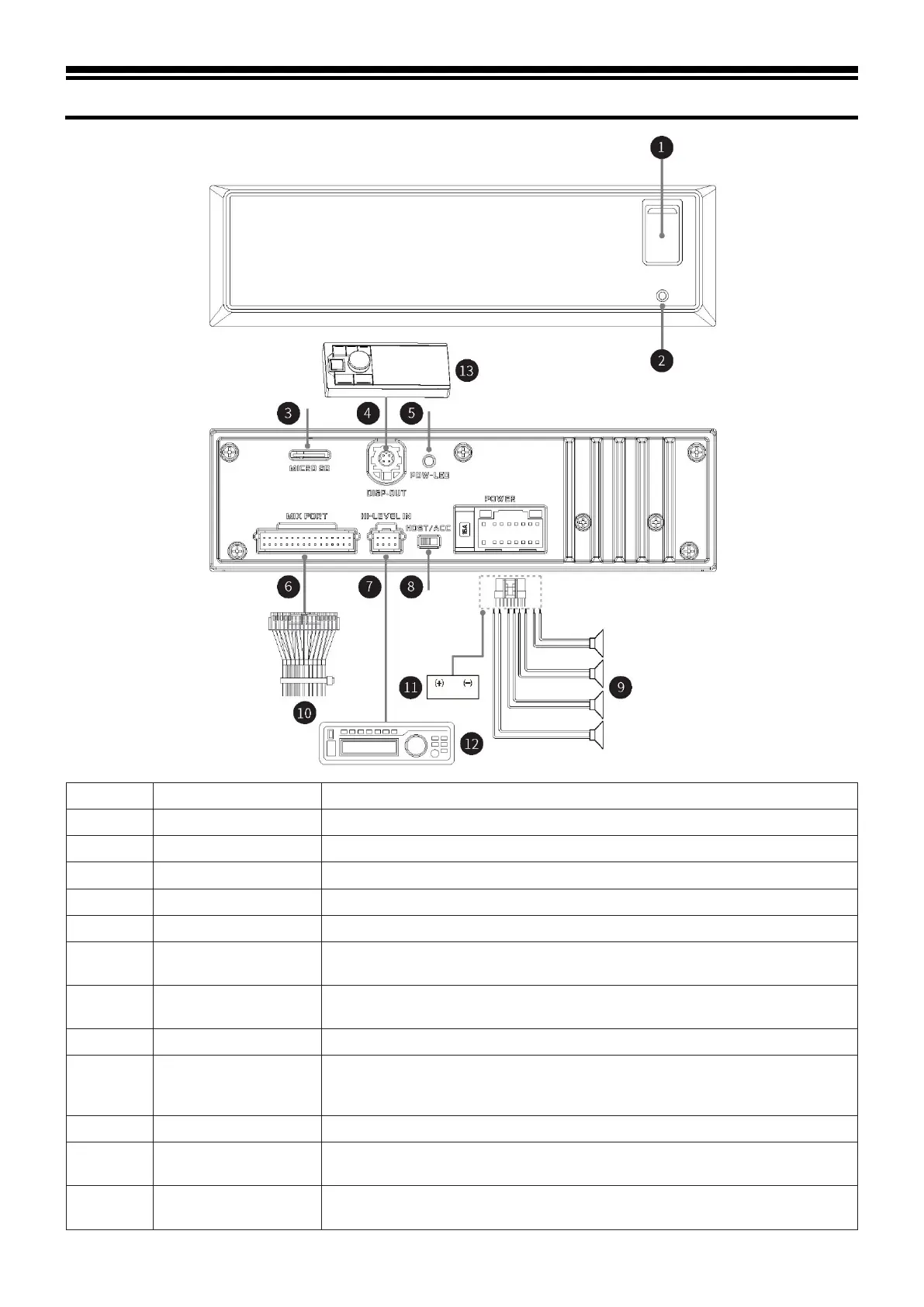
Used to connect USB flash disk or USB HUB.
Press and hold the button for 3 seconds to restart the host machine.
Used to connect MICRO SD card.
It can be connected to the controller for tuning.
Complex connection mode integrated with 8 types of input and output interfaces
7
High level input
interface
Connected to the power output of an on-vehicle CD/DVD player.
8
Input select switch
interface
If the switch is put to “ACC”, the device will be started by ACC; if put to “HOST”,
the device will be started by the high voltage level input signal H1-/H1+.
Connect the external power amplifier
10 Complex line
including 1 group of 3.5 mm socket audio input interface, 3 groups of RCA audio
output interface, USB 2.0 interface, steering wheel controller interface, and
Alpine system matching interface (for connection with DSP product).
Connect the vehicle battery.
12
Provide high level input signal.
13 Controller
By connecting the controller, play control, volume adjustment and audio source
selection can be performed.



 To Next Page